
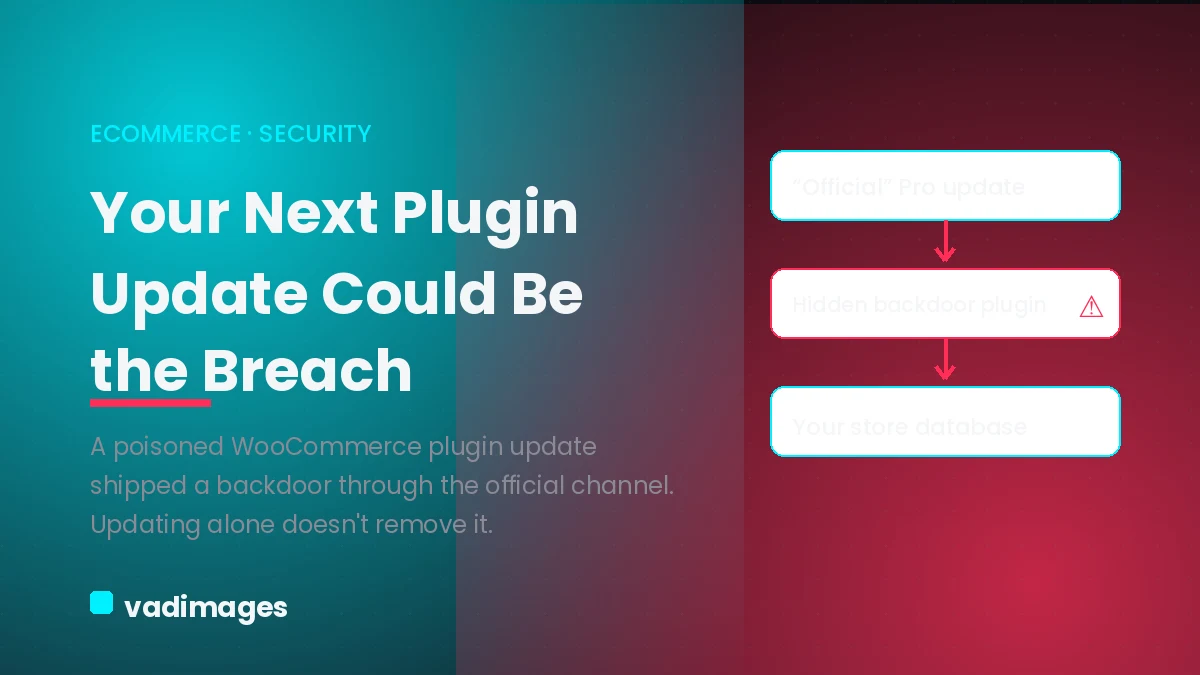
For a decade the security advice for any WordPress or WooCommerce store fit on a sticker: keep core, themes, and plugins updated. In one week of June 2026 that advice broke. Three separate supply-chain incidents surfaced, and in all three the malicious code arrived through the official update or distribution channel — the exact path store owners are told to trust. For a US ecommerce business running WooCommerce on someone else’s plugins (which is every WooCommerce business), the question shifts from “are my plugins up to date” to “do I trust the channel those updates come through, and what happens when that trust is misplaced.”
What actually happened
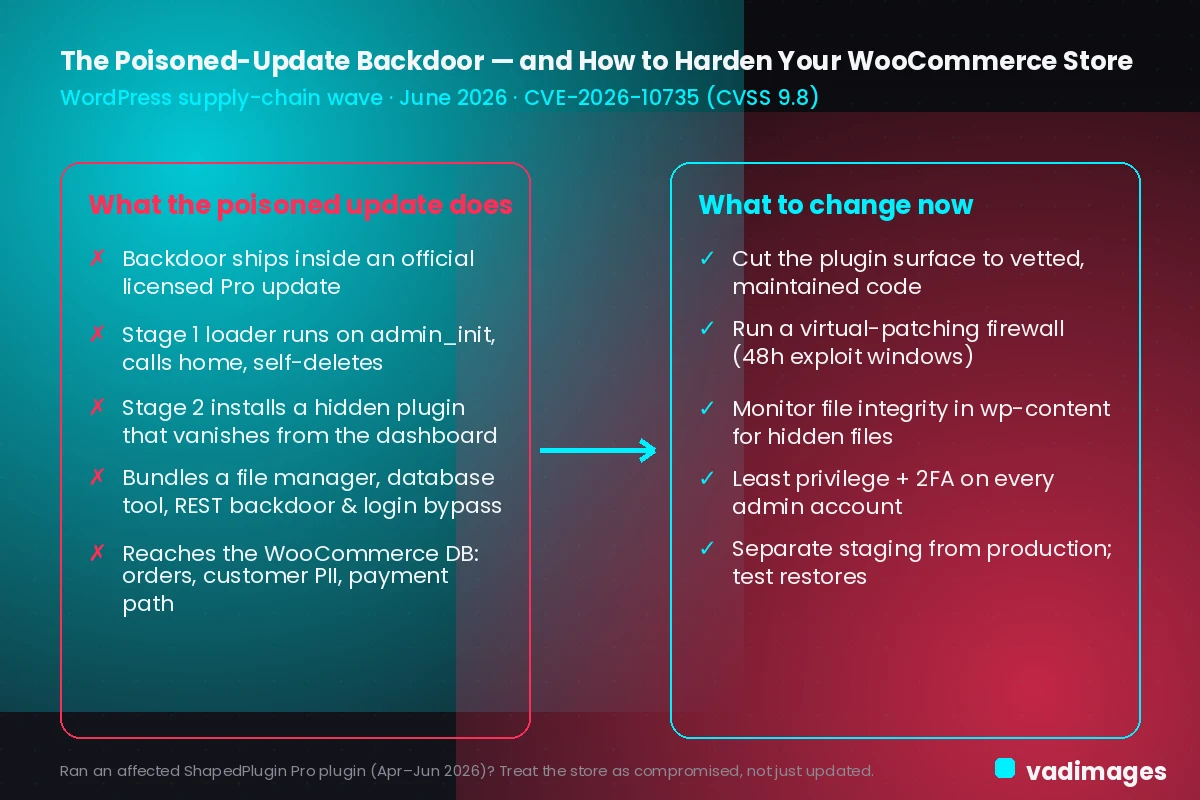
The sharpest case for store owners is ShapedPlugin. Attackers infiltrated the vendor’s build and distribution pipeline and injected a multi-stage backdoor directly into paid plugin releases, delivered through the normal licensed update channel. To the customer it looked exactly like a routine Pro update. Three commercial plugins were affected — Product Slider Pro for WooCommerce before 3.5.4, Real Testimonials Pro 3.2.5, and Smart Post Show Pro before 4.0.2 — and the flaw is tracked as CVE-2026-10735 at CVSS 9.8, critical. Researchers dated the injection to May 21, 2026, with the first reports of suspicious updates arriving on June 10.
It did not happen in isolation. The same week, backup-plugin maker Awesome Motive had a CDN API key stolen after a high-severity UpdraftPlus vulnerability was exploited within 48 hours of disclosure. Attackers used the key to inject malicious JavaScript into the SDK files served to sites running OptinMonster, TrustPulse, and PushEngage — more than 1.2 million sites — without ever touching the installed plugin code. Separately, a redirect plugin on 70,000-plus sites was found to have pointed its own update checker away from WordPress.org for years. Different mechanisms, one theme: the update channel itself was the attack vector.
Why “just update” can make it worse
Normally, updating fast is the right move. Here it is the trap. If the poisoned code is the update, applying it faster only makes you a victim sooner — and the damage does not reverse when the vendor ships a clean version. The blunt guidance from analysts is that any site that installed an affected ShapedPlugin Pro product between April and June 2026 should be treated as compromised, not merely updated.
The reason is how the payload behaves. A first-stage loader runs quietly on admin_init, beacons to a command-and-control server, pulls the real payload down through WordPress’s own updater, then deletes itself to hide the trail. The second stage drops a fake plugin that hides from the admin plugin list and bundles a full toolkit: a file manager, a database tool, a REST API backdoor, a URL-parameter web shell, and a login bypass. A fix in the plugin code does nothing for a store that already has that second stage sitting on disk. In practice, an owner who saw “update available,” clicked it, and moved on may believe they are safe while an attacker still holds a key to the building.
What it actually costs an ecommerce business
For a content site a hidden backdoor is bad. For a WooCommerce store it is worse, because the same database the attacker can now reach holds your orders, your customer records, and often the path to payment. That exposure is not abstract:
- Customer personal data and order history sit behind the same admin the backdoor impersonates — a breach-notification and trust problem, not just a technical one.
- Web-shell access to the checkout is exactly how card-skimming code gets injected, quietly harvesting payment details from real shoppers.
- Google and browser blocklists flag compromised stores fast; a “deceptive site” warning or a delisting can erase organic traffic overnight.
- Recovery means downtime during the exact hours you are trying to sell, plus chargebacks and the slow work of rebuilding customer confidence.
Do nothing and the realistic outcomes are stolen customer data, skimmed cards, lost rankings, and a store you cannot trust until it is rebuilt.
What to change — and what your customers get out of it
None of the defenses are exotic; they are the layers that assume a trusted source will eventually betray you. Cut the plugin surface to a lean set of vetted, actively maintained plugins — every plugin is a vendor you are trusting with code execution and an update channel. Run a virtual-patching firewall so a disclosed vulnerability is blocked before you can even update, the only realistic answer to a 48-hour exploit window. Monitor file integrity in wp-content so a new or changed file raises an alert, because both backdoors above hid from the dashboard while sitting plainly on the filesystem. Enforce least-privilege roles with two-factor authentication on every admin, since the payloads only fired for logged-in administrators. And keep staging separate from production with off-site backups and a restore you have actually rehearsed — when a trusted plugin ships a backdoor, recovery speed is the metric that matters.
The upside is not only defensive. Fewer, better plugins mean a lighter, faster storefront — better Core Web Vitals, quicker pages, and the smoother checkout that lifts conversion. The same discipline that shrinks your attack surface is what makes the store feel fast and trustworthy to the customer. Security work and performance work pull in the same direction.
How Vadimages helps
This is squarely a web-development problem, and it is what Vadimages, as a custom web and mobile app development studio, builds and maintains:
- Audit your plugin and dependency stack, map what each one can touch, and replace risky or abandoned plugins with lean custom code where it makes sense.
- Stand up file-integrity monitoring and an admin dashboard that surfaces new or changed files, hidden plugins, and rogue admin accounts before they cost you.
- Harden the store build — least-privilege roles, two-factor authentication, and a locked-down admin — and wire in a staging environment plus tested, off-site backup and restore.
- Run clean-up and rebuild for a store that was already hit: remove second-stage backdoors, rotate credentials and keys, and return you to a known-good state.
- Where it fits, move you toward a leaner or headless storefront architecture that shrinks the plugin attack surface while improving speed and the customer experience.
Everything here stays on the web and mobile software side — building, hardening, and rebuilding your store and its integrations.
Bottom line
The June 2026 supply-chain wave changed the rule for US WooCommerce owners: keep updating, but assume the update could be the attack. If you ran an affected ShapedPlugin Pro plugin between April and June, treat the store as compromised and check the filesystem for hidden plugins and unfamiliar admin accounts — do not assume a later update cleaned it. Then build the layers that catch what the update button cannot: fewer plugins, virtual patching, file-integrity monitoring, least privilege, and a rehearsed restore. That is the difference between an incident and a catastrophe.