
Short answer: buy off-the-shelf when your process is standard and speed matters, build custom software when the process is your competitive advantage, and consider no-code as a fast, low-cost middle ground for simple internal tools. The right choice is rarely about which is "better" in the abstract; it's about matching the tool to the specific problem, your timeline, and what you can afford to own over the next three years.
Most of the "custom software vs off the shelf" debate online is written by companies that only sell one of the two, so the conclusion is decided before the article starts. We build custom software for a living, and we still tell roughly a third of the businesses that ask us to build something that they should buy a product instead. Below is the honest comparison we give them: where each option genuinely wins, the hidden costs on both sides, what total cost of ownership looks like over three years, and a decision framework you can actually use.
What's the real difference between custom and off-the-shelf?
Off-the-shelf software (also called COTS, or "commercial off-the-shelf") is a product built once and sold to many customers — QuickBooks, Shopify, Salesforce, Monday.com, HubSpot. You rent it, usually per user per month, and you adapt your process to how the product works. Custom software is built specifically for you. You own the requirements, the workflows map exactly to how your business runs, and the code is yours. In between sits a third option most comparison articles ignore: no-code and low-code platforms like Airtable, Zapier, Bubble, and Softr, where you assemble a working tool from pre-built blocks without writing much (or any) code.
Think of it as buy, build, or assemble. Each has a different cost curve, a different risk profile, and a different ceiling on what it can do. The mistake is treating this as a two-way fight when it's really a three-way trade-off.
When does off-the-shelf win?
Buy the product when the job you need done is standard and well understood. Accounting, payroll, email marketing, CRM, help desk ticketing, e-commerce checkout, video calls — thousands of businesses need these to work the same way, and mature products already do them well. In these cases, building custom is almost always the wrong call.
Off-the-shelf is the right choice when:
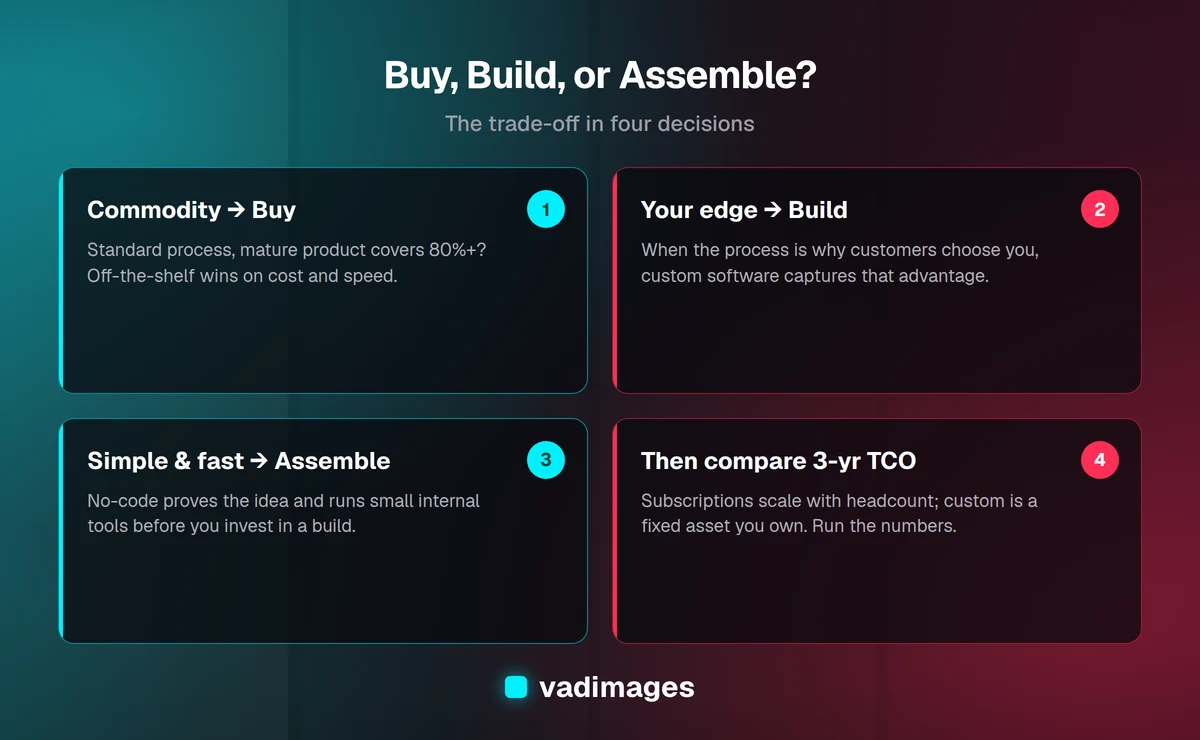
- The process is a commodity. If your version of invoicing or scheduling isn't meaningfully different from everyone else's, there's no advantage to building it and a lot of cost.
- You need it working now. A product you can sign up for this afternoon beats a custom build that ships in four months, especially when you're testing whether a workflow is even worth systematizing.
- The vendor carries the maintenance load. Security patches, uptime, compliance certifications (SOC 2, PCI, HIPAA), browser updates, and new features are the vendor's problem, spread across their whole customer base.
- The total cost stays low. For a small team, $30–$150 per user per month is often far cheaper than owning code, and you can cancel if it stops working for you.
Honest recommendation: if a well-reviewed product covers 80% or more of what you need and the missing 20% isn't core to how you win customers, buy it. Don't build a worse version of software that already exists just to get the last 20%.
When does custom software win?
Build custom when the software is the advantage — when the way you do something is different enough from everyone else that no product models it well, and that difference is part of why customers choose you. Custom software earns its keep when:
- Your process is your edge. A specialized manufacturer, a logistics operation with unusual routing rules, or a clinic with a proprietary intake method loses its advantage the moment it forces itself into a generic tool.
- You're stitching together five products with duct tape. When your team lives in spreadsheets and manual copy-paste between four SaaS tools because nothing connects them, a custom system that unifies the workflow can pay for itself in recovered hours.
- Per-seat pricing has turned punishing. Off-the-shelf pricing scales with your headcount. At 8 users a product is cheap; at 120 users the same product can cost more per year than building and owning a replacement.
- You need to own the data and the roadmap. With custom software you're not waiting for a vendor to prioritize your feature request behind ten thousand other customers, and you're not exposed to a sudden price hike or a product being sunset.
- Integration and automation are the whole point. When the real value is connecting your existing systems and removing manual steps, a purpose-built layer usually beats forcing a product to do a job it wasn't designed for.
Custom doesn't mean rebuilding everything. The best custom projects are narrow: they build the 20% that's truly yours and integrate with off-the-shelf products for the commodity 80%. You can read more about how we scope those on our how we work.
Where does no-code fit as a third option?
No-code and low-code platforms are the fastest, cheapest way to get a working internal tool, and for a lot of small businesses they're the right first move. A two-person operation can build a client tracker in Airtable, wire up form-to-email automation in Zapier, and ship a simple customer portal in Softr — in days, for the price of a couple of subscriptions.
No-code wins when the tool is internal, the logic is simple, and the number of users is small. It's excellent for prototyping: you can validate that a workflow is worth systematizing before spending real money on a custom build. Many strong custom projects start life as a no-code prototype that proved the idea.
The honest limits: no-code hits a ceiling. As logic gets complex, data volumes grow, or you need fine-grained permissions, performance, or a polished customer-facing experience, you start fighting the platform. Costs can also creep — per-record, per-run, and per-seat pricing add up, and you're still renting, with the same vendor lock-in risk as any SaaS. The usual arc is: prototype in no-code, run it until you outgrow it, then rebuild the parts that matter as custom software. That's not a failure of no-code; that's using it exactly right.
What are the hidden costs of each?
The sticker price is never the real price. Both paths carry costs that don't show up until later.
Hidden costs of off-the-shelf:
- Per-seat pricing that scales against you. The number that looks cheap for a small team compounds every time you hire.
- Integration and add-on fees. The base plan rarely includes what you actually need; API access, premium connectors, and higher usage tiers are often paywalled.
- Workarounds and lost productivity. When the product doesn't quite fit, your team invents manual steps to bridge the gap — a real, recurring cost that hides inside payroll.
- Switching costs and lock-in. Getting your data out of a product you've outgrown can be painful, and some vendors make it deliberately hard.
- Price hikes and sunsets. You don't control the roadmap or the pricing. A product you depend on can double its price or shut down.
Hidden costs of custom:
- Maintenance is forever. Software isn't a car you buy once; it's a garden. Budget 15–20% of the build cost per year for hosting, updates, security patches, and small improvements.
- You own the bugs. When something breaks at 2 a.m., there's no vendor support line — there's you and your development partner.
- Scope creep and specification gaps. Vague requirements are the number one reason custom projects run over budget. The cost of getting the spec wrong is far higher than the cost of getting it right slowly.
- Key-person risk. If one contractor builds it and disappears with no documentation, you have an asset you can't maintain. Good documentation and clean handoff aren't optional.
What does total cost of ownership look like over three years?
Comparing a monthly subscription to a one-time build price is the most common mistake in this decision. You have to compare over the same window — three years is a fair one — and include the hidden costs on both sides.
Off-the-shelf, three-year TCO is roughly: (monthly per-seat cost × number of seats × 36 months) + setup and data migration + paid integrations and add-ons + the labor cost of workarounds + any mid-contract price increases. For a 10-person team on a $60/seat product, that's about $21,600 in subscriptions alone before add-ons — and it climbs every time you hire.
Custom software, three-year TCO is roughly: the initial build (at Vadimages, projects start at $5,000 and scale with scope) + hosting (often $50–$500/month depending on load) + annual maintenance at 15–20% of build cost + a reserve for enhancements as your needs evolve. A $30,000 build might run $18,000–$24,000 in maintenance and hosting over three years, for a total near $50,000 — but it doesn't scale with headcount, and at the end you own an appreciating asset, not a rental you've paid $22,000 to keep renting.
The crossover point is what matters. For small teams and standard needs, off-the-shelf is dramatically cheaper over three years and you should buy. As seat counts rise, as workarounds pile up, or as the process becomes core to your business, the lines cross and custom becomes the cheaper and better option. Run the actual numbers for your situation before deciding — the intuition "custom is expensive" is often true at 8 users and completely wrong at 80.
What about the hybrid approach?
For most established businesses, the right answer isn't buy or build — it's both. Keep off-the-shelf products for the commodity work they do well (accounting, email, payroll, CRM) and build a thin custom layer only for the parts that are genuinely yours. The custom layer integrates with the products via their APIs, so you get the maintenance-carried-by-vendor benefit for the 80% and the exact-fit benefit for the 20% that differentiates you.
This is where good architecture earns its money. A well-designed integration layer means you can swap out an off-the-shelf product later without rebuilding everything, and it keeps your custom footprint — and therefore your maintenance bill — as small as possible. The goal is the smallest amount of custom code that captures your advantage, not the most.
How should I actually decide? A simple framework
Work through these questions in order:
- Is this process a commodity or your competitive edge? Commodity → lean toward buy. Edge → lean toward build.
- Does a mature product already cover 80%+ of the need? Yes, and the missing 20% isn't core → buy it. No product fits → build or assemble.
- How fast do you need it, and is the idea proven? Need it now or still validating → buy or prototype in no-code. Proven and worth owning → build.
- How does cost scale with your growth? Few users, stable → subscription wins. Many users, or per-seat pricing is punishing → custom's fixed-ownership model wins.
- How much control do you need over data, roadmap, and integrations? Comfortable on a vendor's terms → buy. Need to own it → build.
- Can you afford to own it? Custom means budgeting for maintenance forever. If you can't fund the upkeep, buy or assemble instead.
If your answers cluster on the "buy" side, buy — and don't let anyone talk you into a build you don't need. If they cluster on "build," a custom project will likely pay for itself. If they're mixed, the hybrid approach is usually right: buy the commodity pieces, build the differentiator, and consider a no-code prototype to prove the idea before committing.
Frequently asked questions
Isn't custom software always more expensive? Not over the full lifecycle. Custom costs more up front, but off-the-shelf costs recur forever and scale with your headcount. For small teams with standard needs, off-the-shelf is genuinely cheaper. For larger teams or core processes, custom often wins over three years. Compare total cost of ownership over the same window, not sticker prices.
Can I start with off-the-shelf and switch to custom later? Yes, and it's often the smartest path. Use a product to validate the workflow and learn exactly what you need, then build custom once the requirements are clear. The lessons from living in the off-the-shelf tool make the custom build cheaper and better scoped.
Is no-code a real option or just a toy? It's a real option with real limits. No-code is excellent for simple internal tools, prototypes, and small teams. It struggles with complex logic, high data volumes, polished customer-facing products, and fine-grained permissions. Use it where it fits and rebuild in custom when you outgrow it.
What happens to my custom software if my developer disappears? With good documentation, clean code, and standard technology, any competent developer can pick it up. This is why handoff, documentation, and avoiding key-person risk should be requirements from day one — not afterthoughts.
How do I know if the missing 20% is worth building? Ask whether that 20% is part of why customers choose you. If it's central to your advantage, it's worth building. If it's just a mild inconvenience, adapt your process to the product and save the money.
The bottom line
There's no universal winner. Buy off-the-shelf when the process is a commodity and you need it now. Build custom when the process is your competitive advantage and the numbers work over three years. Assemble with no-code when you need something simple and fast, or want to prove an idea before investing. For most established businesses, the honest answer is a hybrid: buy the commodity pieces, build only the differentiator, and keep the custom footprint small. The decision should come from your specific process, your growth curve, and your three-year total cost of ownership — not from whoever's selling loudest.
If you'd like a straight answer about your situation — including an honest "you should just buy X" when that's the right call — talk to us at vadimages.com/contact. We'll help you run the numbers and scope only what you actually need. We build for humans and optimize for growth, which sometimes means telling you not to build at all.