
AI customer support automation is the use of software, usually a language model connected to your own help content and business systems, to answer routine customer questions, collect the details of harder ones, and route them to the right person. Done responsibly, it takes repetitive questions off your team's plate without making customers feel trapped in a bot. Done carelessly, it invents answers, hides the human option, and costs you the customers you were trying to serve.
This guide is written for US small and mid-sized business owners and operations leads. It covers what is safe to automate, what should stay human, the guardrails that keep an AI assistant honest, and what a custom build looks like and costs as of 2026. It makes no promises about percentages of tickets "deflected", because results depend entirely on your questions, your content, and your customers.
What AI support automation is good at
Support requests are not all equal. Some are the same question asked fifty different ways; others are one-of-a-kind problems that need judgment and empathy. AI earns its keep on the first kind.
- Repeatable, factual questions. Opening hours, service areas, how to reset a password, what a plan includes, how returns work.
- Status lookups. "Where is my order?" or "When is my appointment?" when the assistant can read the answer from your system instead of guessing.
- Intake and triage. Asking the right follow-up questions, collecting account details, and tagging the request so a person starts with context instead of a blank ticket.
- Drafting for your team. A suggested reply that a human reviews and sends. This is often the safest first step.
The pattern is simple: the more a question has one correct answer that already exists in your documents or systems, the better a candidate it is for automation.
What should stay with a human
Responsible automation starts with deciding what the assistant must not handle. We recommend routing these to a person every time:
- Money disputes. Refunds outside a clear written policy, chargebacks, billing errors.
- Anything legal, medical, or safety related. The assistant should not interpret contracts, give health advice, or diagnose safety problems.
- Upset or vulnerable customers. Frustration, bereavement, or urgent personal situations need a person, quickly.
- Account changes with real consequences. Cancellations, ownership transfers, and deletions should require verification and often a human check.
- Anything the assistant is unsure about. A confident wrong answer is worse than "let me get a person for you."
The guardrails that make it responsible
"Responsible" is not a vibe. It is a short list of design decisions you can inspect. These are the ones we put in every build.
1. Ground every answer in your own content
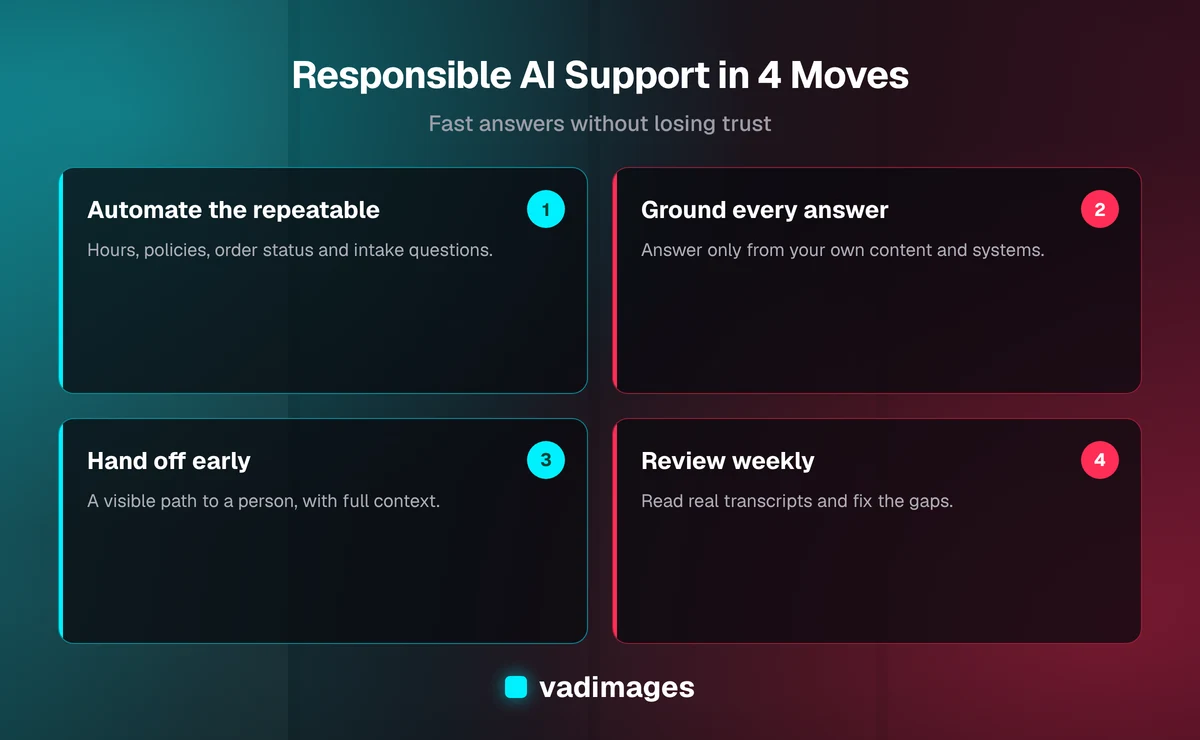
A general-purpose chatbot answers from whatever it absorbed during training, which is how it ends up quoting a return policy you never wrote. A grounded assistant retrieves passages from your help center, policies, and product data first, then answers only from those passages. If nothing relevant is found, it says so and offers a handoff. This approach is commonly called retrieval-augmented generation, and it is the single biggest protection against made-up answers.
2. Tell customers they are talking to an AI
Label the assistant clearly. Customers are generally fine with a bot for simple questions when it is honest about what it is, and many feel deceived when it pretends to be a person. Some jurisdictions are also moving toward disclosure rules for automated systems, so check current requirements for your state and industry with your own counsel.
3. Make the human option obvious
Put a "talk to a person" path in the first screen, not buried after five failed attempts. Set automatic triggers too: hand off after two misunderstood messages, on keywords such as "cancel", "lawyer", or "complaint", and whenever the assistant's confidence is low. Pass the full conversation along so the customer never repeats themselves.
4. Limit what the assistant can do
Give the assistant the least access it needs. Reading an order status is low risk. Issuing refunds or editing accounts is not. Where an action is allowed, cap it (for example, a maximum amount), require verification, and log it. Treat the assistant like a new hire on day one: helpful, supervised, and without the keys to the safe.
5. Protect customer data
Decide what personal information the assistant may see and store. Keep payment card data out of chat entirely, mask sensitive fields in logs, set a retention period, and read your AI vendor's data-handling terms, including whether your conversations are used for training. If you handle health, financial, or children's data, get qualified advice before launch.
6. Review real conversations every week
Automation is not set-and-forget. Read a sample of transcripts weekly, especially conversations that ended in a handoff or a bad rating. Each one tells you a missing help article, an unclear policy, or a question you should route to a human by default. Teams that skip this step watch quality drift quietly.
A practical rollout in four phases
- Audit your questions. Export three to six months of tickets, emails, or call notes and group them by topic. You are looking for the top ten to twenty repeatable questions.
- Fix the source content. If your help articles are outdated or contradict each other, the assistant will repeat the mess. Clean up the policies first. This step alone often helps human agents too.
- Start in draft mode. Let the assistant suggest replies that your team approves. You learn where it is strong and where it is wrong without any customer exposure.
- Go live narrowly, then widen. Turn on customer-facing answers for the safest topics only, with handoff always available. Add topics as the transcript reviews justify it.
Measure what matters to you, such as response time, how often customers reach a person when they ask, repeat-contact rate, and customer satisfaction on assisted conversations. Set your own baseline before you start; do not rely on industry averages from vendor marketing.
Off-the-shelf tool or custom build?
For many small businesses, a hosted support tool with a built-in AI assistant is the right starting point. Choose it if your questions are generic, your systems are mainstream, and a monthly subscription fits the budget. Vendor prices and features change often, so verify current plans directly (as of 2026).
A custom build makes sense when the assistant needs to work inside your business: reading orders from your own platform, checking job status in a field-service system, booking against your real calendar, or following approval rules that no template supports. In that case the value is in the integration and the guardrails, not the chat window.
At Vadimages, this kind of work usually falls under operations automation and system integration. As of 2026, operations automation engagements typically run $25,000 to $100,000, and system integration typically runs $15,000 to $60,000, depending on how many processes and systems are involved. A narrow assistant that answers from your documents and hands off to your team sits at the lower end; one that reads and writes across several systems sits higher. Our pricing page explains how we scope and quote, and how we work shows the process from discovery to launch.
Where it fits by industry
The same pattern shows up across the businesses we serve. A home-services company can let customers check appointment windows and send photos before a visit. A distributor can answer order, shipment, and invoice questions from its ERP. A clinic or professional-services firm can handle scheduling and forms while keeping every clinical or legal question with a person. See our industries page for the sectors we work in, and case studies for examples of our delivery approach.
If you are weighing a bigger system around this, such as a customer portal or internal dashboard where support staff see the same data the assistant uses, that is a custom software conversation, and the assistant becomes one feature of it.
Common mistakes to avoid
- Launching on messy content. The assistant is only as accurate as the documents behind it.
- Hiding the human option to inflate "automation rate". It trades short-term savings for lost customers.
- Giving it too much access too soon. Add write permissions one action at a time.
- Never reading transcripts. You cannot fix what you do not see.
- Promising it will replace your team. The realistic win is that your people spend their time on the conversations that need them.
Frequently asked questions
Will AI customer support replace my support team?
For most small businesses, no. It handles the repeatable questions and prepares context for the rest, so the same team can respond faster and spend its time on problems that need judgment. Plan for people and AI working together.
How do I stop the AI from making things up?
Ground it in your own content, instruct it to answer only from retrieved material, and have it hand off when nothing relevant is found. Then review real transcripts weekly and correct the source content when you find gaps. No setup removes the risk entirely, which is why the human option must always be visible.
Do I have to tell customers they are talking to an AI?
We recommend it as a matter of trust, and disclosure expectations and rules are evolving in several places. Confirm what applies to your state and industry with your own legal advisor.
How much does a custom AI support assistant cost?
As of 2026, our operations automation work typically runs $25,000 to $100,000 and system integration $15,000 to $60,000, based on the number of systems and workflows. A hosted tool with a subscription is cheaper to start; custom work pays off when the assistant must operate inside your own systems.
Where should I start?
Export your recent support requests, list the ten most repeated questions, and fix the documents that answer them. That audit is useful whether or not you ever automate anything.
Want a straight answer on what is worth automating in your support process? Contact Vadimages for a free, no-pressure conversation about your questions, your systems, and a realistic scope.