

Most business owners notice a slow website the same way their customers do: a page hangs, a button lags, and someone quietly goes to a competitor. Website speed optimization is not a vanity project for engineers. It is one of the few improvements that helps search visibility, ad spend, lead volume and plain customer goodwill at the same time. This guide explains, in plain English, what makes sites slow, what to fix first, and how to tell whether the work paid off.
We build and maintain sites for small and mid-sized businesses from our base in Vancouver, WA, and the pattern is consistent: speed problems are rarely mysterious. They come from a handful of repeat causes, and most can be fixed in a predictable order. You do not need to understand the code to manage the outcome. You need to know what to ask for.
Why website speed matters to the business
Speed is a user-experience issue first and a technical issue second. A visitor who waits for a page is a visitor deciding whether to trust you. On a phone, on a weak connection, that decision happens fast.
Google also uses page experience signals, including its Core Web Vitals measurements, as part of how it evaluates pages. Speed alone will not rescue thin content, but between two similar pages, the faster and more stable one has the edge. If you pay for search ads, landing page experience also feeds into how efficiently your budget works.
- Conversions: fewer people abandon a form, a quote request or a checkout when the page responds immediately.
- Search visibility: speed and stability are part of the page experience signals search engines look at.
- Ad efficiency: a slow landing page wastes clicks you already paid for.
- Trust: a fast, steady site feels like a well-run business.
The three numbers worth knowing
You will see dozens of metrics in speed tools. For a business owner, three matter most, and they map to things a visitor actually feels.
- Largest Contentful Paint (LCP): how long until the main content, usually the hero image or headline, is visible. Google's published guidance treats 2.5 seconds or less as good.
- Interaction to Next Paint (INP): how quickly the page responds when someone taps or clicks. Lower is better, and 200 milliseconds or less is considered good.
- Cumulative Layout Shift (CLS): how much the page jumps around while loading. That is the annoying moment you tap a button and an ad pushes it away. A score of 0.1 or less is considered good.
Free tools such as PageSpeed Insights and the Core Web Vitals report in Google Search Console show these for your real pages. Run your home page and your top two or three landing pages before you change anything, and save the results. That baseline is how you prove the work mattered.
Start with a baseline, not a guess
The most common mistake we see is fixing things at random. Someone installs a caching plugin, compresses one image and calls it done. A better approach is to measure first and then rank the problems by how much time each one costs.
Test on a mobile profile, because that is where most sites struggle and where most visitors are. Look at both lab data (a controlled test) and field data (what real visitors experienced) where it is available. Lab data tells you what to fix; field data tells you whether it is working.
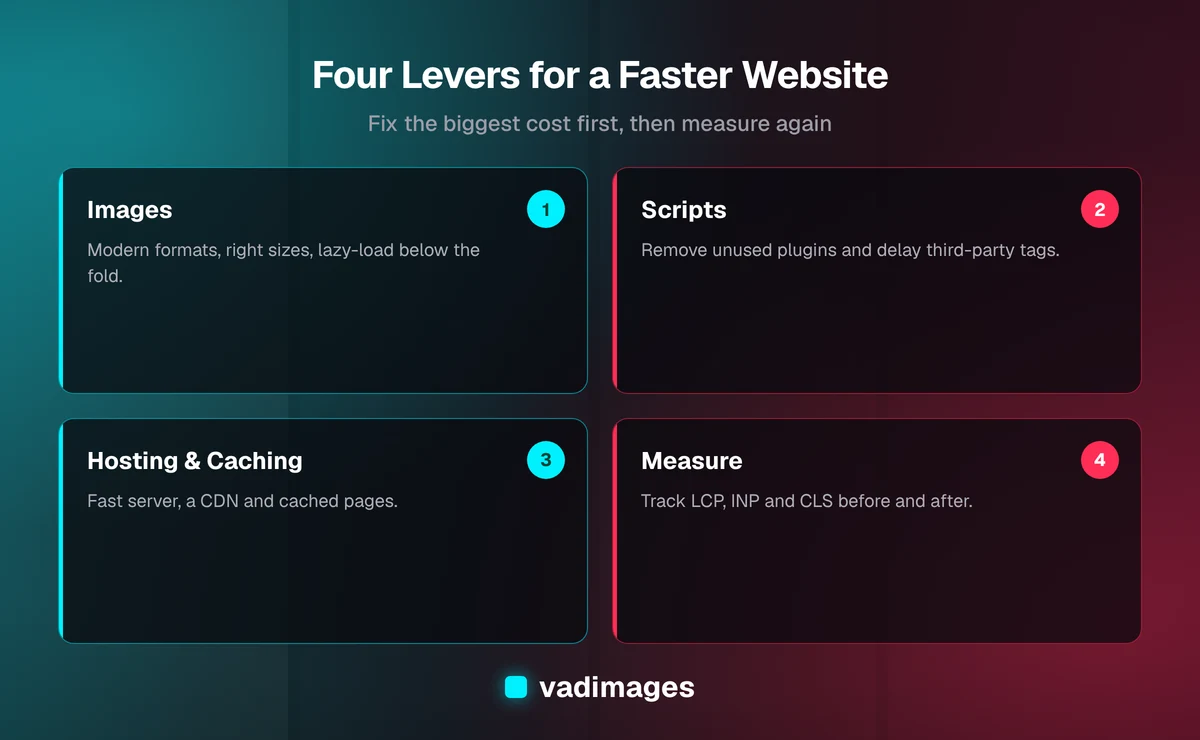
Fix 1: images, the biggest and easiest win
On most small business sites, images are the heaviest thing on the page. A single uncompressed photo straight from a camera can be larger than the rest of the page combined. This is usually the cheapest, fastest improvement available.
- Serve modern formats such as WebP or AVIF instead of oversized JPEG or PNG files.
- Size images to the space they occupy. A photo shown at 600 pixels wide should not be a 4,000 pixel original.
- Lazy-load images below the fold, but never the main hero image, which should load right away.
- Set explicit width and height so the layout does not jump, which protects your CLS score.
- Compress video, or host it on a video platform instead of embedding a huge file directly.
Fix 2: scripts, plugins and third-party tags
The second repeat offender is JavaScript, especially code you did not write. Chat widgets, tracking pixels, heatmaps, review badges, social feeds and font loaders each add requests and processing time. Individually they seem harmless. Together they can freeze a page on a mid-range phone.
Make a list of every script on your site and ask one question about each: who uses this, and what decision does it support? If nobody can answer, remove it. For the ones that stay, load them after the main content, or delay them until a visitor interacts.
This is also where page builders and plugin-heavy setups hurt. Every plugin may load its own styles and scripts on every page, even where it is not needed. A lean build only loads what each page actually uses. It is one reason we often recommend a purpose-built approach over stacking add-ons; see our custom software and solutions pages for how we approach it.
Fix 3: hosting, delivery and caching
Even a perfectly built page is slow if the server takes a long time to respond or sits far from the visitor. Three things matter here.
- Server response time: cheap shared hosting that is overloaded will slow every page, no matter how well it is optimized.
- A content delivery network (CDN): copies your files to servers around the world so they travel a shorter distance to each visitor.
- Caching: stores ready-made pages and files so the server does not rebuild them for every request.
Sites that are pre-built into static pages and delivered through a CDN are often the fastest option for marketing content, because there is no database work to wait on at request time. Dynamic features, such as account areas and carts, can still be added where they are needed.
Fix 4: code, fonts and the details
Once the big items are handled, the finer work starts to count.
- Limit custom fonts to the weights you actually use, and make sure text shows while fonts load.
- Remove unused CSS and JavaScript, and minify what remains.
- Avoid heavy sliders and auto-playing carousels, which cost speed and rarely earn clicks.
- Check redirect chains. Each extra hop adds delay before the page even starts.
- Keep your platform, theme and plugins updated, since outdated code is both slower and riskier.
A practical order of operations
If you want a simple plan, work in this order. It follows the rule of fixing the biggest cost first.
- Measure your key pages on mobile and save the results.
- Compress and resize images; fix the hero image.
- Remove unneeded scripts and third-party tags.
- Improve hosting, add a CDN and turn on caching.
- Clean up fonts, CSS and layout shifts.
- Re-test, compare against the baseline, and set a monthly check.
Notice that the last step is a habit, not an event. Sites slow down again over time as new images, plugins and tracking tags are added. Speed is maintenance, not a one-time project.
Common mistakes that undo the gains
Speed projects often stall for predictable reasons. The first is optimizing for the score instead of the visitor: a green number in a testing tool means little if the page still feels sluggish on a real phone. The second is testing only the home page, when your busiest entry points may be service pages, blog posts or a landing page tied to an ad campaign. The third is adding a new tool without checking its cost. Every chat widget, popup or analytics tag deserves the same scrutiny as the ones you just removed.
The fourth is skipping ownership. If nobody is responsible for speed after launch, the site drifts back to where it started within a few months. Assign a person or a partner, set a monthly check of the three core metrics, and review any new script or large image before it goes live. A short checklist is enough.
What this costs and what to expect
The honest answer depends on the starting point. A focused speed tune-up on an existing site, covering images, scripts and caching, is usually a small project. If the platform itself is the bottleneck, for example a heavily bloated theme, the better move may be a rebuild. Vadimages projects start at $5,000+, and we quote in writing before work begins. See our pricing page for how we scope, and how we work for the process.
We will not promise a specific ranking or revenue lift, because those depend on your market, your content and your competition. What we can promise is a measured before-and-after on the metrics above, so you can see exactly what changed.
Questions to ask before hiring anyone
- Which pages will you measure, and on what device profile?
- Can you show before-and-after results for Core Web Vitals?
- What will you remove or replace, and what could that affect?
- Who handles ongoing monitoring after launch?
- Is the fix a patch, or does it address the root cause?
Good answers are specific. Vague promises of making it faster are a warning sign.
Where to go from here
Speed work pays back across the whole business: more of your visitors stay, more of your ad clicks count, and your site simply feels more professional. Whether you run a service company, a clinic, a shop or a B2B firm, the same fundamentals apply, and we have tailored them for several industries. You can also browse our case studies to see the kind of work we do.
If your site feels slow and you are not sure why, we will start with a measurement and tell you plainly what is worth fixing. Contact us to book a conversation, and we will tell you what we would do first.