
On-page SEO is everything you control on the page itself: the words, the structure, the links, the images, and the code that describes them to search engines. It is the cheapest, fastest and most under-used part of search optimization, because you do not need anyone's permission and you do not need to buy anything. You just need a clear process. This guide gives you one, written for owners and marketing leads at small and mid-sized businesses rather than for SEO specialists.
The goal is simple. For every page that matters, a search engine (or an AI assistant that reads the web) should be able to answer three questions in seconds: what is this page about, who is it for, and why should it be trusted? Everything below is a way of answering those questions more clearly.
Start with one page, one job
The most common on-page mistake is a page that tries to do five things. A service page that is also a company history, a blog roll and a contact form gives search engines no clear topic and gives visitors no clear next step. Before you touch a single tag, write down the one job of the page in a sentence: "This page convinces a Portland-area clinic owner to book a call about patient intake software."
Then pick one primary search phrase that matches that job. Use the words your customers actually type, not the words your team uses internally. If you sell custom software, a customer may search for "custom software for small business" long before they ever search for "bespoke application development." You can support the primary phrase with a handful of close variations, but resist the urge to stuff in a dozen unrelated keywords. One page, one topic, one job.
A quick test: if two pages on your site are chasing the same phrase, they compete with each other. Merge them, or give each a clearly different purpose. Fewer, stronger pages almost always beat many thin ones.
Title tags and meta descriptions
The title tag is the single most important line of text on the page. It is the blue headline in search results, the label on a browser tab, and one of the strongest signals of topic. Good titles are specific, lead with the primary phrase where it reads naturally, stay under roughly 60 characters so they are not cut off, and end with your brand name.
- Be specific. "Custom Software Development in Vancouver, WA" beats "Our Services."
- Match the page. The title must agree with the main heading. A mismatch confuses both people and crawlers.
- Write for humans. A title is also an advertisement. Give a reason to click.
The meta description does not directly raise rankings, but it shapes whether people click. Aim for about 150 to 160 characters, describe the outcome the visitor gets, and include a soft call to action. Search engines sometimes rewrite it, which is fine. A clear, honest description still wins more clicks than an empty or duplicated one.
Headings that tell the story
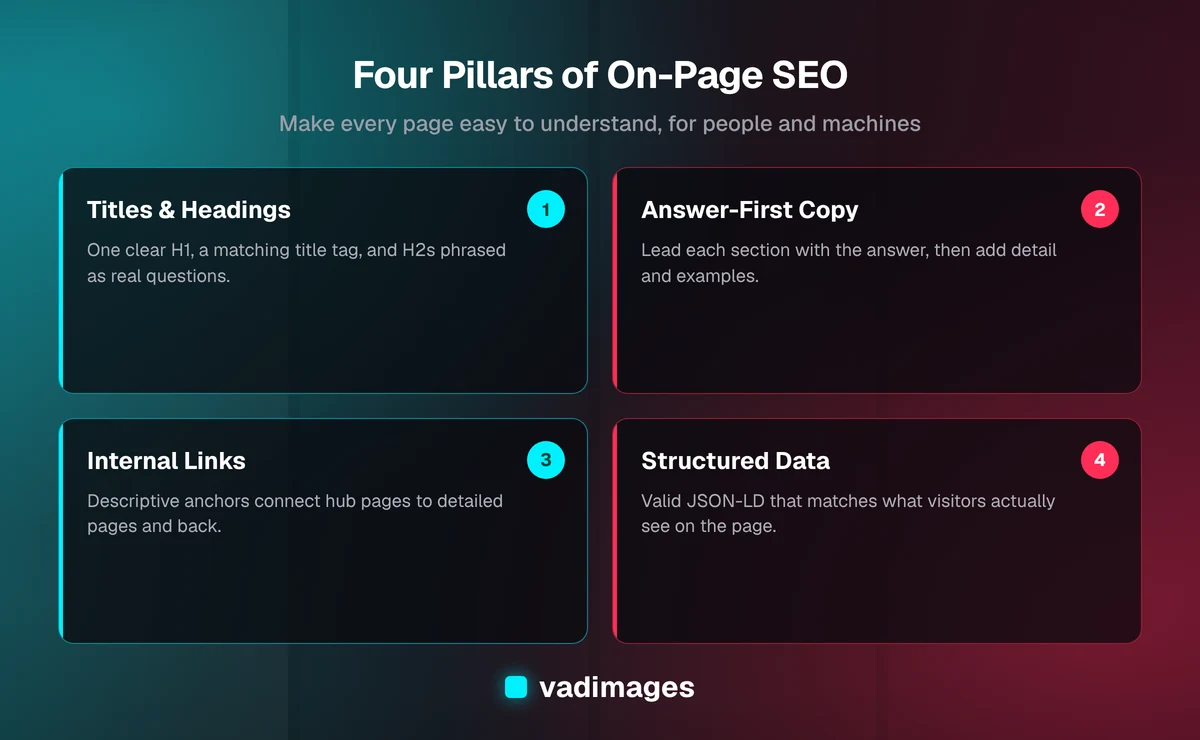
Every page should have exactly one H1, and it should say what the page is about in plain language. Below it, use H2 headings for the main sections and H3 headings for sub-points. Think of the headings as a table of contents. If someone read only the headings, they should understand the argument of the page.
Headings are also where AI answer engines look first. When a heading is phrased as the question a customer asks, and the paragraph underneath answers it directly in two or three sentences, the page becomes easy to quote. That is a large part of what people now call generative engine optimization, and it costs nothing but careful writing.
Write copy that answers the question
Search engines have become very good at judging whether a page actually satisfies the person who searched. That means thin, vague copy loses, and useful, specific copy wins. Open each section with the answer, then add the detail. Use short paragraphs, concrete examples and plain words. If you can say it in eight words instead of eighteen, do.
A few habits make copy stronger without making it longer:
- State the outcome first, then how you deliver it.
- Use numbers you can stand behind, like your own published starting price, and never invent statistics.
- Name the audience directly: who the service is for and who it is not for.
- Answer the obvious objections, such as cost, timeline and what happens if something goes wrong.
Length should follow the topic, not a word count target. A simple service page may need 600 words. A comparison or how-to guide may need 2,000. What matters is that a reader leaves with nothing important unanswered.
URLs, internal links and site structure
A good URL is short, readable and describes the page: /custom-software beats /page?id=4821. Keep URLs stable. If you must change one, redirect the old address permanently so you keep the trust the page earned.
Internal links are how you tell search engines which pages matter and how topics relate. Link from broad pages to specific ones and back again, and use descriptive anchor text. "See our custom software services" says far more than "click here." A useful pattern is a hub-and-spoke structure: one strong overview page, with detailed pages beneath it that each link back up. You can see this approach in how we organize solutions and industries.
Every important page should be reachable within three clicks of the home page, and no page that you care about should be an orphan with no links pointing to it.
Images, alt text and speed
Images help readers, but they can quietly hurt rankings if they are huge. Compress them, serve modern formats like WebP, and set explicit dimensions so the page does not jump around while loading. Page speed and layout stability are part of how search engines judge experience, and they matter even more on mobile, where most of your visitors are.
Alt text describes an image for people who cannot see it and for crawlers. Write it the way you would describe the image over the phone: plain, accurate and short. Include the topic when it fits naturally, but never cram keywords into it. Decorative images can have empty alt text so screen readers skip them.
Structured data: help machines read your page
Structured data, usually written as JSON-LD, is a block of code that states facts about your page in a format machines understand: the organization behind the site, the article and its author, the products or services offered, the questions answered in an FAQ. It does not change how the page looks. It changes how confidently search engines and AI assistants can interpret it.
The rules are straightforward. Mark up only what is visible on the page. Connect the pieces so the organization, the page and the article reference each other. Keep the details, like your business name, address and phone number, consistent everywhere they appear. Wrong or misleading markup is worse than none, so check it with a validator after every significant change.
Trust signals and local relevance
Search engines and AI assistants both look for evidence that a real, accountable business stands behind a page. Show who you are: a real address, a phone number, named people, clear pricing policies, and honest descriptions of how you work. If you serve a specific area, say so. A Vancouver, Washington company should mention Vancouver, Clark County and the greater Portland metro naturally in the copy, not in a hidden block at the bottom.
Be careful with proof. Real client results are powerful, but only when they are real and you have permission to share them. Where you describe a typical scenario rather than a specific client, label it clearly as representative. Credibility lost to an exaggerated claim is hard to win back.
A practical on-page checklist
Use this list on each page that matters before you publish or update it:
- One clear job and one primary search phrase.
- A unique title tag under about 60 characters that matches the H1.
- A meta description of about 150 to 160 characters that promises an outcome.
- One H1, logical H2 and H3 headings, ideally phrased as real questions.
- Direct answers near the top of each section.
- Descriptive internal links to and from related pages.
- Compressed images with accurate alt text.
- Valid structured data that matches the visible content.
- A clear next step, such as a contact form or call button.
How to prioritize if you have limited time
You do not have to fix every page at once. Start with the pages closest to revenue: your main service pages, your pricing or process pages, and your contact page. Fix titles, headings and the opening copy first, because those changes have the highest return. Next, strengthen internal links between those pages. Only then move on to supporting blog content and long-tail pages.
Then measure. Free tools such as Google Search Console show which queries bring impressions, which pages earn clicks and where rankings are slipping. Give changes four to eight weeks before judging them, because search engines take time to re-evaluate a page. Keep notes on what you changed and when, so you can learn what actually moved the needle.
Common mistakes to avoid
- Keyword stuffing. Repeating a phrase unnaturally reads badly and no longer works.
- Duplicate titles and descriptions. Each page needs its own.
- Hiding text or links. Anything you would not show a visitor should not be shown to a crawler.
- Ignoring mobile. If the page is hard to use on a phone, it is hard to rank.
- Set and forget. Prices, services and facts change. Out-of-date pages lose trust quickly.
When to get help
Many of these fixes are well within reach of a motivated team. Where it gets technical is in the site itself: templates that repeat the same title everywhere, slow page weight, missing structured data, or a content system that makes headings and links hard to control. Those problems are cheaper to solve in the build than to patch afterward, which is why we bake search structure into every site we deliver. If you are weighing a new build or a rebuild, our process shows where SEO fits in, and our pricing page is open about cost: projects start at $5,000 and up.
You can also browse examples of the kinds of problems we solve in our case studies. On-page SEO is not a trick. It is clear thinking, clear writing and clean structure, applied page by page. Do that consistently and both search engines and customers will find you easier to understand.
If you would like a second pair of eyes on your most important pages, contact us for a straightforward conversation about what to fix first.