
If your team has ever copied a customer's details from one screen into another, you have felt the problem an API integration solves. You do not need to write code to make good decisions about integrations. You need a clear mental model, a handful of the right questions, and a realistic sense of what the work costs. This guide gives you all three in plain English.
What an API actually is
API stands for application programming interface. Ignore the jargon. An API is a published set of requests that one piece of software will answer from another piece of software. Think of a restaurant: you (one system) do not walk into the kitchen. You give your order to a server, and the server brings back what the kitchen made. The menu lists what you are allowed to ask for. The API is the server and the menu together.
When your accounting tool shows a payment that your payment processor received, that is an API at work. When your website form creates a contact in your CRM, same thing. An API integration is simply the connection that uses those requests so two systems share information automatically instead of through a person with a keyboard.
The four ideas you need to know
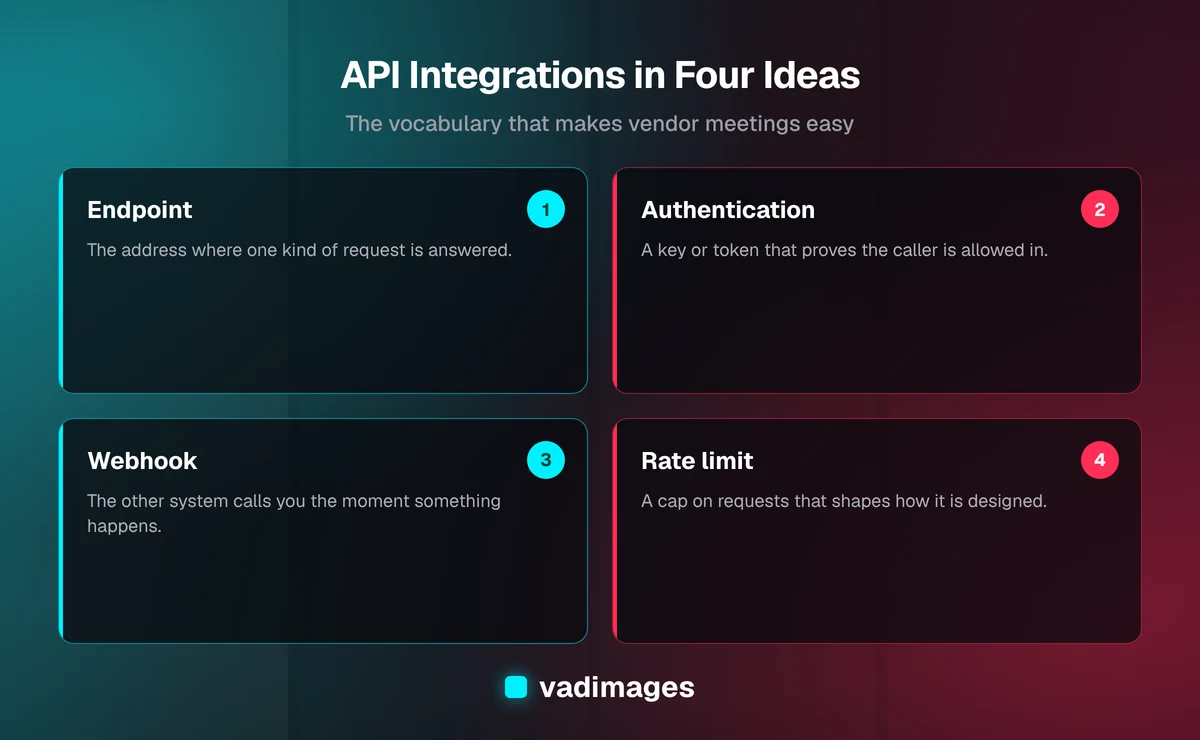
You can follow almost any integration conversation with four terms.
- Endpoint: a specific address where one kind of request is answered, such as “get a customer” or “create an invoice.”
- Authentication: proof that the caller is allowed in, usually a key or a login-style token. Treat these like passwords.
- Webhook: the reverse direction. Instead of asking “anything new?” over and over, the other system calls you the moment something happens, like a new order.
- Rate limit: a cap on how many requests you can make in a period. Vendors set these to protect their systems, and they shape how an integration must be designed.
Knowing these four lets you ask sharper questions in a vendor meeting and spot when an answer is vague.
Why integrations matter to the business
The value of an integration is rarely technical. It shows up in how work flows through your company. Most small and mid-sized businesses we talk with run on a patchwork of tools: a CRM, an accounting package, a scheduling app, an e-commerce platform, a spreadsheet or two. Each tool is useful on its own. The gaps between them are where time disappears.
- Less re-keying. Every time a person retypes data, you pay for the labor and accept some chance of error.
- Faster response. When a lead lands in the CRM and the sales team is alerted immediately, nobody waits for someone to notice a spreadsheet.
- One version of the truth. If the customer's address changes in one place and flows to the rest, fewer invoices and shipments go to the wrong place.
- Better reporting. Connected data lets you answer questions like “which source of leads becomes paying customers?” without a manual export.
Notice that none of these benefits mention technology. They are outcomes. That is the right way to frame an integration project: start with the outcome, then pick the connection that delivers it.
Three ways to connect systems
There is more than one route from “these tools don’t talk” to “these tools talk.” Each has a place.
1. Built-in connectors
Many products ship with a ready-made connection to another product. You switch it on, sign in, and choose a few settings. This is the cheapest and fastest option and you should always check it first. The limits are real, though: you get the fields and behaviors the vendor decided to support, and when they change the connector, you inherit the change.
2. No-code connector platforms
Tools in this category let you chain steps together visually: “when this happens in system A, do that in system B.” They are excellent for simple, low-volume flows and for testing an idea before investing more. Costs are typically a monthly subscription that grows with usage. The trade-offs are less control over error handling, limits on complex logic, and a dependence on a third party for something your operations may rely on.
3. Custom integrations
When the flow is complex, high-volume, sensitive, or central to how you make money, a purpose-built integration is often the sturdier choice. A developer writes code that calls the APIs directly, handles the odd cases, logs what happened, and alerts someone when something fails. You own the logic and can change it as the business changes. The cost is higher up front, which is why it should be reserved for flows that justify it.
A useful rule of thumb: start with the simplest option that meets the outcome, and move up only when you hit a real limit. Plenty of companies begin with a built-in connector, graduate to a connector platform, and only later commission custom work for the one or two flows that carry the business.
What can go wrong
Integrations fail in ordinary, predictable ways. Knowing them in advance turns surprises into line items on a plan.
- The other side changes. Vendors update their APIs. Good ones announce deprecations well ahead of time; you still need someone watching for those notices.
- Silent failures. An integration that stops without anyone noticing is worse than one that never existed, because people assume the data is right. Insist on monitoring and alerts.
- Duplicate or missing records. If a request is sent twice, or fails halfway, you can end up with two invoices or none. Well-built integrations are designed to be safely repeatable.
- Expired credentials. Keys and tokens lapse or get rotated. Someone must own renewing them.
- Messy source data. An integration moves data; it does not clean it. If “Acme Inc.” and “ACME Incorporated” are different records today, they will be different tomorrow, only faster.
None of these are reasons to avoid integrating. They are reasons to plan for ownership, monitoring, and data hygiene from day one.
Security and privacy basics for leaders
An integration gives one system a door into another, so treat that door seriously. You do not need to review code, but you can and should ask for the following.
- Least access. The connection should be allowed to do only what it needs. A flow that reads orders should not be able to delete customers.
- Safe storage of keys. Credentials belong in a secrets manager or protected settings, never in a shared document or pasted into a chat.
- A named owner. Someone on your side should know which integrations exist, what they touch, and who to call when one breaks.
- Awareness of regulated data. If the data includes health, payment, or other sensitive details, confirm what rules apply before connecting anything. Your counsel or compliance advisor should weigh in; a developer cannot decide that for you.
If a vendor or contractor cannot explain how they handle credentials and access in a couple of sentences, treat that as a signal to slow down.
Questions to ask before you approve a project
These questions work whether you are talking to an internal team, a freelancer, or an agency. They are designed to surface assumptions early.
- What outcome are we buying? “Orders appear in accounting within minutes with no manual entry” is a goal. “Integrate system A with B” is not.
- What is the direction of data? One-way or two-way? Two-way flows are harder because you must decide which system wins in a conflict.
- How much volume, and how fast must it be? Ten records a day and ten thousand an hour are different projects.
- What happens when it fails? Who is alerted, how, and how is the missed work recovered?
- Who owns it after launch? Maintenance is a real, ongoing duty, not an afterthought.
- Does the vendor’s API support what we need? Some products expose only part of their data. Confirm this before design work, not after.
- What are the vendor’s limits and fees? Rate limits and paid API tiers can change the economics.
What an integration project looks like
Whatever route you choose, a well-run project follows a recognizable path. We describe our general approach on the how we work page, and the shape is similar across most integration work.
- Discovery. Map the current process, name the systems involved, and agree on the outcome and how you will know it worked.
- Feasibility check. Read the vendors’ documentation to confirm the data you need is actually available and the limits are acceptable.
- Design. Decide the direction of data, the rules for conflicts, and how errors will be handled and surfaced.
- Build and test. Develop against test accounts first, using realistic sample data, including the awkward cases.
- Launch with monitoring. Go live with logging and alerts in place, and watch closely in the first weeks.
- Handover. Document what exists, who owns it, and how to change it.
The feasibility step is the one most often skipped, and it is the one that most often saves money. Discovering in week one that a vendor does not expose the data you need is cheap. Discovering it in week six is not.
How to think about cost
Integration costs come from three places: setting it up, running it, and maintaining it. Setup is the visible part. Running costs include subscriptions for connector platforms and any paid API access from vendors. Maintenance covers monitoring, credential renewals, and updates when a vendor changes something.
Simple connections between well-documented products can be modest. Integrations that are part of a larger custom build are scoped with that project; our pricing page explains how we quote, and projects with us start at $5,000+. We would rather tell you honestly that a built-in connector will do the job than sell you custom work you do not need.
A better test than the sticker price is the cost of the status quo. Estimate how many hours a week your team spends moving data by hand and what those hours are worth. Compare that figure, over a year, to the cost of the integration. If the manual process is small, a connector or even a process change may be enough. If it is large, or if errors are costing you customers, a sturdier build pays for itself more quickly.
Where integrations show up in real businesses
The pattern repeats across industries, which you can explore on our industries page. A services firm connects its website forms to a CRM and its scheduling tool. A retailer ties its storefront to inventory and shipping. A clinic or contractor links intake, scheduling, and billing. A distributor connects order entry to its accounting system. In each case the question is the same: where does a person currently carry information between two systems, and what would it be worth to stop?
If you want to see the kinds of projects we take on, our case studies and solutions pages are a good place to start, and our custom software work covers integrations that need to be built to fit your process.
A simple starting plan
- List the five tasks where your team re-enters data between systems.
- Estimate the weekly hours and the error rate for each.
- Pick the one with the clearest payoff and write the outcome in one sentence.
- Check whether a built-in connector exists. If it does, try it.
- If not, decide between a connector platform and a custom build based on volume, sensitivity, and how central the flow is to revenue.
- Name an owner and agree on how failures will be reported.
That plan fits on one page, and it will make you a more informed buyer than most of the people in the room.
The takeaway
An API integration is a dependable way for your software to do the copying and checking your people do today. You do not have to understand the code. You have to be clear about the outcome, honest about volume and risk, and firm about monitoring and ownership. Start small, choose the simplest route that works, and invest in custom work where it truly pays.
If you are weighing an integration and want a straight answer on the right approach, contact us and we will talk it through with you, with no pressure and no jargon.