
Scaling software is the work of making the systems your business runs on keep performing, staying reliable and remaining affordable to change as you add customers, staff, locations and data. It is not the same as buying bigger servers. Most small and mid-sized businesses that outgrow their software do so because of workflow, data and integration limits, not raw computing power, and that distinction decides what the fix costs.
This guide is written for owners and operations leads at US small and mid-sized businesses. It explains how to tell when your software has stopped keeping up, what usually causes it, the options for fixing it, and what a sensible budget looks like as of 2026. We have no benchmark numbers to quote here, so the guidance is built on how these projects tend to unfold rather than on invented statistics.
What does it mean when software stops scaling?
Software stops scaling when the cost of running the business through it grows faster than the business itself. Adding the hundredth customer takes far more effort than adding the tenth. New hires need weeks of tribal knowledge before they can use the system. A busy Monday slows everything down. Those are the symptoms; the cause is usually a system that was designed for a smaller company.
That is a normal outcome, not a failure. A spreadsheet, an off-the-shelf app or a quick custom build was the right call at the start. The problem arrives when nobody revisits the decision as the company changes.
Five signs your software is holding the business back
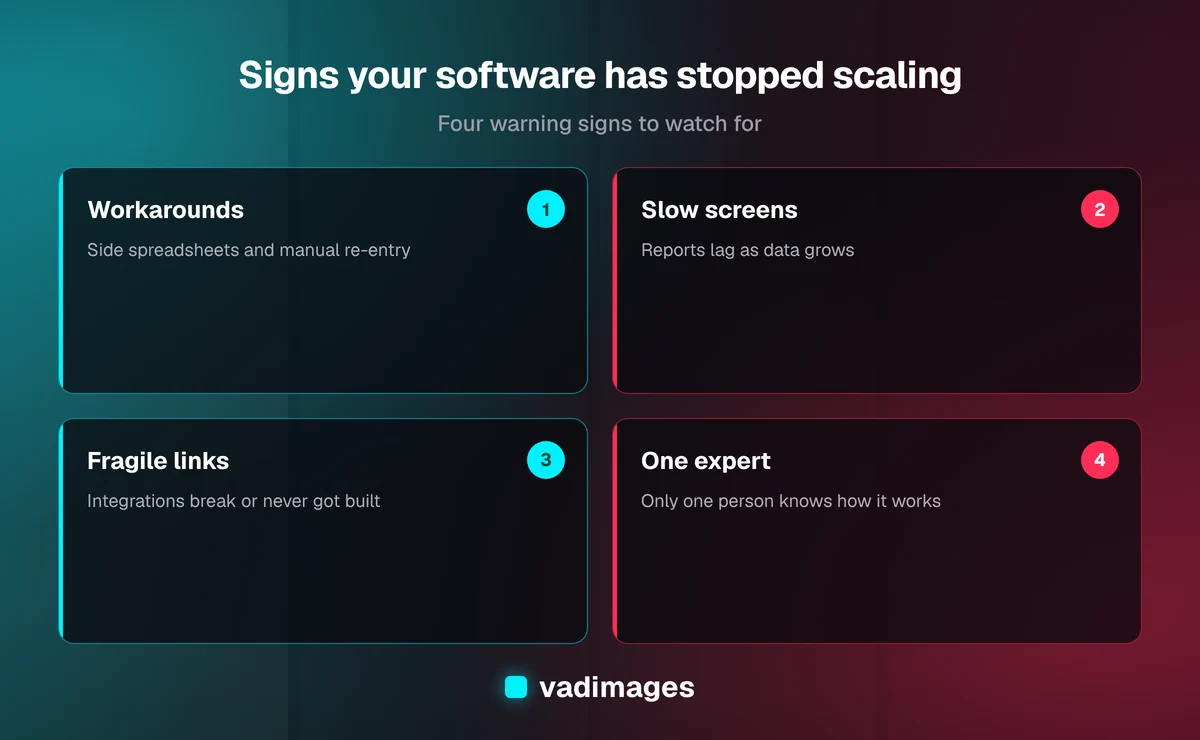
1. People build workarounds around it
When staff keep side spreadsheets, copy data between screens by hand or maintain a private checklist of "things the system gets wrong," the software no longer matches the process. Each workaround is a small tax, and the tax compounds with every person you hire.
2. Only one or two people understand it
If a single employee or a former contractor is the only one who knows how a report is produced or why a field behaves oddly, you have a continuity risk. Growth multiplies the number of things that can go wrong while the pool of people who can fix them stays the same.
3. Screens and reports get slower
Slowness that tracks data volume is a genuine technical limit, often caused by queries or data structures that were fine for a few thousand records and are not fine for a few million. Slowness that tracks the time of day or a few heavy users is usually a different, cheaper problem.
4. Integrations break or never got built
Growing companies add tools: accounting, payments, shipping, CRM, scheduling. If these connect through manual exports, fragile one-off scripts or a person re-keying data, every new tool multiplies the failure points. See our guide to solutions for how integrations are usually structured.
5. Every change feels risky and expensive
If a small request such as a new field or a new pricing rule takes weeks and breaks something unrelated, the codebase has become hard to change. That is a signal that the structure, not the feature list, needs attention.
Why software fails to scale: the usual causes
Understanding the cause matters because each one has a different fix and a different price. In our experience the common ones are:
- Workflow mismatch. The system encodes how you operated two years ago. New services, locations or approval steps do not fit.
- Data model limits. The way information is stored makes it hard to report on, hard to merge, or slow to search as it grows.
- Single-user assumptions. Tools built for one person or one office struggle with roles, permissions and simultaneous edits.
- Tangled integrations. Point-to-point connections between tools are easy to create and painful to untangle.
- Outdated foundations. Unsupported frameworks, hosting that is hard to update and missing documentation raise the cost of every change.
- Hosting and performance tuning. The least common cause for SMBs, and often the cheapest to fix, but the one people assume first.
Your options: tune, extend, replace, or rebuild in stages
There is no single right answer. Here is how the four main paths compare in practice.
Tune what you have
If the problem is performance rather than structure, targeted fixes such as better database indexing, caching and cleaning up heavy reports can buy a year or two. This is the cheapest route and worth trying first when the diagnosis supports it.
Extend with integrations and automation
If the core system is sound but disconnected, connecting your tools and automating the hand-offs removes most of the manual work. Our solutions pages list typical ranges: integrations commonly run $15,000 to $60,000 as of 2026, depending on the number of systems and how messy their data is.
Replace with a better off-the-shelf product
Sometimes the honest answer is that a modern SaaS product now does what you once had to build. Moving to it can be the right call, provided you account for migration, training and the features you will give up. We will tell you when this is cheaper than building.
Build or rebuild custom software in stages
When your process is a competitive advantage, or no product fits, custom software is the answer. Custom internal tools typically run $30,000 to $75,000 as of 2026, and larger platform builds or replacements of a legacy stack can run $50,000 to $150,000 or more depending on workflows, user roles and integrations. The staged approach matters: replace one workflow at a time so the business keeps running while the new system takes over.
A practical sequence for scaling safely
- Write down what actually happens. Map the real process, including the workarounds. This usually surfaces problems nobody had named.
- Measure the pain. Count hours spent on manual re-entry, errors per month and delays. Your own numbers will justify the budget far better than any industry figure.
- Decide what must not break. Billing, scheduling or order intake often cannot go down. Those constraints shape the migration plan.
- Pick the smallest change that removes the biggest bottleneck. Resist the urge to rebuild everything at once.
- Plan for data first. Clean, well-structured data is the part of a migration that most often goes over budget. Budget time to audit and fix it.
- Ship in stages and keep the old system running in parallel until the new workflow has proven itself.
- Document and hand over. Make sure more than one person understands what was built, and that you own the code and accounts.
What it costs and how long it takes
Price follows scope. A focused performance and integration cleanup can be a matter of weeks. Replacing a core system with custom software is usually a project of several months, delivered in phases so you see working software early. As of 2026 our projects start at $5,000 for small, tightly scoped work, and the ranges above apply to the larger builds that most scaling projects turn into. The biggest cost drivers are the number of workflows, the number of user roles, the number of systems that must connect and the quality of the existing data. See pricing for how we scope and quote, and how we work for the phase structure.
Be wary of anyone who quotes a fixed price before understanding your process, and equally wary of open-ended hourly work with no milestones. A good engagement has a written scope, defined phases and a clear definition of done for each.
Common mistakes to avoid
- Buying infrastructure to fix a workflow problem. More servers will not fix a process the software cannot represent.
- Rewriting everything at once. Big-bang rebuilds are the riskiest option because the business cannot pause while you finish.
- Ignoring the people. Staff who built the workarounds know where the real problems are. Involve them early, and train them before launch.
- Skipping documentation and ownership. If you cannot get your code, data and credentials, you have traded one dependency for another.
- Waiting for a crisis. Fixing software under deadline pressure after an outage costs more than planned work.
How this looks across industries
The details differ by sector. A home-services company usually hits limits in scheduling and dispatch as crews grow. A distributor feels it in inventory and order accuracy. A professional-services firm feels it in client intake, billing and reporting. A clinic or regulated business has the added constraint of keeping records secure and auditable through any change. Browse our industries pages to see the patterns we work with, and our case studies for how projects are structured and delivered.
Frequently asked questions
How do I know whether I need custom software or just a better tool?
Start with the process. If a mainstream product covers most of what you do and you can live with the gaps, buy it. If your workflow is distinctive, if you are paying for several tools that still need manual glue, or if the limits of a product are costing you real money, custom software starts to make sense.
Can we scale without stopping the business?
Yes. Staged delivery, running old and new systems in parallel and migrating one workflow at a time keep operations going. It takes more planning than a single cutover, but it is far safer.
How much does it cost to modernize a system that has outgrown us?
As of 2026, targeted fixes and integrations often fall between $15,000 and $60,000, while custom tools and replacements range from roughly $30,000 to $150,000 or more, depending on workflows, roles and integrations. A short scoping conversation gives you a firm range for your case.
Will we own the code and the data?
You should. Insist on it in writing, along with access to hosting accounts, repositories and documentation, regardless of who builds the system.
Is it too early to think about this?
If staff already rely on workarounds, it is not too early. A small planned improvement now is almost always cheaper than a forced rebuild later.
Talk to us before it becomes urgent
If some of the signs above sound familiar, a short conversation can tell you whether you need tuning, integration, replacement or a staged rebuild. Contact Vadimages for an honest assessment and a written scope with transparent pricing.