

SaaS subscription billing is the system that turns a customer's plan into recurring charges: it stores plans and prices, starts and renews subscriptions, handles upgrades, downgrades and cancellations, issues invoices, collects payment, retries failed cards, and reports revenue. For most early-stage and growing SaaS products, the right answer is to build on Stripe Billing and own a thin layer of your own code around it. Add a subscription management platform such as Chargebee when finance and sales need pricing changes, revenue reporting and quote-to-cash workflows without engineering tickets. Build billing fully in-house only when your pricing model or compliance needs are unusual enough that no vendor fits, and you can staff it for years.
This guide from the Vadimages engineering team in Vancouver, WA walks through what each option really involves, where the hidden costs sit, and how to decide. It's written for SaaS founders, product leads and operations owners at US small and mid-sized companies who need billing to work on launch day and keep working when pricing changes.
What a subscription billing system actually has to do
A working SaaS subscription billing system has to handle eight jobs, not just a monthly card charge:
- Product catalog: plans, prices, currencies, billing intervals, add-ons, free trials and coupons.
- Subscription lifecycle: sign-up, trial conversion, renewal, pause, upgrade, downgrade, cancellation and reactivation.
- Proration: charging or crediting the right amount when someone changes plans mid-cycle.
- Usage metering: counting seats, API calls, storage or other units if you charge by usage.
- Invoicing and tax: invoices your customers' accounts payable teams will accept, and sales tax or VAT calculated by location.
- Payment collection and dunning: retrying failed payments, emailing customers to update cards, and deciding when to restrict access.
- Entitlements: telling your app what each customer is allowed to use, right now.
- Reporting: MRR, churn, and revenue recognition your accountant can sign off on.
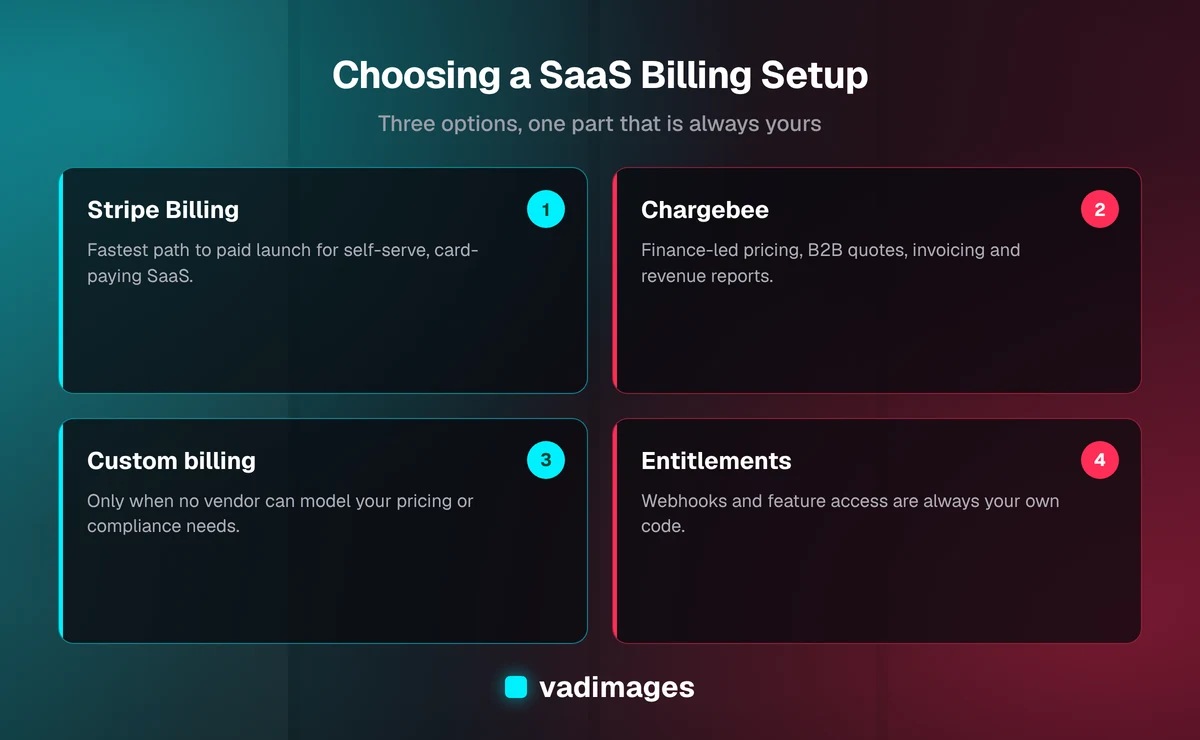
Stripe Billing, Chargebee and a custom build each handle some of these jobs for you, but none of them handles entitlements inside your product. Entitlements are always your own code, and in our experience that is where most billing bugs show up.
Option 1: Stripe Billing
Stripe Billing is Stripe's subscription product, layered on top of Stripe's payment processing. You define products and prices in Stripe, create subscriptions through its API or its hosted Checkout page, and Stripe charges cards, generates invoices, retries failures and sends receipts. The hosted Customer Portal lets customers update cards, switch plans and cancel without you building those screens.
Where it fits: self-serve SaaS with card payments, a handful of plans, and a developer on the team. It's the default we reach for on most SaaS builds, because it gets a product to paid launch fastest and doesn't box you in later.
Cost: as of 2026, Stripe charges a Billing fee as a percentage of billing volume on its pay-as-you-go plan, on top of standard card processing fees. Check Stripe's pricing page for the current rates before you model margins; the Billing fee is small per transaction but scales with revenue, so it becomes a real line item as you grow.
What you still build: webhook handling (Stripe tells your app about renewals, failed payments and cancellations through events, and your app has to process each one exactly once), entitlement checks, usage reporting if you meter, and any internal admin views your team needs. Stripe Tax can calculate sales tax for an added fee, but you still decide where you're registered to collect.
Where it strains: complex B2B deals with custom contracts, ramped pricing, multi-entity invoicing, or finance teams who want to change plans and run revenue reports without asking engineering.
Option 2: Chargebee (or another subscription management platform)
Chargebee is a subscription management platform that sits above a payment gateway. It usually runs on top of Stripe, Braintree, Adyen or another processor rather than replacing it. Recurly, Maxio and Zuora sit in the same category at different price points and company sizes. What these tools add is a business-user layer: a dashboard where finance can create plans, apply discounts, issue credit notes, manage quotes and contracts, configure dunning, and pull subscription and revenue-recognition reports.
Where it fits: SaaS companies with a sales team closing B2B deals, multiple pricing models running at once, invoiced (not card) customers, or a finance lead who needs month-end close to come out of the billing system rather than a spreadsheet.
Cost: as of 2026, Chargebee publishes a free starter tier up to a billing-volume threshold, then paid plans with a monthly fee plus overage on revenue above each plan's limit. You also still pay your payment gateway's processing fees. Confirm the current numbers on Chargebee's pricing page, because thresholds and tiers change.
What you still build: the same webhook handling and entitlement logic as with Stripe, plus syncing Chargebee's customer and subscription IDs with your own database. The integration is usually a bit larger, because there are two systems to keep in step: the subscription platform and the gateway beneath it.
Where it strains: very early products, where the extra layer adds cost and setup before you know what pricing works, and teams with no finance owner to actually use the dashboard.
Option 3: Custom-built billing
Custom billing means your team writes the subscription engine: plan definitions, renewal scheduling, proration math, invoice generation, retry logic and reporting. You still use a payment processor to move money and to keep raw card numbers out of your systems. Building your own card vault would pull you deep into PCI DSS compliance, and almost nobody should do it.
Where it fits: pricing that vendors genuinely can't model (complex usage tiers combined with contract commitments, marketplace splits, or industry-specific rules), very high volume where percentage-of-revenue fees outgrow the cost of an in-house team, or regulated environments with strict data residency requirements.
Cost: no vendor fee, but you pay in engineering time, both for the first build and for every year after. Billing touches money, tax and customer trust, so edge cases such as time zones, leap years, partial refunds, currency rounding, and plan changes on the last day of a cycle need careful testing and ongoing ownership.
Where it strains: almost everywhere for a small team. The first version is rarely the problem. Year two is, when a pricing change, a new tax rule or the one engineer who understands the proration code becomes a bottleneck.
Stripe vs. Chargebee vs. custom: a side-by-side view
Stripe Billing is the fastest way to launch self-serve SaaS billing, Chargebee is better when finance and sales own pricing and B2B contracts, and custom billing trades vendor fees for permanent engineering ownership.
- Time to first paid customer: Stripe Billing is fastest; Chargebee adds setup time for the second system; custom is slowest by a wide margin.
- Who changes pricing: with Stripe, usually a developer or someone comfortable in the Stripe dashboard; with Chargebee, finance or ops in a dashboard built for them; with custom, always engineering.
- B2B contracts and quotes: limited in Stripe, strong in Chargebee and its peers, and whatever you build in custom.
- Ongoing cost: Stripe and Chargebee charge fees that grow with revenue; custom swaps those for salaries and maintenance.
- Lock-in: every option creates some. Stripe and Chargebee both offer data export, but moving live subscriptions and saved payment methods between providers is a planned migration, not a weekend job.
How to decide: five questions
Choosing between Stripe Billing, Chargebee and custom billing comes down to five questions about how customers pay, who changes pricing, and what finance needs at month-end.
- How do customers pay? If most pay by card through self-serve sign-up, start with Stripe Billing. If most pay by invoice after a sales conversation, look hard at Chargebee or a peer.
- Who will change prices and plans? If it's the founder or a developer, Stripe is enough. If it's a finance or revenue-ops person, give them a tool designed for them.
- How unusual is your pricing? Per-seat, tiered and simple usage pricing all fit off-the-shelf tools. Write your pricing page out in full, then check whether a vendor can model every line before you consider custom.
- What does month-end close look like? If your accountant needs deferred revenue schedules, factor revenue recognition into the choice now. Bolting it on later is painful.
- What happens in two years? Pick the option you can live with when you have ten times the customers, not just the one that's cheapest this quarter.
For most SMB SaaS products we work with, the answers point to Stripe Billing at launch, with a clean internal billing module so a move to Chargebee, or a custom piece for one hard pricing rule, is possible later without rewriting the product.
The parts every option leaves to you
Whichever provider you choose, these pieces live in your codebase. They decide whether billing feels solid or causes support tickets:
1. A billing module with one owner
Keep every call to the billing provider behind one internal module rather than scattered across the app. A single billing module makes billing testable and lets you switch from Stripe to Chargebee, or the other way, without touching the rest of the app.
2. Reliable webhook processing
Verify webhook signatures, store each event, process it idempotently so a retried event never double-grants or double-revokes access, and alert someone when processing fails. Most "the customer paid but can't log in" bugs live here.
3. Entitlements as their own concept
Your app should ask "can this account use feature X, and how much of it?", not "is this account on the Pro plan?" Tying features to plan names makes every pricing experiment a code change.
4. Dunning and access rules
Decide in advance what happens when a payment fails: how many retries, which emails, how long a grace period, and when access is limited. Write it down so support, sales and engineering give customers the same answer.
5. Cancellation that follows the law
As of 2026, several US states, including California under its Automatic Renewal Law, require subscription businesses to disclose renewal terms clearly and to let customers who signed up online cancel online. At the federal level, the Restore Online Shoppers' Confidence Act (ROSCA) requires a simple way to stop recurring charges; the FTC's broader 2024 "click to cancel" rule was struck down by a federal appeals court in 2025, so federal requirements may change again. Make cancellation as easy as sign-up and have your counsel review the flow for the states you sell into.
What billing implementation costs with Vadimages
As of 2026, adding subscription billing to an existing product is typically scoped like our integration work, at $15,000 to $60,000 depending on the provider, the number of plans and pricing models, metering, tax, and how many systems (CRM, accounting, data warehouse) need to stay in sync. Billing built as part of a new SaaS MVP falls within our SaaS platform range of $50,000 to $150,000, with multi-tenant platforms that include billing and admin tools at the higher end. Smaller, well-defined projects start at $5,000. You can see how we scope and price work on our pricing page.
We start with a short discovery phase to map your pricing, customer types and finance needs, recommend a provider in writing with the trade-offs spelled out, and then build the billing module, webhooks, entitlements and admin views with automated tests around the money paths. Read more about that process on how we work, browse related builds in our case studies, or see the sectors we serve on our industries page. If billing is one piece of a larger product, our custom software team builds the whole platform.
Frequently asked questions
Should a new SaaS product use Stripe or Chargebee?
Most new SaaS products should start on Stripe Billing. It's the fastest path to taking recurring card payments and covers trials, coupons, proration and a hosted customer portal. Move to Chargebee or a similar platform when finance-led pricing changes, B2B contracts or revenue reporting become regular needs.
Does Chargebee replace Stripe?
Usually not. Chargebee manages subscriptions, invoices and reporting, and typically runs on top of a payment gateway such as Stripe, which still processes the card payments. You pay both the Chargebee subscription and the gateway's processing fees.
When does custom subscription billing make sense?
When your pricing model can't be expressed in an off-the-shelf tool, when percentage-of-revenue fees have grown larger than the cost of a dedicated billing team, or when regulation requires it. Even then, keep card storage with a payment processor rather than building it yourself.
How long does it take to add subscription billing to a SaaS app?
A focused Stripe Billing integration for a few plans usually takes a few weeks, in line with our 2–6 week range for a single integration. Adding usage metering, tax, invoiced B2B customers or a second system such as Chargebee or an accounting tool extends that.
Can we switch billing providers later?
Yes, but plan for it. Migrating live subscriptions and saved payment methods takes coordination with both providers. Keeping all billing calls behind one internal module and storing entitlements in your own database makes a switch much cheaper.
Not sure which billing setup fits your product? Contact Vadimages for a straight recommendation from our team in Vancouver, WA. We'll map your pricing to the right provider and give you a fixed scope before any build starts.