
You went to check your eBay sales this week and something felt off — a chunk of your apparel listings stopped getting views, and a few show a warning banner or say “on hold.” Nothing changed on your end. The photos are fine, the prices are fine, the titles are fine. What changed is that eBay now demands standardized size values for every Apparel & Footwear listing, and the feed that pushes your catalog to eBay is still sending “Small,” “Ladies M,” or “See description.” As of July 2026, listings that don’t use eBay’s recognized size values can be blocked from the site or placed on hold. If you sell clothing or shoes on eBay through an integration — and most US sellers of any real volume do — this is your problem to fix, and it is live right now.
What actually changed on eBay
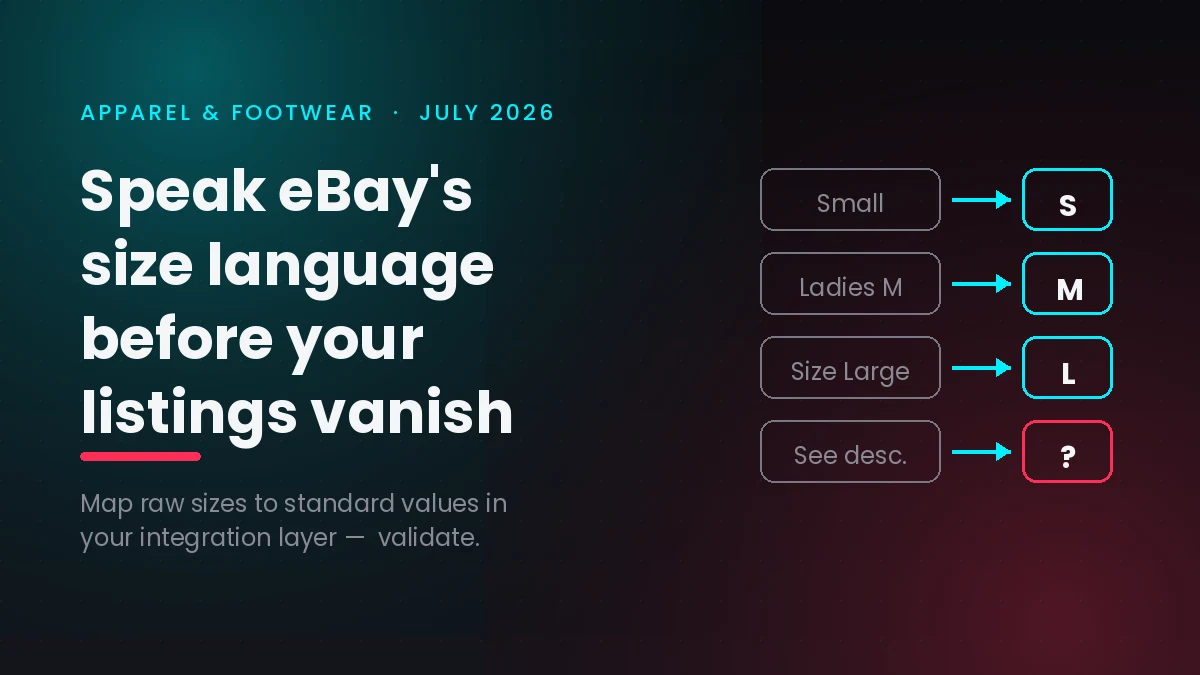
eBay is standardizing the size item specifics for Apparel & Footwear categories. In plain terms, the “Size” field on a listing must now use a value from eBay’s controlled list — S, M, L, XL, numeric shoe sizes, and the like — instead of free text such as “Small,” “Medium,” “Women’s Small,” “Size Large,” or “Ladies M.” The rollout runs on a two-step timeline. Starting in June 2026, eBay began auto-normalizing high-confidence values (it quietly turns “Small” into “S”), flagging low-confidence or invalid entries like “See description” and “N/A,” and removing the ability to type custom size values on new listings. Starting in July 2026, full enforcement kicks in: new and existing listings with non-standard, missing, or invalid size — and in some categories condition — values get blocked or placed on hold.
One detail decides whether this hits you: the change applies to listings created via APIs, File Exchange, and third-party tools. If you list by hand on the eBay website or app, eBay already forces you to pick a valid size, so you’re largely covered. But if your inventory flows to eBay from a storefront, a channel manager, a PIM, or a custom integration, that pipe is exactly where the bad values come from. eBay itself notes that on the US marketplace, roughly 17–21% of Apparel and Footwear listings carry non-standard sizes — and that API-created listings contribute a disproportionate share of the mess. Only the item specific is affected; you can still write “fits like a roomy medium” in your title and description all you want.
What happens if you do nothing
Doing nothing is not neutral here, because non-standard size values were never really working for you in the first place. eBay does not index custom size text in its search and filter system, so a buyer who ticks the “Size: M” box in the left-hand filter never sees a listing whose size reads “Medium.” Your product is on the site, technically, but it is invisible to the exact shopper who wants it. That quietly suppresses search recall and recommendation eligibility — the slow bleed you may have already been feeling.
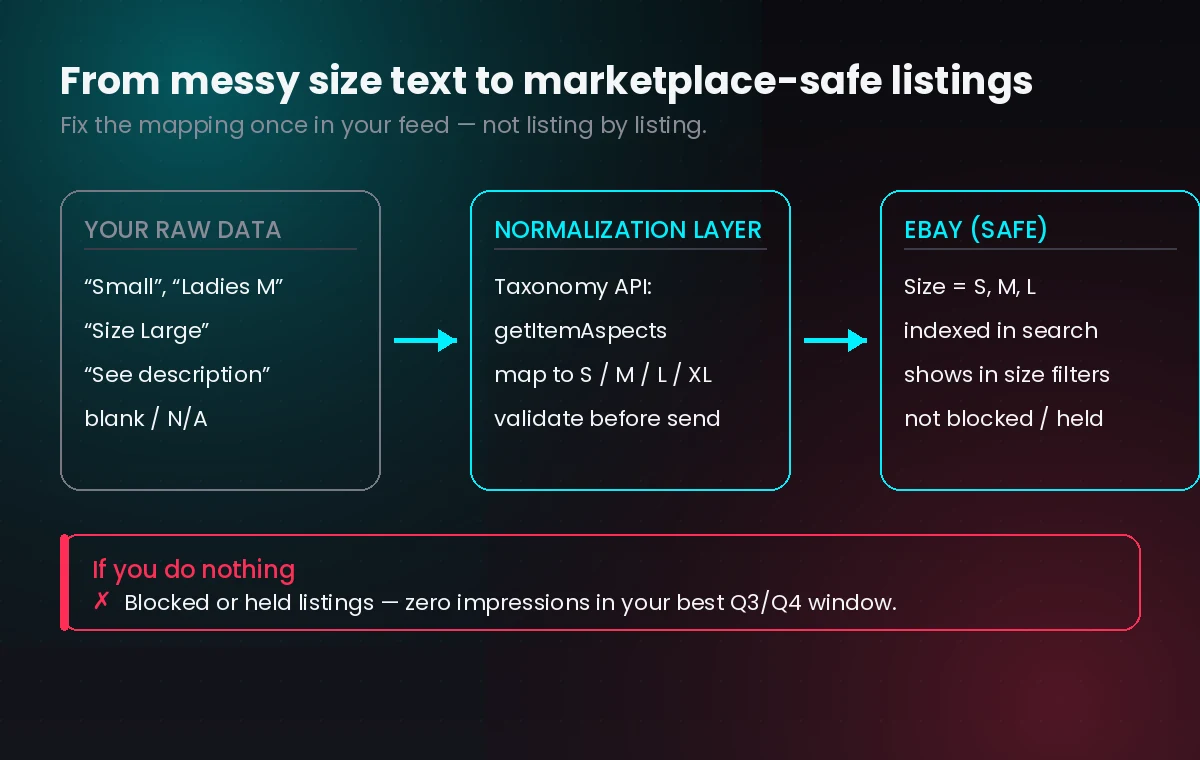
From July onward the damage moves from quiet to loud. Listings with low-confidence or invalid values get blocked or held, which means zero impressions, zero sales, and, for a held listing, no clean way to know it’s down unless you’re watching. If your feed re-sends the old value on the next sync, you can end up in a tug-of-war where eBay normalizes and your system overwrites, creating mismatches (“S” on eBay, “Small” in your database) that corrupt your reporting and re-trigger flags. For a US seller heading into back-to-school and holiday demand, losing apparel visibility in Q3 is losing your best window of the year.
What you gain by fixing it — especially for your buyers
Frame this less as compliance and more as a merchandising upgrade you’ve been putting off. When your sizes speak eBay’s language, your listings show up in size-filtered searches and in the “shop by size” experiences buyers actually use. The shopper who filters to “Women’s L” finds you instantly instead of scrolling past. That is a direct conversion lift on traffic you already paid for.
It also cuts one of the most expensive problems in online apparel: returns driven by size confusion. Clean, standardized size data sets accurate buyer expectations, which means fewer “didn’t fit” returns, fewer refunds, and fewer bruised feedback scores. And because you’re forced to build a real size-mapping layer to comply, you end up with cleaner catalog data everywhere — the same normalized sizes now flow to your own storefront, your Google Shopping feed, and any other channel, so the fix pays you back well beyond eBay.
What to do on your own feed and apps
The fix lives in the layer between your product data and eBay, not in the listings themselves. eBay exposes the exact allowed values per category through its Taxonomy API: use getItemAspectsForCategory or fetchItemAspects (with the Taxonomy SDK) for each Apparel and Footwear leaf category you sell in, then build a mapping so your source values resolve to a value eBay accepts. Small footwear can be its own trap, so treat shoe sizing and clothing sizing as separate maps. The practical work is: pull the allowed aspects, map your data to them, validate every payload before it goes out, and reconcile so your database mirrors what eBay stored rather than fighting it.
Your quick-win checklist
Work through this in an afternoon to get ahead of enforcement — roughly in priority order:
- Pull an eBay Active Listings report and sort Apparel & Footwear by the Size field. Anything that isn’t a clean standard value (“Small,” “See description,” blank) is your at-risk pile.
- Find the source. Confirm which tool or integration creates these listings — storefront sync, channel manager, spreadsheet upload, or custom code. That’s where the fix belongs.
- Fetch the real allowed values per leaf category from eBay’s Taxonomy API (getItemAspectsForCategory / fetchItemAspects). Don’t guess the list — categories differ.
- Build a size-mapping table: Small → S, Medium → M, “Ladies M” → M, and so on, with shoes handled separately.
- Add a pre-publish validator that rejects or flags any size not on eBay’s list before the listing is sent, so bad data never reaches eBay.
- Reconcile after sync so your system stores eBay’s normalized value (“S”), preventing the “S vs Small” overwrite loop.
- Spot-check as a buyer: filter your own category by size on eBay and confirm your listings appear.
- Reuse the mapping on your other channels — your website, Google Shopping, and marketplaces all benefit from the same clean data.
How Vadimages helps
This is squarely the kind of integration work we build. Vadimages develops the software layer between your catalog and the marketplaces — the sync service that reads your product data, maps every size to eBay’s standardized values via the Taxonomy API, validates each listing before it publishes, and reconciles what eBay stored back into your records so nothing drifts. We can wrap that in a simple web dashboard where your team sees at-risk listings, edits the size-mapping rules, and watches sync status in real time, plus a lightweight mobile view for checking listing health on the go. If your storefront, order management, or channel feed is custom, we extend it; if you’re on a platform, we build the connectors and admin tooling around it. The goal is that eBay’s size rules — and the next marketplace rule change after this one — become handled background work instead of a fire drill that costs you Q4 sales.
Bottom line
eBay’s Apparel & Footwear size standardization is enforcing now, in July 2026, and it targets exactly the API and third-party feeds most serious US sellers rely on. Non-standard sizes were already hurting your search visibility; from this month they can get your listings blocked or held outright. The fix is a small, one-time mapping-and-validation layer in your integration — and once it’s in place, you come out with better buyer-facing search, fewer size-driven returns, and cleaner catalog data across every channel you sell on.