
The five manual processes worth automating this quarter are invoicing and accounts receivable, customer onboarding, data entry between systems, reporting and dashboards, and internal approvals. Each one drains hours every week, invites avoidable errors, and quietly caps how much your team can handle without adding headcount. Here is what the pain looks like, what a good automation actually does, the payoff, and how to start small.
Automation gets talked about like a moonshot, but the highest-return work is almost always mundane. You are not replacing your team with robots. You are removing the repetitive copy-paste, chase-up, and re-key tasks that keep smart people from doing the work only they can do. Below are the five processes to automate first, chosen because they show up in nearly every small and midsize business, deliver measurable returns within a quarter, and rarely require ripping out the tools you already use.
1. Invoicing and accounts receivable
The pain. Someone on your team creates invoices by hand, emails them one at a time, and then plays collections agent — checking a spreadsheet, remembering who has not paid, and sending awkward follow-up emails. Cash that should be in your account sits in someone else's inbox. Late payments are rarely about unwilling customers; they are usually about invoices that got buried and no one followed up.
What automation looks like. Invoices generate automatically from a completed project, a signed contract, or logged billable time. They send on a schedule, and the system sends its own polite reminders at set intervals — say three days before due, on the due date, and seven days after — until the invoice is paid. Payment links let clients pay in one click, and paid status updates without anyone touching a spreadsheet. Tools like QuickBooks, Xero, Stripe, and Bill.com handle most of this natively, and a workflow layer such as Zapier or Make can stitch them to your project system so an invoice fires the moment work is marked done.
The payoff. Faster payment cycles and less time spent chasing money. Businesses that automate reminders routinely cut their average days-to-payment by a week or more, which is real working capital. Just as important, follow-ups become consistent and unemotional — the system nudges every client the same way, so nothing slips and no relationship gets strained by an inconsistent human chaser.
How to start. Pick your single most common invoice type and automate only the reminder sequence first. Turn on automated dunning emails in your accounting tool this week. Once that runs cleanly, connect invoice creation to your project or time-tracking system so invoices generate themselves.
2. Customer and client onboarding
The pain. A new customer signs, and then a scramble begins: welcome email, intake form, contract, kickoff scheduling, account setup, and a handoff to whoever does the work. Steps get forgotten, the experience feels different for every client, and your team burns an hour or two per new account just moving information around. A shaky first week sets the tone for the whole relationship.
What automation looks like. Signing a contract or paying a first invoice triggers a defined sequence. The welcome email goes out, an intake form arrives, a shared workspace or folder is created, tasks are assigned to the right people with due dates, and a scheduling link lets the client book their own kickoff. Everyone involved sees the same checklist, and nothing depends on one person remembering the steps. This is exactly the kind of repeatable sequence a custom workflow build is built to run.
The payoff. A consistent, professional first impression every single time, and hours saved per client. More importantly, faster time-to-value: the customer starts getting what they paid for sooner, which drives retention and referrals. Onboarding is where churn is quietly won or lost, and a reliable process moves the needle more than most marketing.
How to start. Write down every step of your current onboarding, start to finish, exactly as it happens today. That map is the automation. Begin by automating the trigger-to-welcome step, then add task assignment, then self-service scheduling. You do not need to automate all twelve steps at once — automate them in the order they cause the most friction.
3. Data entry between systems
The pain. The same information gets typed into three places. A lead fills out a web form; someone copies it into the CRM; then re-keys it into the accounting tool; then updates a spreadsheet the owner likes to see. Every re-key is a chance to introduce a typo, and duplicated data across disconnected systems is how a business ends up unsure which number is even correct. This is the single most common — and most avoidable — time sink in an SMB.
What automation looks like. Systems talk to each other. A new form submission creates a CRM record automatically; a won deal creates a customer in the accounting tool; a status change in one place updates the others. Integration platforms like Zapier, Make, and Workato connect hundreds of apps without custom code, and where an off-the-shelf connector does not exist, a lightweight API integration bridges the gap. The rule of thumb: any time a human copies data from one screen to another, that is a candidate for automation.
The payoff. Fewer errors, one source of truth, and hours returned to your team every week. When your tools share data, reports stop contradicting each other and people stop wasting time reconciling which system is right. The compounding benefit is trust in your own numbers, which makes every downstream decision faster.
How to start. List the moments each week when someone copies data between two systems. Rank them by frequency. Automate the most frequent hop first with a no-code connector — a web form to CRM link is often a thirty-minute setup that saves hours a month. Prove the pattern, then expand.
4. Reporting and dashboards
The pain. Every Monday, or worse every month-end, someone exports data from several tools, pastes it into a spreadsheet, cleans it up, and rebuilds the same report by hand. It takes hours, it is stale the moment it is finished, and if that person is out, the report simply does not happen. Decisions get made on gut feel because the actual numbers are always a few days behind.
What automation looks like. A live dashboard pulls directly from your source systems and refreshes on its own. Sales, cash, project status, and marketing metrics update automatically, and anyone who needs the view can open it anytime instead of waiting for a manual report. Tools like Looker Studio, Power BI, and native reporting inside your CRM or accounting platform connect straight to the data. Scheduled email summaries can push key numbers to leadership without anyone assembling them.
The payoff. Real-time visibility instead of rear-view reporting, and the reclaiming of hours spent every reporting cycle. When the numbers are always current and always available, the whole team makes faster, better-grounded decisions. You also remove the single-point-of-failure risk where one person is the only one who knows how the report is built.
How to start. Choose the one report your leadership looks at most and rebuild it as a live dashboard connected to its source. Do not try to automate every report at once. Get one high-value view running automatically, let people rely on it, then migrate the next.
5. Internal approvals and requests
The pain. Approvals live in email and hallway conversations. A purchase request, a time-off ask, a discount sign-off, or a content review sits in someone's inbox until they happen to see it. There is no record of who approved what, requests get lost, and the person waiting has no idea where their request stands. As you grow, these invisible bottlenecks quietly slow everything down.
What automation looks like. A structured request form kicks off a defined approval flow. The request routes to the right approver automatically, escalates if it stalls, and notifies the requester the moment a decision is made. Every step is logged, so there is a clean audit trail. Tools like a project or task platform with approval steps, plus workflow tools built for routing, handle this well, and rules can auto-approve low-risk requests (small amounts, standard items) so only exceptions need a human.
The payoff. Faster decisions, no lost requests, and a documented trail for compliance and accountability. People stop chasing approvers, approvers stop losing track, and the business gains a clear record of who decided what and when. Removing approval bottlenecks is often the difference between a process that scales and one that jams as you add people.
How to start. Pick the approval that causes the most delay — often purchasing or time-off — and put a simple form and routing rule in front of it. Add auto-approval thresholds for routine cases so humans only touch the exceptions. Expand to other approval types once the pattern is proven.
How to choose what to automate first
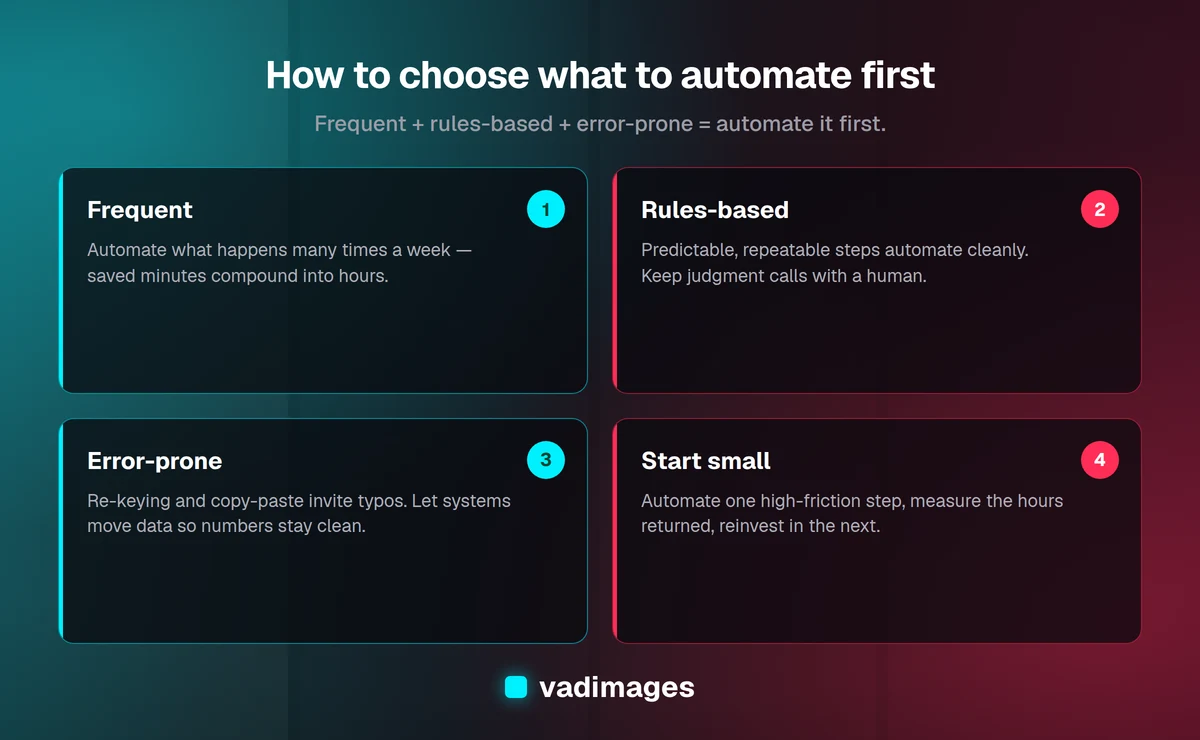
You do not have to tackle all five this quarter. Use a simple filter: automate the process that is frequent (happens many times a week), rules-based (the steps are predictable, not judgment-heavy), and error-prone or slow (mistakes cost money or time). A task that scores high on all three is where you will feel the return fastest. Start with one process, measure the hours it gives back, and use that win to fund the next.
A few principles keep automation projects from stalling. Map the current process before you automate it — you cannot automate what you have not written down, and mapping alone often reveals steps you can simply delete. Keep a human in the loop for exceptions and high-stakes decisions; the goal is to remove repetitive work, not judgment. And favor tools you already own before buying new ones, since most accounting, CRM, and project platforms have automation features sitting unused.
Frequently asked questions
How much does it cost to automate these processes? Many of these automations use features already included in tools you pay for, so the direct cost can be near zero beyond your time. No-code connectors like Zapier or Make run from roughly $20 to $100 a month depending on volume. Custom integrations for systems without off-the-shelf connectors are a larger investment, and at Vadimages custom automation work starts at $5,000, scoped to the specific processes and return involved.
Will automation replace my employees? No — it removes the repetitive parts of their jobs. The processes above are copy-paste, chase-up, and re-key tasks that no one enjoys and that keep your team from higher-value work. Automation lets the same team handle more without burning out or requiring new hires as you grow.
How long does it take to see results? No-code automations for a single process can be live within a day or two and start saving time immediately. A larger custom integration typically takes a few weeks. Because you start with one high-frequency process, you usually see measurable hours returned within the first month.
What if my tools do not integrate with each other? Most popular business tools connect through platforms like Zapier or Make. When two systems have no ready-made connector, a custom API integration bridges them. If a tool has no API at all, that is often a sign it is worth replacing with something more connected.
Which process should I automate first? Pick the one that is most frequent, most rules-based, and most error-prone. For most SMBs that is either data entry between systems or invoicing and accounts receivable, because both happen constantly and both directly touch cash and accuracy.
The bottom line
The best automation targets are not exotic — they are the mundane, repetitive processes you already do every week. Invoicing and AR, onboarding, data entry, reporting, and approvals each give back real hours and cut real errors, and you can start with just one this quarter. Map the process, automate the highest-friction step, measure the return, and reinvest it in the next. If you would like help identifying which processes to automate for the fastest payoff — or building the integrations to make it happen — get in touch with Vadimages. We build for humans and optimize for growth, and we will tell you honestly where automation is worth it and where it is not.