
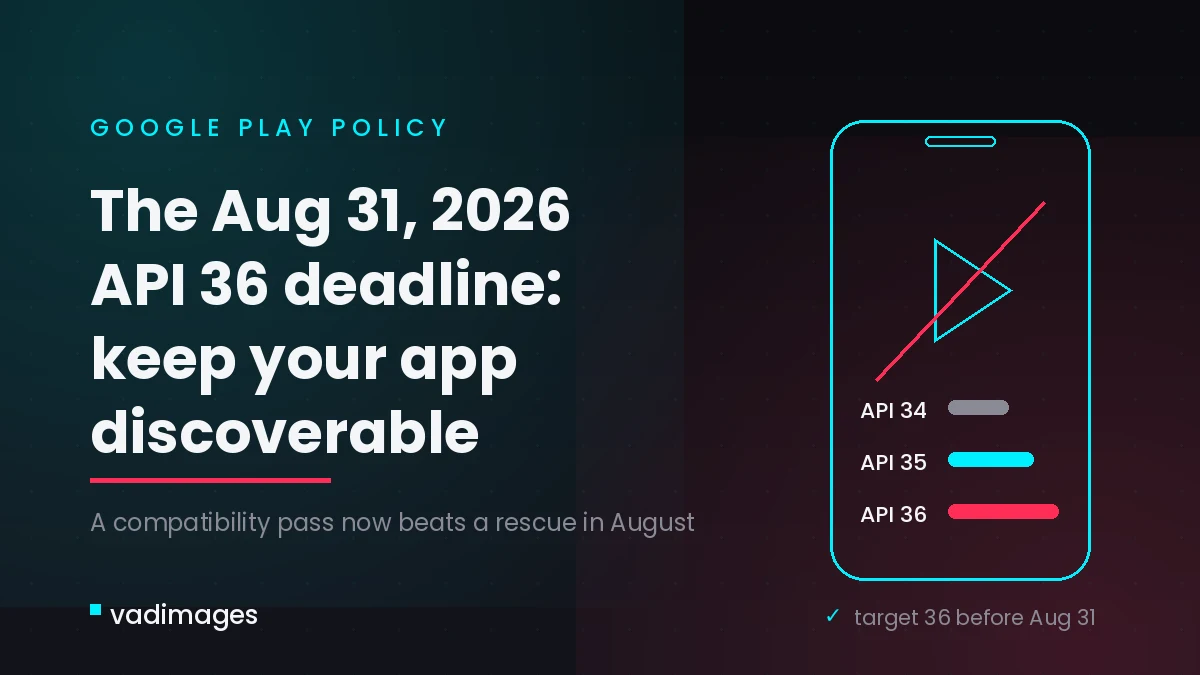
If your company runs an Android app — a driver app, a customer tracking app, a booking tool — there is a quiet deadline coming that can cut off your new-user pipeline without a single crash or error message. On August 31, 2026, Google Play requires all new app submissions and app updates to target Android 16 (API level 36). Apps that sit untouched and target anything older than Android 15 (API level 35) stop being shown to new users on newer devices. Nothing breaks visibly. Your app simply disappears from Play search for the people you are trying to win — new drivers you are recruiting, new shippers evaluating your tracking app, new customers scanning a QR code on a delivery notice. For US logistics and transportation businesses, where driver onboarding and customer self-service increasingly run through a phone, that is an acquisition problem disguised as a housekeeping task.
What changes on August 31, 2026
Google Play’s target API level policy is a rolling annual requirement: new apps and app updates must target an Android API level within one year of the latest major Android release, and existing apps that are not updated must stay within two years of it to remain discoverable. For the August 31, 2026 deadline that translates into two concrete rules:
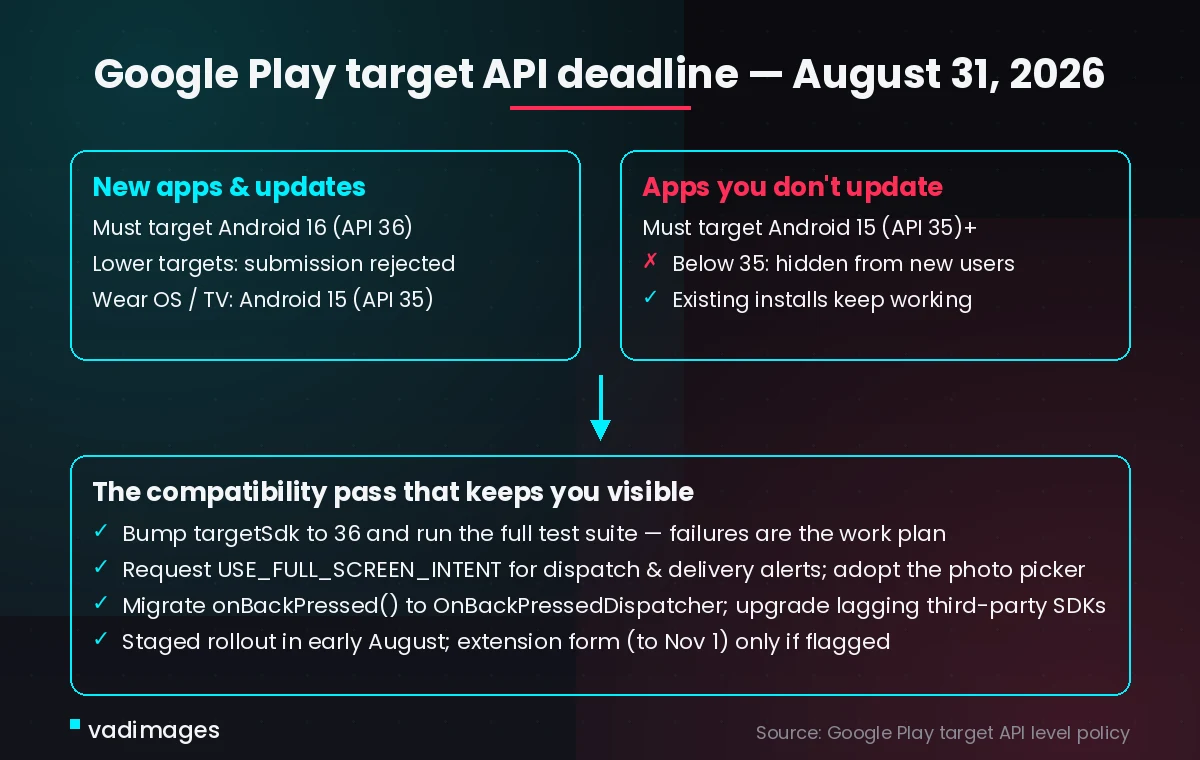
- New apps and updates submitted to Google Play must target Android 16 (API level 36). Submissions that target anything lower are rejected in Play Console.
- Existing apps you do not update must target at least Android 15 (API level 35). Below that, the app becomes invisible and uninstallable for new users whose devices run a newer Android version than the app targets.
Users who already installed your app keep it and can re-install it — this deadline hits growth, not your current fleet. As in previous cycles, Google lets impacted apps request a short extension (historically to November 1) through a form in Play Console, but only after the app is flagged as non-compliant — it buys weeks, not a strategy.
What happens if you do nothing
The failure mode is silent and easy to misdiagnose. New Android devices sold in the US ship with recent OS versions, so the pool of “new users on newer devices” is effectively most of your future audience. If a prospective driver on a 2026 phone searches Play for your app, it will not appear. If they follow a deep link from your recruiting page or a delivery SMS, Google Play shows a message that the app “was made for an older version of Android” and refuses the install. Your funnel metrics will show falling installs and rising drop-off at the app step, and nothing in your codebase will hint at why.
For logistics operators the stakes are concrete: driver recruiting campaigns that pay for clicks which can no longer convert, shipper-facing tracking apps that new accounts cannot install, and proof-of-delivery workflows that quietly fall back to phone calls. There is also a compounding cost — the longer an app stays on an old target SDK, the more behavior changes pile up between it and the current requirement, turning next year’s bump into a rewrite-sized project.
What you gain by acting — for your users, not just your developers
Targeting API 36 is not paperwork; it opts your app into Android 16’s behavior model, and most of it directly improves the end-user experience your customers and drivers see:
- Reliable, deliberate alerts. Apps that pop full-screen notifications over a locked screen — dispatch offers, delivery windows, route changes — must explicitly hold the USE_FULL_SCREEN_INTENT permission. Done right, drivers keep the time-critical alerts they depend on without the app being flagged or throttled.
- Safer photo and file access. Android 16 pushes apps off legacy storage permissions toward the system photo picker. For proof-of-delivery photos that means users grant access to exactly the images they choose — less scary permission prompts, more completed workflows.
- Predictable navigation. The predictive back gesture is enforced more aggressively against apps still using the deprecated onBackPressed() pattern. Migrating means the back gesture behaves the way users expect everywhere in the app instead of eating their in-progress form.
- Store trust. Staying compliant keeps your ratings, your listing, and your install velocity intact — assets that take years to build and one silent deadline to dent.
What to do on your own app before the deadline
The work is a compatibility pass, not a rebuild — if you start now. In your build configuration, bump targetSdk to 36 and run your full test suite; the failures list is your work plan. Audit every notification path for full-screen intents and request the permission explicitly. Replace deprecated storage access with the photo picker. Migrate back-navigation to OnBackPressedDispatcher. Then audit your third-party SDKs — payment, telematics-data, mapping, and analytics libraries must themselves support targeting API 36, and if one lags you need time to upgrade, patch, or replace it. Finish with a staged rollout in Play Console so a regression in notification behavior surfaces at 10 percent, not at 100.
Your quick-win checklist
- Run “where are we” in five minutes: open Play Console → your app → check the current target API level, and grep your build files for targetSdk.
- Inventory the whole catalog, not just the flagship — dormant apps below API 35 go invisible too, and a one-day SDK bump preserves their installs.
- List every full-screen or lock-screen notification your app fires; each one needs the USE_FULL_SCREEN_INTENT permission under API 36.
- Ask each SDK vendor one question — “which version supports targetSdk 36?” — and pin the answers in your ticket tracker.
- Schedule the compliance release for early August at the latest, leaving room for review time and one hotfix cycle.
- If you cannot make the date, watch Play Console notifications for the extension form — it is only offered to flagged apps.
- Put a recurring reminder in place: this policy repeats every August, so make the SDK bump a standing summer task instead of an annual surprise.
How Vadimages helps
Vadimages builds and maintains web and mobile software for logistics and transportation companies, and this deadline sits squarely in that lane. We run the full API 36 compatibility pass on existing Android driver and customer apps — target SDK bump, notification and permission audit, photo-picker and back-gesture migration, third-party SDK upgrades, device testing, and a staged Play Store rollout. Where a native app is only half the picture, we pair it with the web side logistics teams actually run on: dispatcher dashboards, shipper portals, and integration layers that connect the app to your TMS or tracking data over REST or GraphQL, so the same real-time status your drivers see reaches your back office and your customers’ browsers. If your app is older cross-platform code that makes the upgrade painful, we scope whether a targeted refactor or a rebuild in a modern stack is the cheaper path — and give you the numbers to decide.
Bottom line
August 31, 2026 is close enough to plan for and far enough to hit without heroics. Bump to API 36, fix what the test suite tells you, audit your SDKs, and ship in early August with a staged rollout. The reward is not just a green checkmark in Play Console — it is every future driver, shipper, and customer still being able to find and install your app on the phones they actually own.