
The headless CMS vs traditional question comes up the moment a business outgrows its first website. You have a site that works, but now you want a mobile app that shares the same content, or a second landing page in a different design, or a product catalog that feeds three places at once — and suddenly the tidy all-in-one system that got you here starts to feel like it is in the way. Before you rebuild anything, it helps to understand what these two approaches really are, because the right choice depends far more on how you plan to use your content than on which option sounds more modern.
This guide walks through both models in plain English: how a traditional CMS works, what "headless" actually means, the honest trade-offs between them, and a simple way to decide which one fits your business. No jargon for its own sake, and no pretending one is universally better — because it isn't.
What "CMS," "traditional," and "headless" actually mean
A content management system (CMS) is the software you log into to add and edit the words, images, and pages on your website without touching code. WordPress is the one most people have heard of, but Squarespace, Shopify, Wix, Drupal, and dozens of others are all CMS platforms too. The CMS is what lets a marketing person publish a blog post or swap out a photo without emailing a developer every time.
A traditional CMS — sometimes called a "coupled" or "monolithic" CMS — bundles two jobs into one system: it stores your content and it decides how that content looks when a visitor loads a page. The editing dashboard and the public-facing website are two halves of the same product, tied together. When you hit publish, the same system that held your draft also renders the page your customer sees.
A headless CMS splits those two jobs apart. It keeps the content-storage and editing half, but removes the part that decides how things look — the "head." Instead, it hands your content out through an API (a structured feed that other software can request), and a separate front-end application takes that content and displays it. The name is literal: you have kept the body of the system and cut off the head that used to control presentation.
How a traditional CMS works — and why it got so popular
In a traditional setup, everything lives together. Your content, your page templates, your themes, and your plugins all run inside one platform on one server. When someone visits a page, the CMS pulls the right content, drops it into the matching template, and sends back a finished page. You manage the whole thing from a single dashboard.
There is a good reason this model has dominated for two decades. It is approachable. A non-technical owner can install a theme, pick a layout, and have a real website live in an afternoon. Because the content and the design are joined, the editing experience shows you more or less what the published page will look like. There is a huge ecosystem of ready-made themes and plugins, so common needs — contact forms, galleries, e-commerce, booking — already have a drop-in solution. And the running cost is usually low and predictable.
For a great many businesses, this is not just adequate — it is the correct answer. A single marketing website, a blog, a brochure site, a small online store: these are exactly what traditional platforms were built for, and reaching for anything more complex would be paying for flexibility you will never use.
How a headless CMS works
A headless CMS treats your content as pure information, stored in a neutral format with no assumptions about where it will be shown. A blog post is a title, a body, an author, a date, and a featured image — not a pre-styled web page. When a front-end application needs that post, it asks the CMS through the API, receives the raw content, and takes full responsibility for turning it into something a person sees.
The advantage of that separation is reach. The same content feed can supply a fast marketing site, a mobile app, a smart-display kiosk, a partner's website, and an internal dashboard — all at once, all pulling from one source. Your team edits a product description in a single place, and every channel that consumes the feed updates together. Nothing is copied by hand from one system into another.
Because the front end is a separate application, your developers are free to build it with whatever modern tools best fit the goal — frameworks that produce extremely fast, secure pages and app-like experiences that a bundled theme system would struggle to match. That freedom is the whole point of going headless, and it is also exactly where the added cost and effort come from.
The real trade-offs, side by side
Every honest comparison of a headless CMS vs traditional platform lands in the same place: you are trading simplicity for flexibility, and the right call depends on how much flexibility you will actually put to work. Here is where the two genuinely differ:
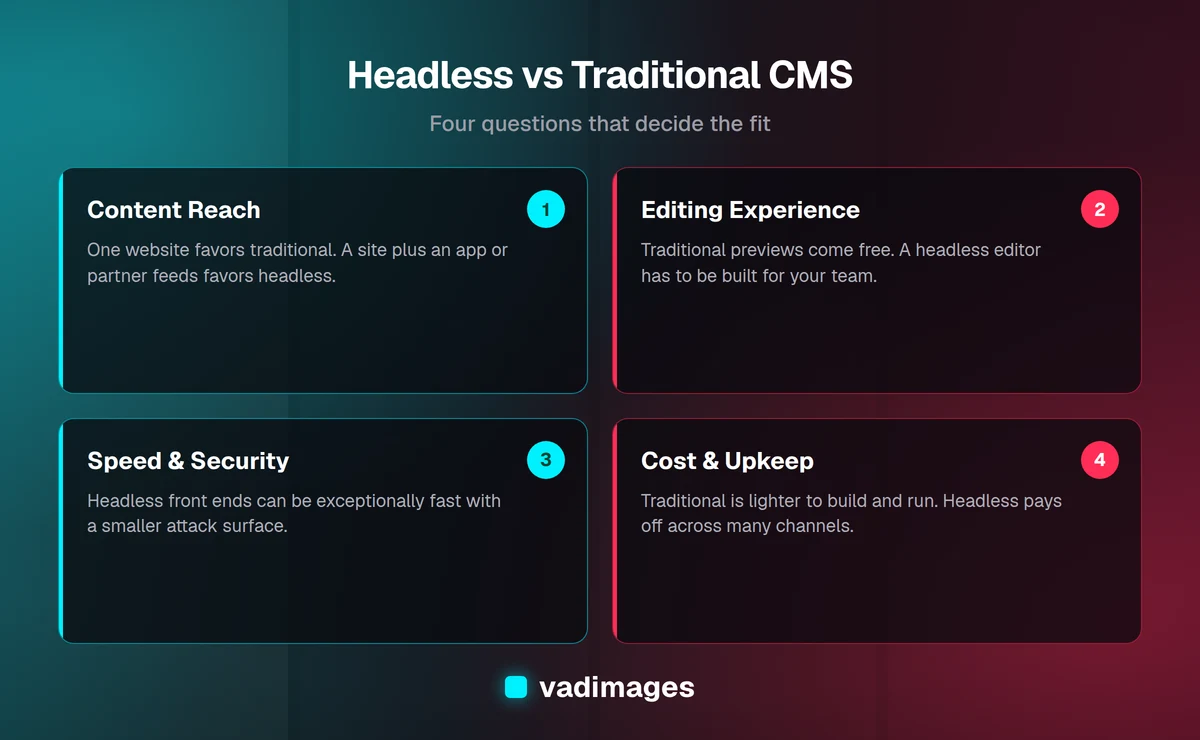
- Setup and speed to launch. Traditional wins decisively for a standard site — you can be live in days. Headless requires building a front end from scratch, which takes real development time.
- Editing experience. Traditional shows you a near-live preview and is friendly to non-technical staff out of the box. Headless previews depend on how the front end was built, so a good editing experience has to be deliberately designed in.
- Multi-channel reach. Headless wins clearly. One content source feeds a website, an app, and anything else. A traditional CMS is built to power one website, and pushing its content elsewhere is awkward.
- Performance and security. Headless front ends can be made exceptionally fast and have a smaller attack surface, because the public site is often static and the editing system isn't exposed to visitors. Traditional sites can be fast too, but performance and security both need ongoing attention.
- Cost and maintenance. Traditional is cheaper up front and cheaper to maintain for a single site. Headless costs more to build and involves two systems to keep healthy, but pays off when it replaces several separate builds.
When a traditional CMS is the right call
A traditional platform is very likely the smart choice if your website is the main event and there is no second channel on the horizon. If your team is small and non-technical and needs to publish independently every week, if your budget favors a modest, predictable monthly cost, and if the standard toolbox of themes, forms, and plugins already covers what you need, then the flexibility of headless is flexibility you would pay for and never use.
There is no prize for over-engineering. Plenty of successful, fast, professional business sites run happily on traditional platforms, and choosing one is not a sign you thought too small — it is a sign you matched the tool to the job. When we build a straightforward marketing or content site, this is frequently the route we recommend, and we would rather tell you that than sell you complexity. You can see the kinds of projects we take on in our case studies.
When headless makes sense
Headless starts to earn its keep the moment your content needs to live in more than one place. If you are running a website and a mobile app that should always show the same catalog, if you have several brand sites or regional pages that share a common content pool, or if you are feeding product data to marketplaces and partners as well as your own store, a single headless source removes a whole category of copy-paste errors and version drift.
It is also worth serious consideration when raw performance is a competitive advantage — a content-heavy site where every fraction of a second affects conversions or search rankings — or when you have specific, unusual front-end requirements that a theme system simply can't deliver. And it fits well for companies expecting to scale their digital presence quickly, because a clean separation between content and presentation makes future channels much cheaper to add. These are the situations where custom software and a headless architecture tend to go hand in hand, and where the model most clearly repays its higher upfront cost.
The hidden costs nobody mentions
The headless-versus-traditional debate is often framed as new-and-better against old-and-limited, which does a disservice to anyone trying to make a real decision. Two costs get quietly skipped over.
The first is the editing experience. In a traditional CMS, previewing a page and arranging a layout come for free. In a headless setup, someone has to build those conveniences into the front end, or your content team ends up publishing blind and hoping it looks right. A headless project that ignores the editor's day-to-day experience can technically work and still make everyone miserable. A good build treats the editing experience as a feature, not an afterthought.
The second is ongoing ownership. Two systems — the content platform and the front-end application — means two things to update, monitor, and keep compatible as each evolves. That is entirely manageable, but it is real work, and it should be part of the budget conversation from the start rather than a surprise six months later. Understanding the full lifecycle cost is exactly the sort of thing our how we work process is designed to surface before you commit, and our pricing is transparent about it — most projects start at $5,000 and up depending on scope.
A simple way to decide
If you strip away the hype, the choice usually resolves with a handful of honest questions:
- How many places will your content live? One website points to traditional. Two or more channels — site plus app, multiple brands, partner feeds — point to headless.
- Who edits, and how often? A non-technical team publishing constantly is best served by the friendly editing of a traditional platform, unless a headless editing experience is deliberately built for them.
- How much does raw performance matter? If milliseconds move your revenue, headless gives you more room to optimize.
- What is your real budget — build and upkeep? Traditional is lighter on both. Headless costs more but consolidates multiple builds into one source of truth.
- Where will you be in two years? If you expect new channels and rapid growth, building headless now can be cheaper than rebuilding later.
Notice that not one of those questions is "which is more modern." The best architecture is the one that matches how your business actually creates and uses content — today and in the near future — not the one with the better reputation on tech blogs.
Where a development partner fits in
This is one of those decisions that is genuinely hard to unwind once made, which is why it is worth getting right before the first line of code. A good development partner does not walk in with a favorite answer. They ask about your channels, your team, your budget, and your growth plans, and only then recommend an approach — sometimes traditional, sometimes headless, sometimes a pragmatic hybrid where a familiar editing platform runs behind a fast, custom front end.
At Vadimages, based in Vancouver, Washington, we work with small and mid-sized businesses across a range of industries, and we have built both kinds of sites often enough to say plainly that neither is a default. The right one is whichever quietly does its job for years without getting in your way. If you want to talk through what fits your situation, our solutions overview is a good starting point.
How to get started
You do not need to resolve the headless CMS vs traditional question in the abstract. Start by writing down where your content needs to appear over the next year or two, who will be editing it, and what your budget looks like for both building and maintaining the result. Those three answers narrow the field faster than any feature comparison.
From there, a short conversation with a team that has built both is usually enough to point clearly one way or the other. If you would like that conversation — with a straight recommendation and transparent pricing rather than a sales pitch for the trendier option — get in touch. We will help you match the architecture to your business, so the system you build serves your content instead of constraining it.