
Automation ROI is simply the value a process gives back after you subtract what it costs to automate it — but the number only means something once you've measured the process you have today. Most automation projects don't fail because the technology doesn't work. They fail because nobody sized the return before writing the check, so the project either automates the wrong process or quietly costs more than it saves. This guide walks through a plain-English way to calculate the ROI of automating a business process, so you can tell a genuinely worthwhile project apart from an expensive habit.
You don't need a finance degree or a spreadsheet full of assumptions to do this well. You need an honest picture of how the work happens now, a short list of where the value comes from, and a realistic view of what building and maintaining the automation will cost. Get those three things right and the decision usually makes itself.
What automation ROI actually means
Return on investment is a ratio: the value you gain divided by what you spent to get it. For automation, a workable version of the formula looks like this — ROI = (annual value gained − annual cost of automation) ÷ total cost of automation. If automating a process saves you $30,000 a year and the automation costs $12,000 to build plus $1,800 a year to run, your first-year return is roughly ($30,000 − $1,800) ÷ ($12,000 + $1,800), or about 204%. Every year after that, the build cost is already paid, so the ratio climbs.
Two numbers matter as much as the ratio itself. The first is payback period — how many months of savings it takes to cover the cost of building the automation. The second is ongoing net benefit — what the automation puts back in your pocket every year once it's live. A project with a fast payback and a strong recurring benefit is the kind worth doing. A project with a long payback and thin annual savings usually isn't, no matter how impressive the demo looks.
Start by measuring the process you have today
You can't calculate a return on a process you've never measured. Before you price any automation, spend a week or two capturing what the current, manual version actually costs. This baseline is the single most important input, and it's the step most teams skip.
For the process you're considering, write down:
- Volume — how many times the process runs per week or month (invoices handled, leads entered, orders processed, tickets triaged).
- Time per run — the honest average, including the small interruptions and context-switching, not the best-case stopwatch time.
- Loaded labor cost — the hourly cost of the people doing the work, including benefits and overhead, not just their base wage.
- Error rate and rework — how often something goes wrong, and what fixing it costs in time, refunds, late fees, or lost customers.
- Cycle time — how long the work sits in a queue before it's finished, because delay often costs money even when labor doesn't.
Those five figures turn a vague feeling that "this is a waste of time" into a defensible baseline you can build a real estimate on.
The four places automation value comes from
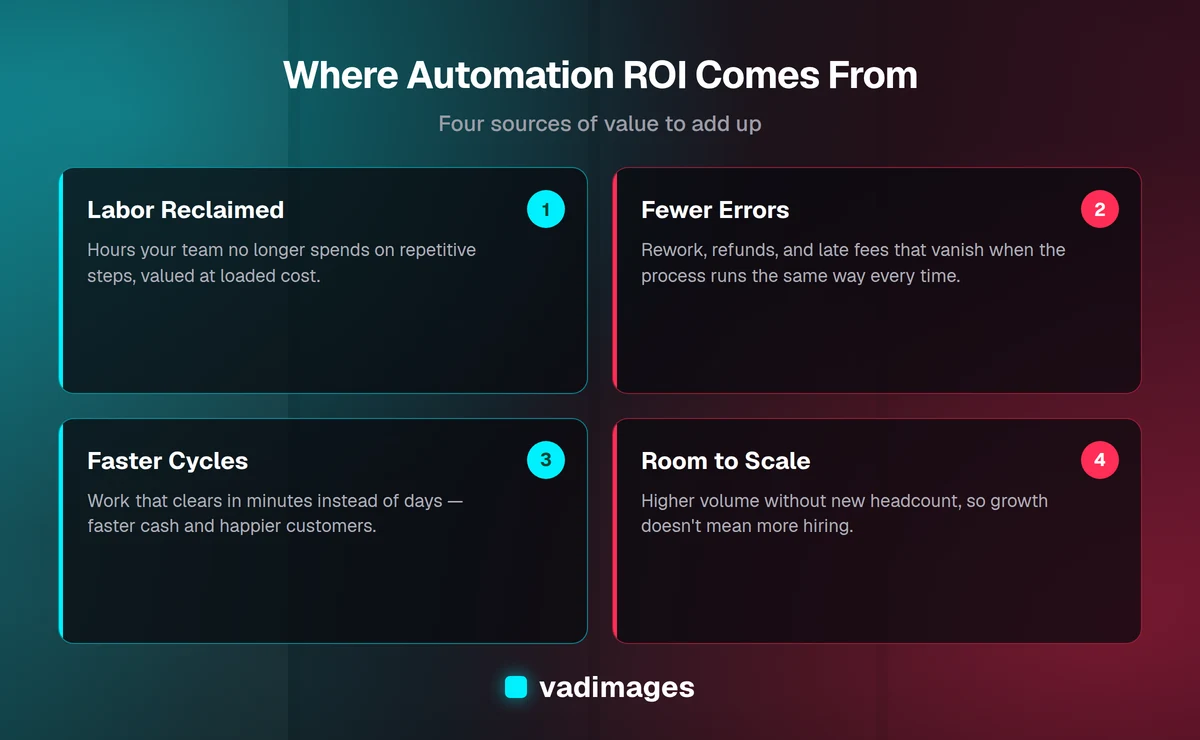
Once you have a baseline, the value of automating almost always lands in one of four buckets. Adding them up gives you the "value gained" side of the ROI equation.
Labor reclaimed. This is the most obvious source and the easiest to calculate: hours your team no longer spends on repetitive steps, multiplied by their loaded cost. The important nuance is that reclaimed hours are only worth money if they're spent on something valuable — chasing new business, serving customers better, or handling work you'd otherwise have to hire for. Time saved that just evaporates into a lighter workload is real, but harder to bank.
Fewer errors. A process that runs the same way every time makes far fewer mistakes than a tired person doing the same task for the two-hundredth time. Cutting an error rate from four percent to under one percent removes rework, refunds, duplicate payments, late fees, and the customer goodwill you lose when something slips. For many businesses this bucket is larger than the labor savings, and it's the one people forget to count.
Faster cycles. When work clears in minutes instead of days, you get paid sooner, you respond to leads while they're still warm, and customers get a better experience. Faster cycle time turns into real money through improved cash flow and higher conversion — a quote that goes out in an hour closes more often than one that goes out next week.
Room to scale. Automation lets you handle more volume without adding headcount. If your order count doubles and the process runs itself, you've avoided the cost of hiring and training. This is future value, so estimate it conservatively, but for a growing business it's often the reason automation pays off long after the initial savings.
Add up the true cost of automating
The "cost" side of the equation is where optimistic estimates go to die. To keep your ROI honest, count all of it, not just the build.
- Build cost — designing, developing, and testing the automation, whether that's configuring an off-the-shelf tool or commissioning custom software to fit how you actually work.
- Integration cost — connecting the automation to the systems you already use, which is frequently the hardest and most underestimated part.
- Maintenance — the ongoing cost of keeping it running as your tools, data, and rules change over time.
- Change management — training your team, documenting the new process, and the temporary dip in productivity while everyone adjusts.
A common mistake is comparing a one-time build cost against one year of savings and stopping there. Automation is an asset that keeps paying out, so it's fair to look at value over two or three years — but only if you also include the maintenance cost across that same period. Transparent, fixed-scope pricing helps here, because a project you can actually budget for is a project whose ROI you can actually calculate. That's a big part of why we publish clear pricing instead of open-ended hourly estimates.
A worked example you can copy
Say your team processes about 400 supplier invoices a month by hand. Each one takes roughly 12 minutes to enter, match, and approve, which is 80 hours a month. At a loaded labor cost of $35 an hour, that's $2,800 a month just to move invoices through the system. On top of that, a four-percent error rate — duplicate entries, wrong amounts, missed early-payment discounts — costs you around $500 a month in rework and lost discounts.
Now automate it. The system captures each invoice, matches it against the purchase order, and routes only the exceptions to a person for review. Say that cuts handling to 2 minutes of review per invoice — about 13 hours a month, or $455 in labor. Errors drop below one percent, saving roughly $450 a month. Your new monthly value looks like this:
- Labor: $2,800 − $455 = $2,345 saved per month
- Errors: $450 saved per month
- Total monthly value ≈ $2,795, or about $33,500 a year
Suppose the automation costs $12,000 to build and integrate, plus $1,800 a year to maintain. Your payback period is $12,000 ÷ $2,795, or a little over four months. First-year ROI is ($33,500 − $1,800) ÷ ($12,000 + $1,800), which works out to roughly 230% — and in year two, with the build already paid for, nearly all of that $33,500 is net benefit. Those are illustrative numbers, not a promise, but the structure is exactly how the calculation should work for any process you're weighing.
Payback period, and when to say no
A short payback period is the clearest signal that automation is worth it. As a rough guide, many businesses look for a payback inside 12 months for an operational process — fast enough that the savings are real and near-term, not a bet on a distant future. When the payback stretches past 18 to 24 months, the case gets shakier, because your tools, your volume, and your process are all likely to change before the automation ever breaks even.
Some processes simply shouldn't be automated, and knowing when to walk away protects your budget. Be cautious when the process runs rarely, changes constantly, or depends on human judgment that's hard to encode in rules. Automating a low-volume, high-variability task usually costs more to build and maintain than it will ever save. The best automation targets are the opposite: high-volume, rule-based, repetitive work that runs the same way every time. If you're not sure which of your processes qualify, that's exactly the kind of thing we map out together in how we work before anyone writes a line of code.
Mistakes that quietly kill automation ROI
Even a well-chosen project can lose its return to a few avoidable errors. The first is skipping the baseline — without real numbers for the current process, every ROI figure is a guess dressed up as a decision. The second is counting only labor and ignoring the error-reduction and cycle-time value, which understates the return and can make a good project look unappealing.
The third is automating a broken process. If the workflow is a mess, automating it just makes the mess happen faster and more consistently. Fix and simplify the process first, then automate the clean version. The fourth is underestimating maintenance — an automation nobody owns slowly drifts out of date and stops delivering, so budget for keeping it healthy from day one. Building on the right solutions and integrations makes that upkeep far cheaper over the life of the system.
How to put this into practice
Pick one process that's clearly repetitive and clearly painful. Measure it for two weeks. Add up the four sources of value, subtract the honest cost of building and maintaining the automation, and check the payback period. If the number is strong, you have a project worth funding and a baseline to measure it against once it's live. If it's weak, you've saved yourself from an expensive mistake — which is its own kind of return.
At Vadimages we build workflow automation and custom software for US small and mid-sized businesses, with transparent project pricing that starts at $5,000 so you can weigh the investment against the return before you commit. If you'd like help sizing the ROI of a specific process — or want a second opinion on a project you're already considering — get in touch and we'll walk through the numbers with you.