
If you run a local business, your Google Business Profile is often the first thing a customer sees about you. Before they visit your website, read a review, or call your number, they see a name, a star rating, a few photos, and a row of buttons. That small panel does a lot of selling, and most owners set it up once and never touch it again.
This guide walks through Google Business Profile optimization in plain English: what to fill in, what to skip, how to earn reviews without being awkward about it, and how to connect the profile to a website that actually turns taps into booked jobs. There are no tricks here. Google changes its interface and ranking details often, so we focus on the fundamentals that stay true.
What a Google Business Profile actually does
A Google Business Profile (GBP, formerly Google My Business) is the free listing that shows up in Google Search and Google Maps when someone looks for a business like yours. It is what powers the map results with the business names, ratings, and call buttons. If you have read our piece on ranking in the Google Map Pack, this is the foundation underneath it.
The profile does three jobs at once:
- It answers quick questions. Are you open? Where are you? Do you do what I need? Can I call right now?
- It builds trust. Reviews, photos, and a complete listing tell a stranger you are a real, active business.
- It sends people to the next step. A call, a direction request, a booking, or a visit to your website.
Because it is free and sits at the top of local results, it is usually the highest-return marketing asset a small business has. It is also the one most often left half finished.
Step 1: Claim and verify the right listing
Start by searching for your business name on Google. If a listing already exists, claim it instead of creating a duplicate. Duplicates split your reviews and confuse customers, and cleaning them up later is slow. If nothing exists, create a new profile from your Google account.
Verification is required before most changes go live. Google will offer whichever methods apply to your business, such as a postcard, a phone call, text, email, or a video. Follow the prompts exactly and use accurate information. Do not use a fake address or a virtual office to appear closer to customers. That is against Google's guidelines and is one of the quickest ways to get a listing suspended.
Decide up front whether you are a storefront business or a service-area business. If customers visit you, show your address. If you travel to customers, such as a plumber or a mobile detailer, you can hide the address and list the areas you serve instead.
Step 2: Get the basics exactly right
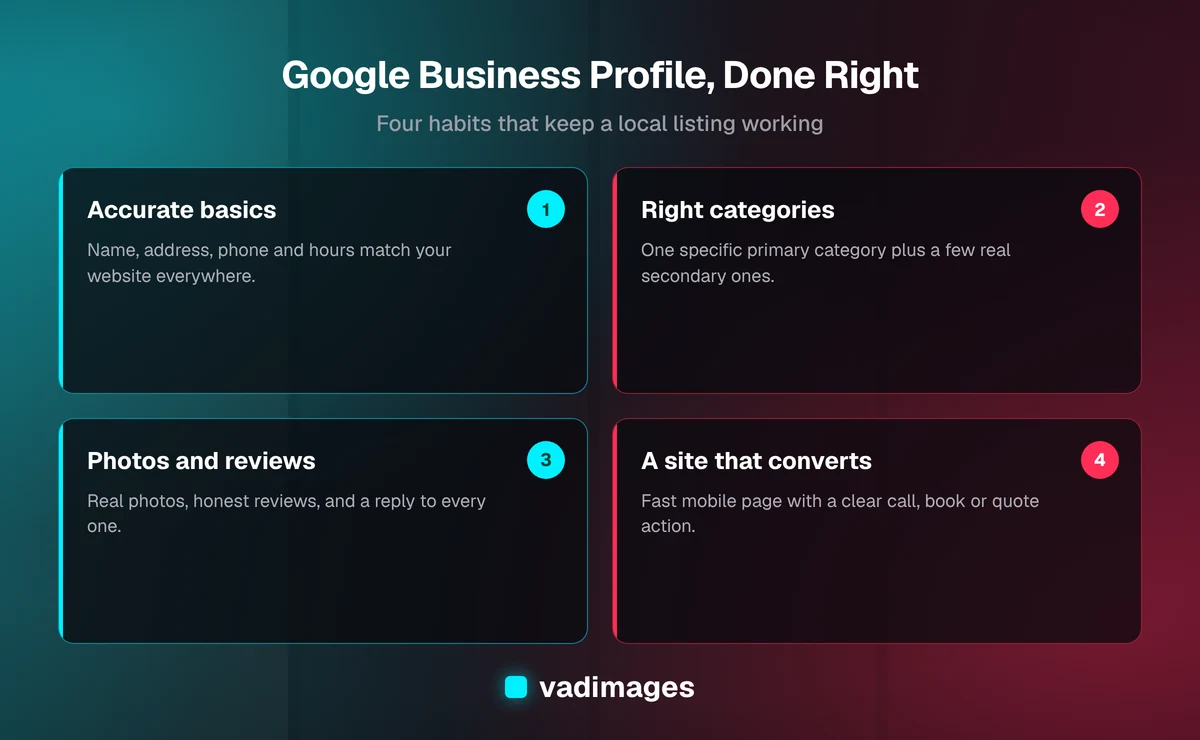
Most ranking and conversion problems come from small inconsistencies, not from missing advanced tactics. Treat these fields as a checklist:
- Business name: use your real, public-facing name. Stuffing keywords into the name ("Best Cheap Plumber Vancouver WA") violates the guidelines and risks suspension.
- Address and service area: match what appears on your website and signage.
- Phone number: use a number that someone answers. If you use call tracking, keep your main number as a secondary line.
- Website link: point to the most relevant page, which is often your homepage or a dedicated location or service page.
- Hours: include regular hours and update special and holiday hours before they happen. Wrong hours are one of the fastest ways to lose a customer's trust.
- Opening date and attributes: add details such as accessibility, payment options, or appointment requirements where they apply.
The rule of thumb is simple: the name, address, and phone number on your profile should match your website, your social profiles, and any directory listings. Consistency tells Google you are one real business and not several confusing ones.
Step 3: Choose categories and services carefully
Your primary category is among the strongest signals you control. It tells Google what kind of business you are. Pick the most specific category that describes your main revenue, not the broadest one. "Kitchen remodeler" will usually serve you better than a generic "Contractor" if kitchens are your focus.
Then add a small number of secondary categories for real, distinct services you offer. Avoid adding every category that sounds vaguely related. A cluttered category list dilutes the picture of what you do best.
Next, fill in your services or products. Write each service with a short, plain description: what it is, who it is for, and any starting price if you are comfortable sharing it. Customers often compare listings quickly, and a profile that states what you do clearly beats one that makes people guess.
Step 4: Write a description that helps people decide
The business description is not a place for keyword lists. Write two or three short paragraphs for a human reader. Say what you do, who you serve, where you serve them, and what makes working with you easier. Mention your location and main services naturally, because that is how a real person would describe the business anyway.
A useful structure is:
- One sentence on what you do and for whom.
- One or two sentences on how you work or what to expect.
- One sentence on your area and how to get started.
Skip superlatives you cannot back up. "Number one in the Pacific Northwest" invites skepticism. "Family-owned electrician serving Clark County homes and small offices" invites a call.
Step 5: Use photos and video like a storefront window
Photos are the closest thing a profile has to a shop window. Customers use them to judge whether you look legitimate, clean, professional, and relevant to their problem. Stock images do not help here. Use real photos.
- Exterior and entrance: so people can recognize the place when they arrive.
- Interior or workspace: shows the experience before they walk in.
- Team: faces build trust, especially for service businesses.
- Work in progress and finished results: before and after shots, completed projects, products, menu items.
- Logo and cover image: keep these sharp and current.
Add a few new photos on a regular schedule rather than uploading fifty at once and never again. Customers can upload photos too, so a stale profile can end up showing someone else's blurry snapshot as the top image.
Step 6: Earn reviews on purpose
Reviews affect both how you appear and whether people choose you once they see you. The goal is a steady stream of honest reviews, not a one-time burst. Here is how to build that without being pushy:
- Ask at the right moment. Right after a job is completed or a customer says thanks is when they are most willing.
- Make it easy. Use your profile's review link and send it by text or email, or print a QR code for the counter or invoice.
- Ask everyone. Do not filter for only happy customers. Selectively gating reviews goes against Google's policies.
- Never pay for reviews or write your own. Fake reviews can lead to removal and penalties, and customers can usually smell them.
Respond to every review, positive or negative. Thank people by name and mention something specific. For a critical review, stay calm, acknowledge the issue, and offer to make it right offline. Future customers are reading your reply as much as the review. A thoughtful response to a bad review often builds more trust than a spotless rating.
Step 7: Keep the profile alive with posts and updates
Google Business Profile has supported posts such as updates, offers, and events. Features change over time, so check what your dashboard currently offers. Whatever is available, use it to show the business is active: a seasonal offer, a new service, a recently completed project, a change in hours.
You do not need a daily posting schedule. A realistic rhythm for a small team is something worth saying every couple of weeks. The point is accuracy and freshness, not volume. If you have messaging or booking features enabled, only keep them on if someone will actually answer. A slow reply is worse than no button at all.
Step 8: Connect the profile to a website that converts
A strong profile gets the tap. Your website closes the sale. When someone taps through from Google, they should land on a page that matches what they just saw: the same service, the same area, the same promise, and an obvious next step.
That usually means:
- A fast, mobile-friendly page, since most local searches happen on a phone.
- Your name, address, phone number, and hours visible without hunting.
- A clear call to action: call, book, or request a quote.
- Service and location pages that reflect the categories on your profile.
- Structured data (schema) that describes your business in a machine-readable way.
If your site is slow, hard to use on mobile, or does not mention the services your profile advertises, you lose people at the last step. This is where custom work pays off. Our custom software and solutions work often includes fast local-business sites, online booking, and simple dashboards that tie leads back to where they came from.
Step 9: Measure what the profile is doing
Your profile dashboard shows how customers find and use your listing: searches that surfaced you, calls, direction requests, and website clicks. Look at it monthly and ask simple questions. Are calls rising? Which search terms bring people in? Which photos get views?
Pair it with your website analytics so you can see what happens after the click. Add UTM parameters to your profile's website link so visits from the profile are easy to separate from other traffic. Numbers will vary by industry and season, so compare against your own past months, not against someone else's benchmarks.
Common mistakes to avoid
- Keyword-stuffing the business name.
- Creating duplicate listings instead of claiming the existing one.
- Using a fake address or virtual office.
- Ignoring reviews, or only replying to the good ones.
- Letting hours go stale around holidays.
- Choosing too many or overly broad categories.
- Sending profile visitors to a slow or irrelevant page.
- Buying reviews or asking friends to leave five-star ratings.
Most of these are free to fix. The majority of profile problems are neglect, not a lack of budget.
A simple monthly routine
You do not need an agency to keep a profile healthy. A short, repeatable routine is enough:
- Week 1: reply to any new reviews and check that hours and contact details are correct.
- Week 2: upload a few fresh photos from recent work.
- Week 3: publish a post or update about a service, offer, or project.
- Week 4: review the dashboard and website analytics, and note what changed.
Thirty minutes a week, done consistently, beats a heroic cleanup once a year.
How Vadimages can help
We build the web layer that makes your profile work harder: fast local-business websites, clear service pages, booking and lead-capture flows, and the structured data that helps search engines and AI assistants understand who you are and where you work. Our industries page shows the kinds of businesses we serve, and our case studies show how we approach real projects. If you want to know what a project might involve, see pricing, where projects start at $5,000+, and how we work for the process from first call to launch.
Google Business Profile optimization is not a trick. It is careful, honest housekeeping on the most visible asset a local business owns, paired with a website that does its job once the customer arrives. If you would like a second set of eyes on your profile and your site, contact us and we will tell you plainly what is worth fixing first.