
You have an app idea, or a website your customers keep asking to "have as an app." Sooner or later someone says the words: should we build a native app or a progressive web app? It sounds like a technical question. It is really a business question about budget, speed, and where your customers already are.
This guide explains both options in plain English, shows where each one wins, and gives you a simple way to decide before you spend a dollar. No jargon required.
What is a progressive web app?
A progressive web app (PWA) is a website built to behave like an app. Customers open it in a browser, and if they like it, they can add it to their home screen. From then on it launches in its own window with its own icon, loads quickly, and can keep working when the connection is weak.
Under the hood, a PWA is still web technology: one codebase that runs on iPhone, Android, Windows, Mac, and any browser. Nothing has to be approved by an app store, and updates reach everyone the moment you publish them.
What is a native app?
A native app is built specifically for one operating system, typically Swift for iPhone and Kotlin for Android, and distributed through the Apple App Store or Google Play. It installs on the device and has the deepest possible access to the phone's hardware and system features.
Many teams today use cross-platform toolkits that let one team ship to both stores from a shared codebase. The result is still a store-distributed app, so for the purposes of this decision we treat it as "native."
The short version
- PWA: lower cost, faster to launch, one codebase, instant updates, found through Google search, no store approval.
- Native: best performance, deepest device access, store presence and discoverability, a polished "real app" feel, higher cost and longer timelines.
- Most small and mid-sized businesses get the most value from starting with a PWA or a strong website, and adding a native app only when a clear need appears.
Cost and timeline: where the difference is biggest
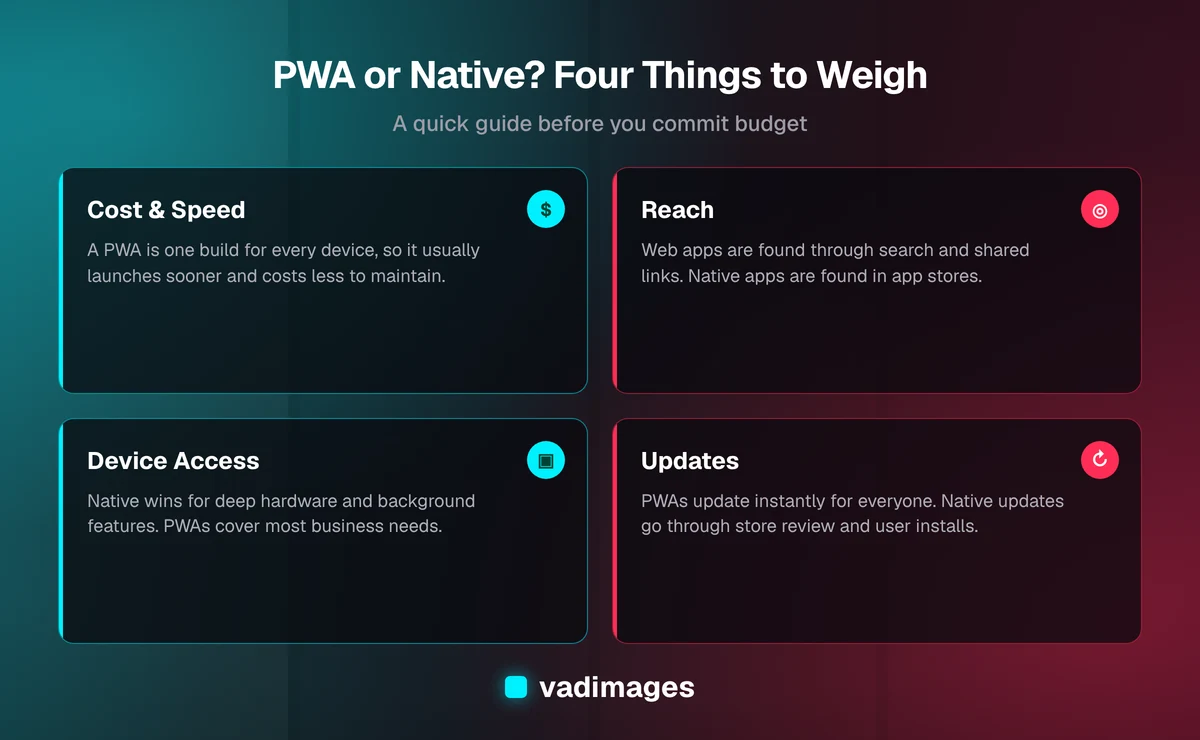
Building native means building more than once. Even with shared tooling, you are managing store accounts, review processes, device testing, separate release schedules, and platform-specific quirks. Each of those adds hours, and hours add up to budget.
A PWA is one product. You design it once, build it once, test it across browsers, and publish. For many businesses that means launching in weeks rather than months and keeping ongoing maintenance simpler, because you are not maintaining parallel versions of the same feature.
Every project is different, so we never quote a number without understanding your goals. Our transparent pricing starts at $5,000+ for custom projects, and a PWA-style build is often the most efficient way to put that investment to work. If you want to see how we scope projects, read how we work.
Discoverability: how customers find you
A PWA lives on the open web. That means Google can index its pages, people can reach it from a link, a QR code, an email, or a text message, and nobody has to visit a store first. If your growth depends on search, local visibility, or sharing links, this is a real advantage.
A native app is found by people searching a store, or by people who already know to look for you. Stores can be a strong channel for well-known brands and for products people use daily. They are also crowded, and a new app competes with an enormous catalog. Getting someone to download an app is a bigger ask than getting them to click a link.
Performance and the "feel" of the app
Native apps are the gold standard for smooth animation, heavy graphics, and instant response. If you are building a 3D game, a video editor, or an augmented reality experience, native is the right call.
For the typical business app, such as booking, ordering, account portals, dashboards, catalogs, and internal tools, a well-built PWA feels fast and familiar. Most of what customers do in these apps is read, tap, fill in a form, and confirm. The web handles that comfortably when it is engineered with care.
Device features: what each can reach
This is the area where the gap has narrowed the most. Modern browsers let web apps use the camera, location, file uploads, offline storage, and notifications, among other capabilities. Home-screen web apps on iPhone can receive push notifications on current versions of iOS, which removed a long-standing objection.
Native still leads when you need deep system integration. Examples include advanced Bluetooth work, background processing, tight integration with health or wallet features, widgets, or anything that must run reliably in the background. Support also varies between browsers and operating system versions, so any feature that is critical to your product should be tested on real devices early rather than assumed.
Updates and maintenance
With a PWA, you publish a change and every user has it the next time they open the app. There is no review queue and no waiting for customers to update. That is a big deal when you are learning from real customers and improving week by week.
Native updates go through store review and depend on users installing the new version. Some people stay on old versions for a long time, so you may end up supporting several versions at once. It is manageable, but it is a recurring cost of ownership that is easy to overlook when you are budgeting.
Stores, fees, and rules
Distributing through the app stores means following their policies, and those policies can change. Digital purchases made inside a store app can involve a commission paid to the platform, and review teams can reject or delay a release. A PWA sits outside that system, so you control your own checkout, your own pricing, and your own release schedule. If you sell products or subscriptions online, check the current store rules with your developer before choosing a path, because they affect your margins.
When a PWA is the right choice
- You want to reach customers on every device without building three products.
- Your app is mostly forms, content, bookings, orders, accounts, or dashboards.
- Search visibility and shareable links matter to your growth.
- You want to launch quickly, learn from real users, and improve fast.
- You are an established small business or a startup validating an idea and want to protect your budget.
- You already have a website and want to turn it into something customers can install and return to.
When a native app is the right choice
- Your product depends on advanced hardware or system features, or on reliable background activity.
- You need top-tier graphics performance, such as games or real-time media tools.
- Your audience expects to find you in an app store, and store presence is part of your brand.
- Your customers use the app daily, and every bit of polish translates into retention.
- You have already proven the idea on the web and are ready to invest in a premium mobile experience.
A practical middle path
You do not have to treat this as a one-way door. A common and sensible approach is to build the core product as a web application first, make it installable, and watch how customers actually use it. If real usage shows a need for something only native can do, you build a native app for that purpose, with a validated product behind it and a clearer idea of what to spend.
This path keeps risk low. You are not guessing what customers want, you are measuring it. And the work is not wasted: the same back end, data, and business logic can serve the website, the installable web app, and a native app later on.
Five questions to decide
- Where are my customers today? If they already find you through search, email, or links, the web is a strong starting point.
- What must the app do? List the features. If none of them need deep device access, a PWA is likely enough.
- How fast do I need to launch? Faster timelines favor one codebase and no store review.
- What is my budget for the first release and for upkeep? Include maintenance in the number, not only the build.
- How will people hear about it? If the answer is "an app store listing," plan for marketing, because a listing alone rarely brings users.
Common mistakes to avoid
- Building native because competitors have an app. Having an app is not a strategy. Solve a customer problem first.
- Assuming a PWA is a cheap shortcut. A good PWA still needs thoughtful design, performance work, and testing.
- Skipping device testing. Browser and OS behavior differs. Test the features that matter on real phones.
- Ignoring the back end. Whatever you choose, the data, security, and integrations behind the interface determine whether the product holds up.
- Forgetting ongoing costs. Hosting, updates, store fees where they apply, and support all belong in the plan.
What this looks like in practice
Consider a service business with a website where customers request quotes. They want customers to log in, see job status, approve estimates, and get notified when something changes. That is a textbook PWA: accounts, forms, status pages, and notifications, delivered to every phone and desktop without a store listing.
Now consider a company whose product relies on continuous Bluetooth communication with a physical device. That calls for a native app from the start, because the hardware connection is the product.
Most businesses look much more like the first example. You can see how we approach projects like these in our case studies, and explore the kinds of products we build on our custom software and solutions pages. We also work across many sectors, which you can browse under industries.
The bottom line
Progressive web apps and native apps are both good tools. The right one is the one that matches your customers, your features, and your budget. For many small and mid-sized businesses, a PWA delivers most of the value of an app at a lower cost and with a faster start, and it leaves the door open to go native later. If your product needs the deepest hardware access or lives and dies in the app store, native earns its higher price.
Not sure which side of the line your idea falls on? Tell us what you want customers to be able to do, and we will give you a straight, plain-English recommendation, including what it would cost and how long it would take. Contact us for a free conversation about your project.