

When someone nearby searches for a plumber, a dentist, a coffee roaster or a web developer, Google often puts a map and three business listings at the top of the results. That block is the Google Map Pack, and for most local businesses it is the most valuable real estate on the internet. People see it before they see any website. They can call, get directions or read reviews without ever visiting your site.
This guide explains, in plain English, how the Map Pack decides who to show, what you can actually control, and the order we would work in if we were setting it up for a small business in Vancouver, WA or anywhere else in the US. There are no tricks here and no promised rankings. Nobody outside Google can guarantee a position. What you can do is remove the reasons Google has to pass you over.
What the Map Pack actually is
The Map Pack (Google calls it the local pack) is the group of map-based results that appears when Google decides a search has local intent. Searches like “emergency plumber near me,” “best bakery in Vancouver WA” or “local seo map pack” all qualify. The listings come from Google Business Profiles, not from your website. That distinction matters: your website and your Business Profile are two separate assets, and the Map Pack is mostly decided by the second one, supported by the first.
Each listing shows a name, a star rating, a category, hours, and buttons for calling or getting directions. A shopper can decide in seconds. If you are not one of the three, you are in the “more places” list or invisible, and the businesses above you collect the calls.
How Google chooses: relevance, distance and prominence
Google publicly says local results are based mainly on three things. Understanding them tells you where to spend your effort.
- Relevance: how well your profile matches what the person searched for. Your categories, services, description and the content on your site all feed this.
- Distance: how far you are from the searcher, or from the location they named. You cannot change where your building is, but you can make sure Google has your address and service area exactly right.
- Prominence: how well known and trusted you appear to be. Reviews, mentions around the web, links to your site and general search presence all contribute.
Notice that two of the three are things you can improve this month. Distance is the one you largely cannot, which is why a business across town with a weaker profile will sometimes outrank you for searches made near them. That is normal, and it is a reason to focus on the searches where you are close and relevant.
Step 1: Claim and complete your Google Business Profile
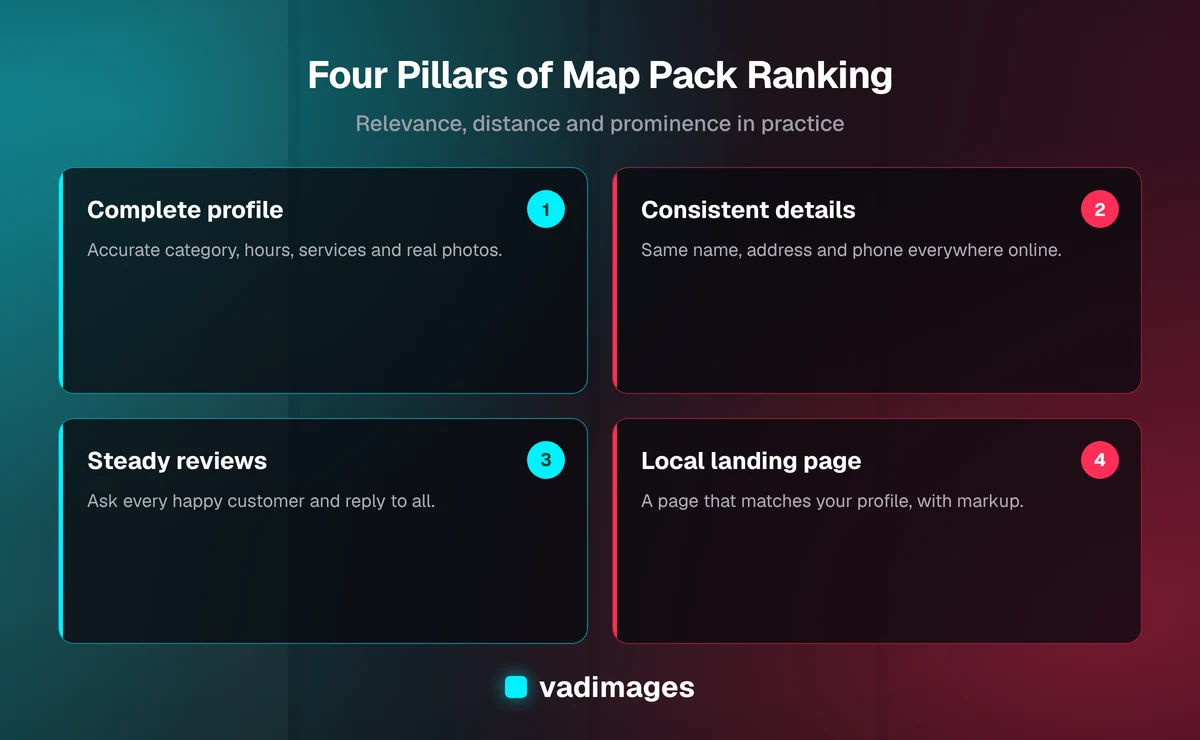
Everything starts here. If you have not claimed your profile, do that first and complete the verification Google asks for. Then fill in every field honestly and fully. A half-empty profile gives Google less to match against searches.
- Business name: use your real, public name exactly as it appears on your signage. Stuffing keywords into the name is against Google’s guidelines and can get a listing suspended.
- Primary category: choose the single most accurate one. This is one of the strongest relevance signals you control. Add secondary categories only where they are genuinely true.
- Address and service area: if customers visit you, show your address. If you travel to customers, set a realistic service area and hide the address if you have no storefront.
- Hours: keep them current, including holidays. Wrong hours create bad reviews and lost trust.
- Services and products: list what you actually sell, with plain descriptions and, where you are comfortable, price ranges.
- Description: two or three clear sentences about what you do and who you serve. Write for a person, not for an algorithm.
Add real photos too: the storefront, the team, the work, the inside of the shop. Photos you take yourself beat stock images, and they help a stranger feel safe choosing you.
Step 2: Make your name, address and phone number consistent everywhere
Search engines cross-check your business details across the web. When your name, address and phone number (often shortened to NAP) match on your website, your Business Profile, Apple Maps, Yelp, Bing, industry directories and the Chamber of Commerce, it reads as a legitimate, stable business. When they disagree, it creates doubt.
Do a simple audit. Search your phone number and your business name and write down every listing that appears. Fix the wrong ones, claim the ones you have never touched, and remove duplicates. Duplicate listings are a common reason a good business underperforms, so consolidate them rather than leaving them to compete with you.
Step 3: Build a review habit, not a review campaign
Reviews are the most visible part of prominence, and they do double duty: they influence ranking and they influence whether a person clicks you once you are shown. Quantity, recency, the words customers use and your response to them all matter.
The sustainable approach is to ask every happy customer at the moment they are most satisfied, and to make it easy. Send a short, personal message with your direct review link after a job is finished. Do not offer discounts or gifts in exchange for reviews, do not write them yourself, and do not pay for them. Google’s policies prohibit fake and incentivized reviews, and a flagged profile is far more expensive than a slow month.
Reply to every review, good or bad. Thank people by name and mention the specific work. For a critical review, stay calm, acknowledge the problem, and offer to fix it offline. Future customers read your replies as closely as the reviews themselves.
Step 4: Give Google a local landing page that backs up your profile
Your website supports the Map Pack by confirming what your profile claims. The page your profile links to should be a real page about that location or service, not a generic homepage buried in marketing language.
- Put your business name, address, phone number and hours in plain text on the page, matching your profile exactly.
- Write a clear page title and heading that include the service and the city, in natural language.
- Describe the services you offer in that area, the neighborhoods you serve, and what happens when someone calls.
- Embed a map, add real photos, and show a few genuine customer comments if you have permission to use them.
- Add LocalBusiness structured data (schema markup) so machines can read your details without guessing.
If you serve several cities, give each meaningful one its own page with content that is actually different, such as local examples, specific services and real questions people there ask. Thin pages that swap only the city name do not help and can look like spam. Our solutions work often starts with exactly this kind of structure, because a site that is easy to read for people is usually easy to read for search engines too.
Step 5: Earn local prominence beyond reviews
Prominence also comes from being known in your community. A few practical sources are worth the effort and are all legitimate:
- Your local Chamber of Commerce and business associations, which often include a website link.
- Sponsorships of local teams, events and charities that list sponsors online.
- Local news, blogs and community sites that mention your business or quote you.
- Suppliers, partners and clients who are happy to link to you from a “who we work with” page.
- Industry directories that are real, curated and relevant to your trade.
Skip bulk directory submissions and anyone selling hundreds of links for a flat fee. Quality and relevance beat volume, and the cleanup after a spammy campaign is slow.
Step 6: Keep the profile active
A profile that is touched regularly signals a business that is open and operating. Post updates and offers when you have something real to say, add new photos as you finish work, answer questions that appear on the profile, and update services when they change. You do not need to post daily. You need to avoid going silent for a year.
Industries where the Map Pack matters most
Any business that serves customers in a specific area can benefit, but it is especially important for trades, healthcare, legal and professional services, restaurants and retail, home services and fitness. If you want to see how we think about the needs of a particular sector, our industries pages describe the kinds of businesses we work with, and our case studies show the kind of outcomes we aim for in similar projects.
Common mistakes that keep businesses out of the pack
- Keyword-stuffed business names. It can look clever for a few weeks and then trigger a suspension.
- Virtual offices and fake addresses. Google requires a real presence where customers can be served. Misrepresenting a location is a fast way to lose a listing.
- Wrong primary category. Picking a broad or neighboring category dilutes relevance.
- Ignoring negative reviews. Silence reads as indifference.
- Inconsistent details. An old phone number on one directory can undo a lot of good work.
- Treating it as a one-time project. Local search rewards steady upkeep.
How to measure whether it is working
Do not judge success by looking at a single search from your own phone, because results change with location and personalization. Instead, use the Insights inside your Business Profile to track calls, direction requests, website clicks and the searches that led people to you. Compare month to month. Also check Google Search Console for your local landing pages, and track phone calls and form submissions on your site so you know which channels produce real enquiries.
The number that matters is not your ranking. It is the number of qualified customers who contacted you. A top-three listing with the wrong category will bring the wrong calls, while a well-matched listing at a slightly lower position can fill your schedule.
A realistic timeline
Fixing categories, hours, duplicates and basic profile gaps can show changes within weeks, because those are corrections. Reviews, mentions and community presence build over months. Competitive categories in large metro areas take longer than a specialty service in a smaller market. Anyone promising a number-one spot by a certain date is guessing, or selling something. Plan for steady work, and measure real enquiries along the way.
DIY or get help?
Many owners can handle the profile, the review habit and the basic cleanup themselves with a few focused hours each month. Where outside help pays off is in the website side: building clear local landing pages, structured data, fast mobile performance, and tracking that ties searches to booked work. That is the kind of build we do at Vadimages. Projects typically start at $5,000+, and you can see how we price and run them on our pricing and how we work pages. If the larger need is a custom booking or quoting tool that turns those local searches into scheduled jobs, take a look at our custom software services.
Your Map Pack checklist
- Claim and verify your Google Business Profile.
- Choose the most accurate primary category and add only true secondary ones.
- Fill in hours, services, description and real photos.
- Make your name, address and phone number identical everywhere.
- Remove or merge duplicate listings.
- Ask every happy customer for a review and reply to all of them.
- Build a local landing page that matches your profile and uses LocalBusiness markup.
- Earn genuine local mentions and links.
- Keep the profile active and track calls, directions and enquiries monthly.
Local search rewards businesses that are clear, consistent and genuinely well regarded. Do the basics well, keep them up, and the Map Pack becomes a steady source of customers rather than a mystery.
If you would like a second pair of eyes on your local presence, or you are planning a website that supports it, contact us and we will tell you honestly where you stand and what we would do first.