
If you run a law office, an accounting practice, a consultancy, or an agency, your website is your storefront, your credibility, and often the place where clients upload sensitive documents. So this is the kind of news that should make you stop scrolling: attackers are actively exploiting a critical flaw in a popular WordPress page-builder plugin that lets a complete stranger — no password, no login, no insider access — take over the administrator account of your site. The vulnerability is tracked as CVE-2026-8206, it scores a near-maximum 9.8 on the CVSS scale, and roughly 150,000 sites are estimated to be running vulnerable versions right now. If your firm’s site was built with a page builder and you are not sure which plugins power it, this article is your answer — and your action plan.
What happened: a password reset that emails the attacker instead of you
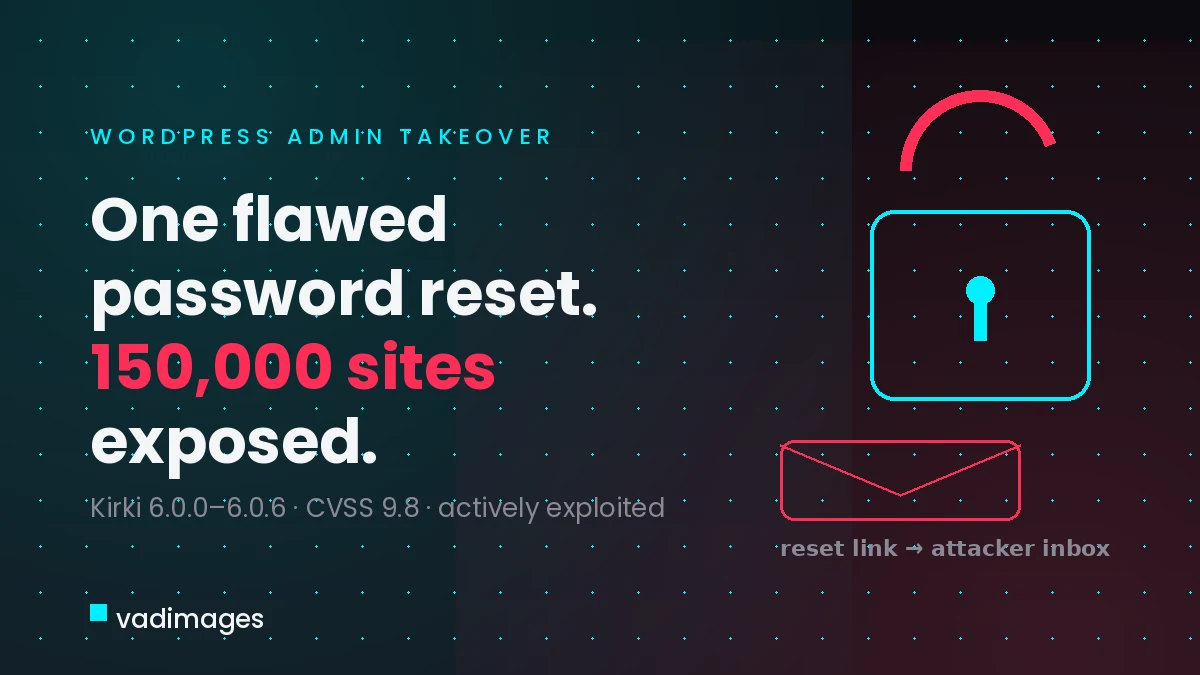
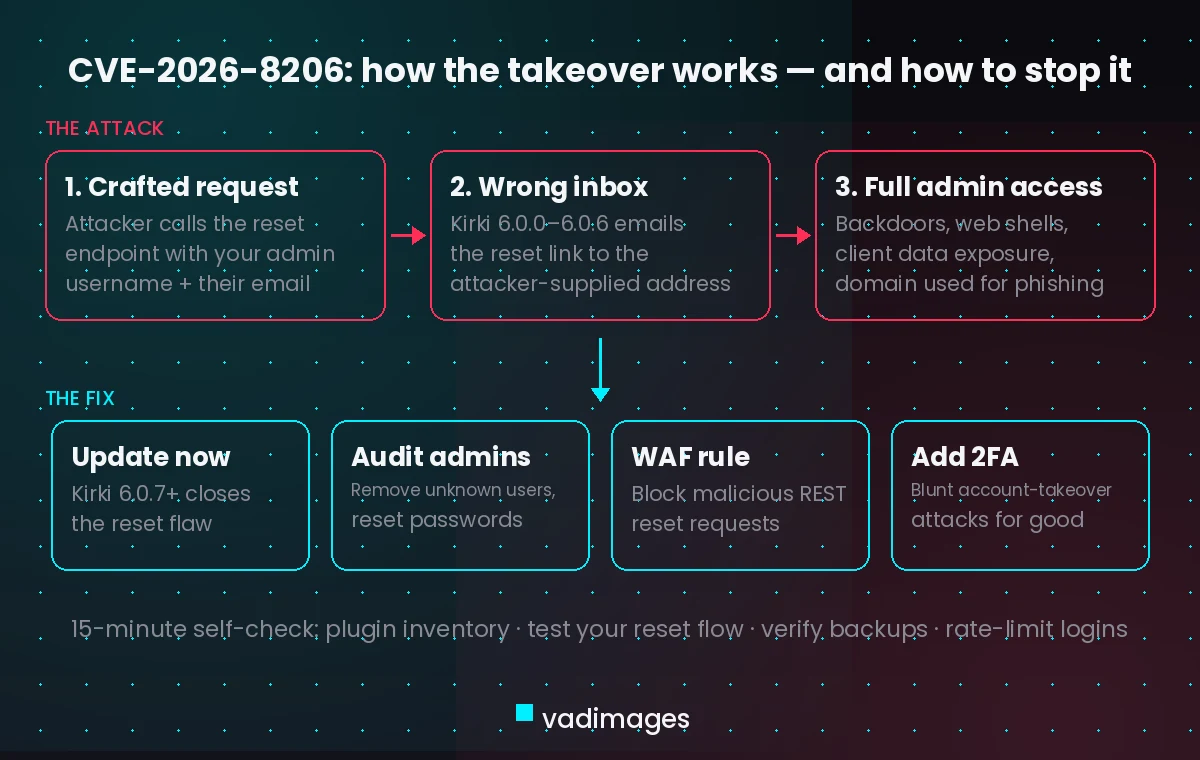
In early June 2026, researchers disclosed CVE-2026-8206, a critical vulnerability in the Kirki Freeform Page Builder, Website Builder & Customizer plugin for WordPress. The plugin is installed on more than 500,000 sites, and about 150,000 of them are running the vulnerable versions, 6.0.0 through 6.0.6. The bug lives in the plugin’s custom password-reset endpoint: instead of sending the reset link to the email address registered on the account, the endpoint accepts an email address supplied in the request itself. An attacker sends a crafted reset request naming your admin username and their own inbox — and the reset link lands in the attacker’s email. A minute later they are logged into your WordPress dashboard as an administrator. No authentication is required at any step, which is why the flaw carries a 9.8 severity score.
This is not theoretical. Active exploitation has been confirmed, with Wordfence reporting 59 blocked attacks against this vulnerability in a single 24-hour window. Sites that have the plugin’s frontend account-management features enabled are especially exposed. The fix exists: Kirki 6.0.7 patches the flaw.
Why professional services firms are squarely in the blast zone
Page builders like Kirki are the backbone of exactly the kind of website most US professional services firms run: a marketing site assembled quickly by a freelancer or a past vendor, with contact forms, client-intake pages, and sometimes a login area bolted on. Those sites tend to share three risky traits. First, nobody at the firm knows the full plugin list. Second, updates happen sporadically, if at all, because “the site works.” Third, the site quietly holds things worth stealing — intake form submissions, client names, email threads routed through the site, and the domain reputation your firm has spent years building. An attacker with admin access can read all of it, install a permanent backdoor, inject spam or malware into your pages, and use your domain to phish your own clients.
What happens if you do nothing
The uncomfortable part of an unauthenticated takeover flaw is that inaction is a decision with a timeline. Exploitation of CVE-2026-8206 is automated: scanners sweep the internet for WordPress sites, fingerprint the Kirki plugin version, and fire the crafted reset request. If your site is vulnerable, the question is not whether it gets probed but when. The consequences stack quickly: web shells and rogue admin accounts that survive a simple plugin update; Google flagging your site as compromised, which craters the search visibility that drives new client inquiries; your email domain landing on blocklists; and, for firms handling regulated data, breach-notification obligations under state law. Recovering a compromised WordPress site typically costs far more — in dollars and in reputation — than the fifteen minutes the patch takes.
What to do on your site this week
The core answer is simple, and you can hand this list directly to whoever maintains your site:
- Check whether Kirki is installed. In wp-admin, go to Plugins and search for “Kirki.” If the version is 6.0.0–6.0.6, update to 6.0.7 or later immediately.
- Audit your users. Review every account with Administrator or Editor rights. Remove anything you do not recognize, and reset passwords for the accounts you keep.
- Look for what an intruder leaves behind. Check for plugins, themes, or files you did not install, especially anything recently modified. A compromised site patched after the fact is still compromised.
- Put a firewall rule in front of the reset endpoint. A web application firewall can block malicious REST API requests targeting the password-reset route while you schedule the update; virtual-patching services offer rules for this CVE.
- Turn on automatic updates for security releases so the next disclosure does not depend on someone remembering to log in.
Your quick-win checklist: a 15-minute site health self-check
While you are in the dashboard, spend fifteen more minutes and leave your site meaningfully stronger than it was this morning:
- Inventory your plugins. Export the list, delete anything deactivated or abandoned (no update in 12+ months), and note which plugins handle logins, forms, or uploads — those deserve the closest watch.
- Enable two-factor authentication for every admin account. It costs nothing and blunts entire classes of account-takeover attacks.
- Test your own password reset. Request a reset and confirm the link arrives only at the registered address — a 60-second smoke test of this exact vulnerability class.
- Verify your backups. Confirm you have a recent backup stored off the server, and that someone has actually restored from it at least once.
- Check your version floor. WordPress core, PHP, and your theme all have supported-version windows; note anything end-of-life and schedule the upgrade.
- Limit login exposure. Rate-limit login attempts and hide or restrict wp-login.php and the REST user endpoints where practical.
How Vadimages helps
Vadimages builds and maintains websites and web apps for professional services firms, and this incident maps directly to the work we do. If your site is a page-builder patchwork nobody fully understands, we start with a plugin and dependency audit of the site itself — what is installed, what is abandoned, what touches logins and client data — and then update, replace, or remove the risky pieces without breaking your design. Where a marketing site has quietly grown into a client portal, we rebuild that function properly: a secure client portal or intake web app with vetted authentication, two-factor login, and file uploads designed for confidentiality, instead of a stack of plugins each adding its own attack surface. And for firms that want off the update treadmill entirely, we migrate WordPress sites to modern, statically generated architectures where there is no admin login page for an attacker to hijack. The outcome for your clients is concrete: a faster site, a login they can trust, and a firm that treats their data the way it treats their case or their books.
Bottom line
CVE-2026-8206 lets attackers turn a password-reset form into a master key, and it is being exploited in the wild right now. If your firm’s WordPress site uses the Kirki page builder, update to 6.0.7 today, audit your admin accounts, and run the 15-minute checklist above. Fifteen minutes of maintenance this week beats a breach-recovery project next month — and if you would rather have a partner own that work end to end, that is exactly what we are here for.