
You run a fintech web app — a payments dashboard, a lending portal, a reconciliation tool — and the whole build rests on hundreds of npm packages nobody on your team ever personally chose. This month that quiet arrangement changes. npm v12, the biggest security redesign in the tool’s 16-year history, is expected to ship before the end of July 2026, and it flips a default that has stood for over a decade. If your pipeline runs npm install without preparing, the scariest outcome is not a red error — it is a build that passes with exit code 0 and ships an app that crashes on the first real transaction. The good news: the same change that can break an unprepared build is also the strongest defense yet against the supply-chain attacks that spent the last year stealing credentials and card data.
What actually changed in npm v12
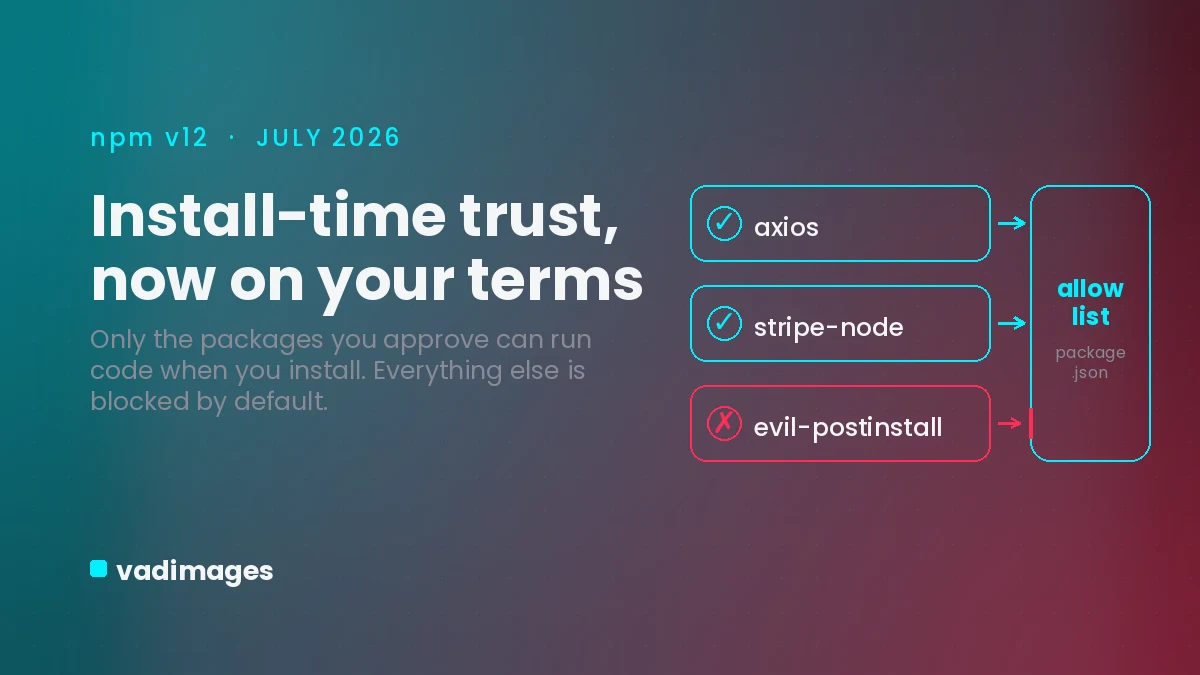
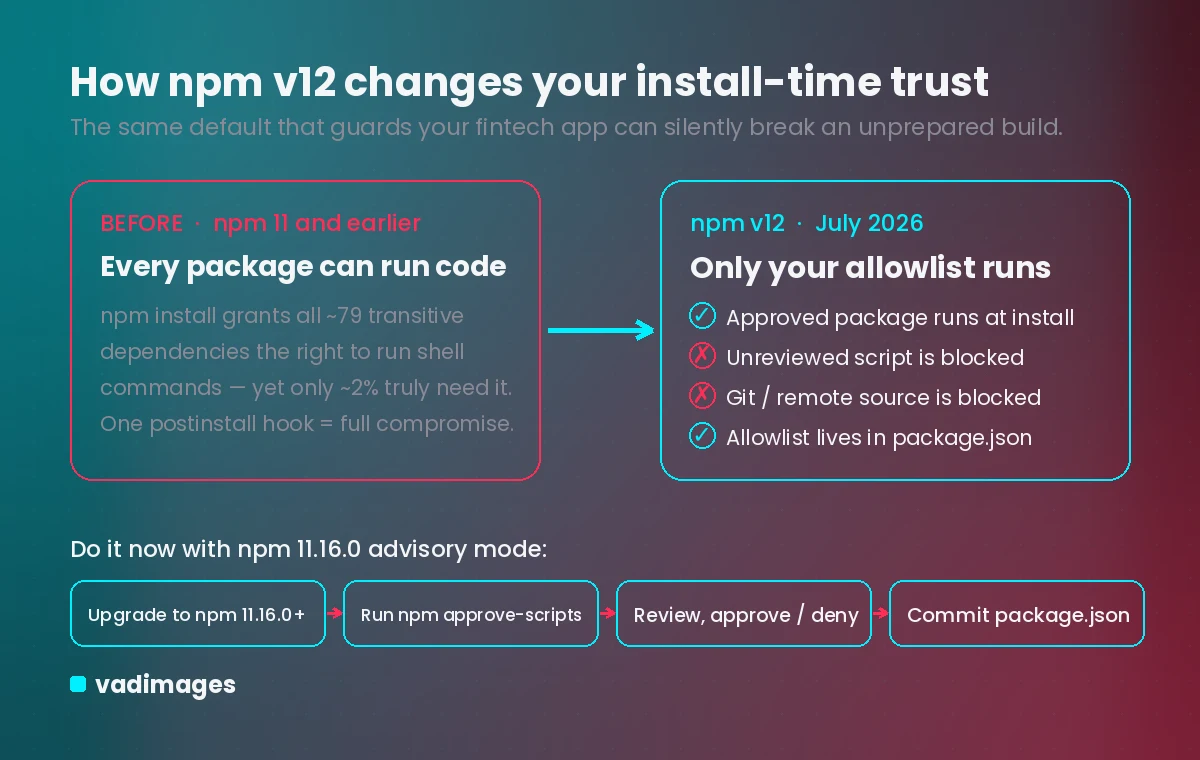
For more than ten years, running npm install has silently handed every package in your dependency tree — including packages buried several levels deep that no one reviewed — the right to run arbitrary commands on the installing machine. The average project pulls in about 79 of these transitive dependencies, yet only around 2% genuinely need install-time scripts. npm v12 closes that gap. Lifecycle scripts (preinstall, install, postinstall) are now off by default; a package can only run code at install time if it appears on an explicit allowlist stored in your package.json. GitHub locked the feature set in a late-June pre-release, and advisory warnings are already live in npm 11.16.0, so you can see exactly what v12 will block before it becomes the default. Two related defaults also flip: Git-sourced dependencies are blocked unless you pass an explicit flag, and remote HTTPS tarball sources are blocked too. Even a stealth path called Phantom Gyp — where a tiny binding.gyp file triggers an automatic native rebuild with no script entry at all — is now treated as a blocked install script.
What happens if you do nothing
There are two different pains, depending on which way you drift. Upgrade without preparing and your build breaks quietly. When npm v12 blocks a native add-on, the install finishes with exit code 0 and no error — the binary simply never compiles. The failure resurfaces later at runtime as a “cannot find module” crash with no obvious link to the install step. In a pipeline that treats a clean exit code as “build succeeded,” a broken payments or reconciliation service can sail straight to production and fall over on the first customer transaction.
Stay on the old trust model, and the exposure is worse. Every major npm supply-chain attack of the past year rode the install-script default: the Shai-Hulud worm (September 2025) that self-replicated across 180-plus packages including chalk and debug; the Axios compromise (March 31, 2026), where a North Korean actor slipped a postinstall trojan into a library with roughly 100 million weekly downloads; and the Miasma campaign (June 2026), which used Phantom Gyp to harvest AWS, GCP, GitHub, and Kubernetes credentials. CISA told organizations to treat any machine that installed the bad Axios versions as fully compromised. For a fintech business, “fully compromised” means stolen customer financial data, a reportable breach, and the GLBA and PCI questions that follow.
What you and your customers gain by acting
Fixing this is not just risk avoidance — it buys real trust. For the person using your app, an allowlisted build means the code handling their account balance or card details came only from packages your team deliberately approved, not from a stranger’s postinstall hook. It means the payments screen loads and works because the build that shipped it was verified, not assumed. And because the allowlist lives in your package.json — committed to source control, diffable in every pull request — you gain an auditable record of exactly which dependencies are trusted to run code. That is the kind of evidence that shortens security reviews with banking partners and enterprise customers, turning “we think our supply chain is safe” into “here is the versioned list that proves it.”
What to do on your own app before July ends
GitHub built a migration runway you can use today, without waiting for v12:
- Upgrade to npm 11.16.0 or later to turn on advisory mode — scripts still run, but every package v12 would block is flagged.
- Run npm approve-scripts --allow-scripts-pending in each project to list the dependencies whose scripts or sources would be blocked. Most apps show just three to eight.
- Review each flagged package: approve the ones that truly need install-time execution, deny the rest, and let the allowlist write itself into package.json.
- Commit the updated package.json so every developer machine and CI runner behaves the same way.
Watch the usual suspects — native add-ons like sharp, bcrypt, sqlite3, canvas, esbuild, and the Tailwind oxide engine, plus browser tools like Puppeteer, Playwright, and Cypress, all rely on install-time steps and will need explicit handling (for the browser tools, call their own install command after npm install). If you run a monorepo, note that the allowlist is scoped per workspace, so each package with native dependencies needs its own pass. Add a strict flag to CI so builds fail loudly on any unreviewed script instead of passing silently, and write a smoke test that actually loads your native modules after install. The one move to avoid: clearing the warnings with a blanket “approve all” — that just rebuilds the old, unauditable trust model under a new name.
Your quick-win checklist
Fifteen minutes today puts you ahead of the deadline:
- Pin your toolchain: set npm to 11.16.0+ in your CI image and your package.json engines field so no runner surprises you.
- Run the audit: npm approve-scripts --allow-scripts-pending on every app and service, and save the output — that list is your exposure.
- Name an owner: one engineer reviews and signs off on each allowlist entry, and the allowlist goes into code-review scope so approvals can’t slip in unseen.
- Fail loud: add your CI’s strict install-scripts flag so a blocked script stops the build instead of shipping a broken one.
- Prove the build: add a post-install smoke test that imports each native module and hits one real code path before deploy.
- Rotate if in doubt: if you ever installed a flagged Axios, chalk, debug, or vapi version, rotate cloud and repo tokens and treat those runners as suspect.
How Vadimages helps
This is squarely our lane. Vadimages builds and maintains the web and mobile apps at the center of fintech operations — payment dashboards, reconciliation and reporting tools, lending and onboarding portals, and the REST and GraphQL integration layers that connect them to your processors and core systems. As part of that work we harden the pipeline that ships your software: pinning the npm toolchain, building and committing the allowlist of packages permitted to run install scripts, wiring CI to fail on unreviewed scripts, adding smoke tests so a silent break never reaches customers, and replacing risky Git or tarball dependencies with a proper private registry. Whether you need an existing app migrated to npm v12 without downtime or a new customer-facing web or mobile app built secure from the first commit, we turn a scary, deadline-driven problem into handled work — and hand you the versioned evidence your partners and auditors will ask for.
Bottom line
npm v12 is expected before the end of July 2026, and it changes install-time trust from “everyone is allowed” to “only who you approve.” Prepare now with npm 11.16.0’s advisory mode and you get a safer, more auditable build and a fintech app your customers can trust. Ignore it and you risk either a silent broken deploy or a supply-chain breach — the two outcomes no financial business can afford.
This article is general information for planning purposes, not legal, compliance, or security advice; validate any changes against your own environment and obligations.