
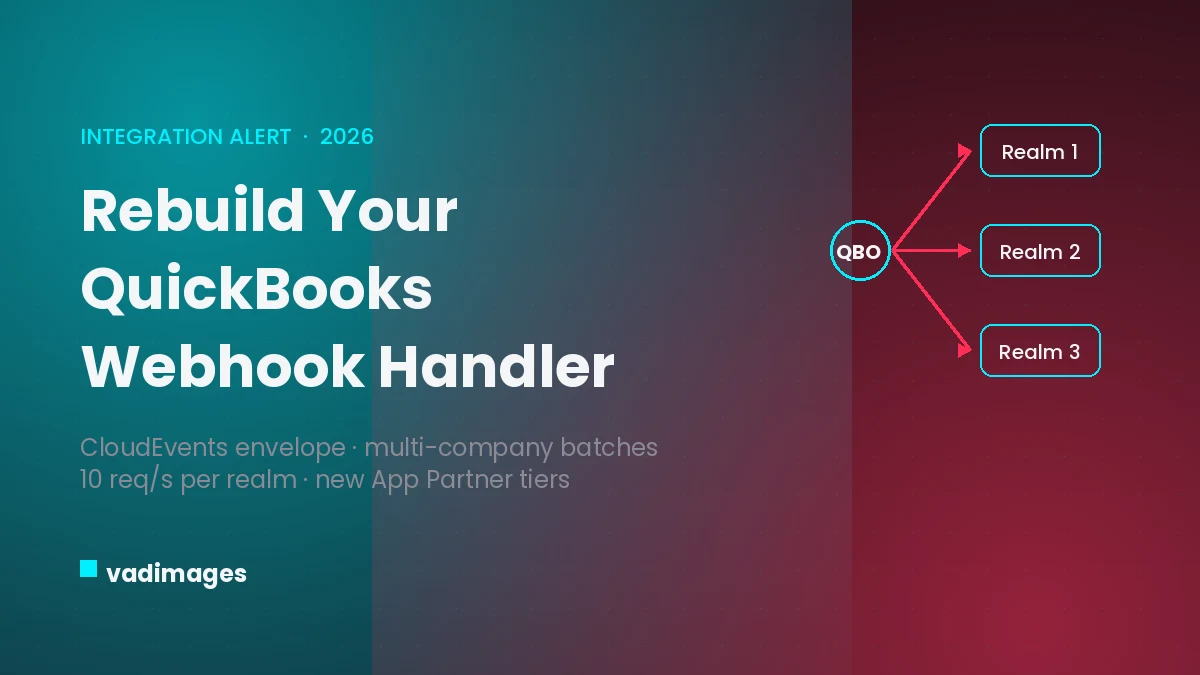
If your firm runs a client portal, a billing dashboard, or any web app that syncs with QuickBooks Online, a hard deadline is now roughly a month away. Intuit has rebuilt how QuickBooks Online delivers webhooks — the near-real-time notifications that tell your software when an invoice is paid, a customer is created, or an expense changes — and moved them onto CloudEvents, a Cloud Native Computing Foundation standard envelope. The migration is mandatory, and Intuit extended the cutover date to July 31, 2026. After that, integrations still expecting the old payload shape will quietly stop working. For the many US professional-services businesses that live on top of QuickBooks Online — accounting and bookkeeping practices, agencies, consultancies, and the B2B SaaS tools that serve them — this is a small engineering change with outsized consequences if it is missed.
What actually changed
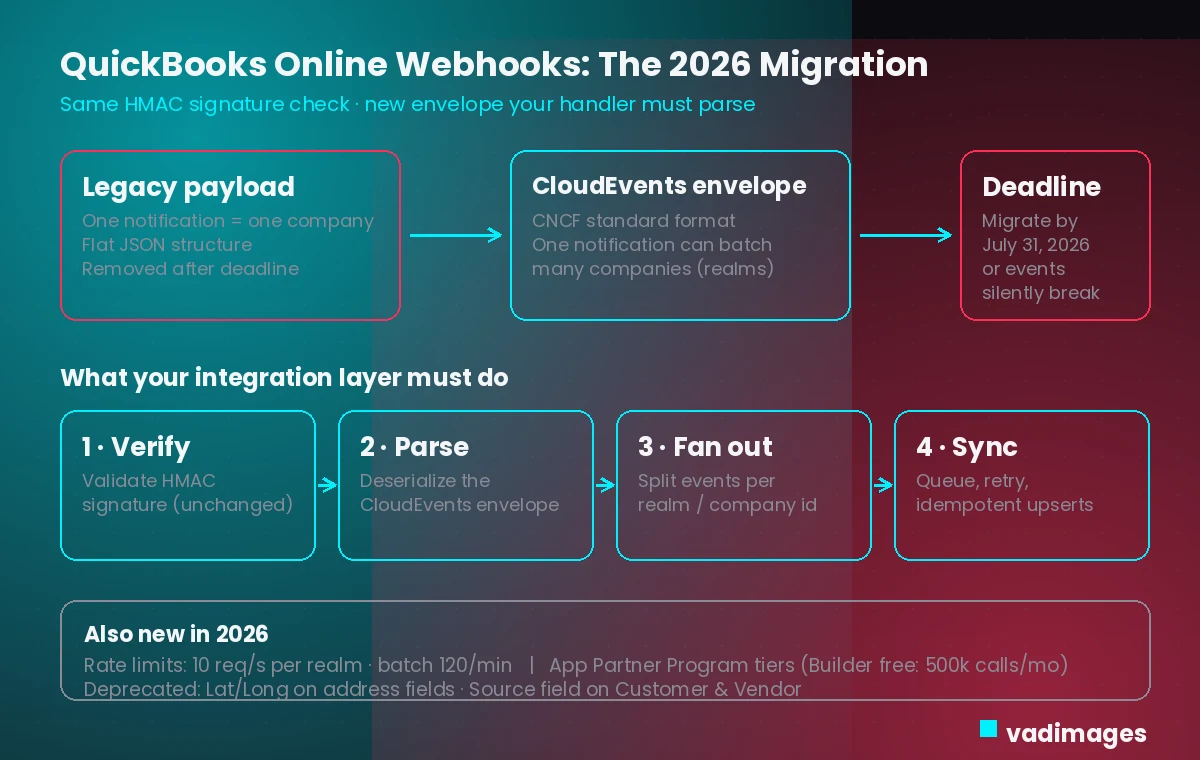
QuickBooks webhooks used to arrive as a flat JSON payload where a single notification mapped to a single QuickBooks company (a “realm”). Intuit has wrapped delivery in the CloudEvents format, a vendor-neutral envelope already used across modern event-driven systems. The good news: the security step you rely on does not change. The HMAC signature verification that confirms a webhook genuinely came from Intuit works exactly as before. Everything after that check — deserializing the envelope and routing the event to the right place — is what has to be rebuilt.
The most important behavioral shift is batching. Under CloudEvents, one inbound notification can carry a list of events spanning several different QuickBooks companies at once. Handlers written under the old assumption that “one notification equals one realm” will misroute data — applying one client’s invoice update to another client’s ledger, or simply dropping events it does not recognize. Because nothing throws a loud error, the failure mode is silence: your dashboards keep loading, the numbers just stop matching reality.
Why silent failure is the real risk
Professional-services software is judged on whether the numbers are right. A bookkeeping firm’s client portal that shows a paid invoice as outstanding, a consultancy dashboard that misses a new expense, a reconciliation tool that drifts out of sync — these erode trust faster than an outage, because they are harder to detect. When webhooks break, most teams fall back to polling the API on a schedule, which is slower, burns through rate limits, and still leaves a window where client-facing data is wrong. The July 31, 2026 deadline matters precisely because the symptoms are subtle: by the time someone notices a mismatch, days of events may already be lost.
The other 2026 changes to fold in
The webhook cutover is the headline, but it lands alongside several QuickBooks Online platform changes worth handling in the same release:
- Rate limits are enforced at 10 requests per second per realm per app, with batch endpoint calls throttled to 120 per minute per realm — so any polling fallback has to be rate-aware.
- Intuit replaced its legacy developer program with the Intuit App Partner Program and its tiered structure; the free Builder tier is capped at 500,000 CorePlus API calls per month, which can bite multi-client integrations that fan out across many companies.
- Several fields are deprecated, including the Lat/Long fields on CompanyAddr, CustomerCommunicationAddr, and LegalAddr, and the “Source” field on Customer and Vendor entities.
- Token lifecycle changed: refresh-token responses now return an expiration field and Intuit notifies users ahead of expiry, so your reconnect flow should be explicit rather than assumed.
What this means for US firms on QuickBooks Online
QuickBooks Online is the dominant small-business accounting platform in the United States, which means a large share of US professional-services tools touch it somewhere. If you sell or operate a client portal, a time-and-billing app, an expense or reconciliation tool, or an internal dashboard that pulls financial data into one view, you almost certainly depend on these webhooks for the “instant” feel clients expect. The migration is not a feature you can defer to next quarter; it is a maintenance deadline with a date on it. The practical question for every team is simple: does our webhook receiver parse the CloudEvents envelope, and does it correctly split a single batched notification across multiple client companies?
How Vadimages helps
Vadimages builds and maintains the web and mobile software that sits on top of integrations like this one. For the QuickBooks Online migration specifically, that means rewriting your webhook receiver to verify the unchanged HMAC signature, deserialize the CloudEvents envelope, and fan a batched notification out to the correct client company before anything touches your data. We harden the integration layer around it — idempotent upserts, a retry queue, and dead-letter handling so a malformed event is captured instead of silently dropped — and make any polling fallback rate-limit aware so it stays inside the 10-per-second ceiling.
Beyond the plumbing, we build the client-facing surfaces that depend on accurate sync: customer and client portals, invoicing and reconciliation dashboards, time-and-billing web apps, and native or cross-platform mobile apps that surface the same data on the go. Where it helps, we put the QuickBooks connection behind a swappable adapter in your own backend, so a future Intuit change — or a move to add Xero or another ledger — is a contained update rather than a rebuild. Everything we ship here stays on the web and mobile software side; we do not provide accounting, tax, or financial advice, and we do not operate your books.
Bottom line
The QuickBooks Online webhook migration to CloudEvents is a deadline, not a debate: rebuild your handler to parse the new envelope and split multi-company batches before July 31, 2026, or watch your client-facing numbers quietly drift. Folded into the same release, the new rate limits, partner tiers, and deprecated fields are easy to handle now and painful to discover later. Confirm the current specifics against Intuit’s official developer documentation before you ship, then treat this as the prompt to make your integration layer resilient rather than just compliant.