
Your developers — or the agency that maintains your web app — keep mentioning “TypeScript 7” and one headline number: builds that are roughly ten times faster. Maybe a ticket to upgrade is already open. If you run a professional-services firm — an agency, a consultancy, a B2B software product — on a TypeScript client portal or internal tool, that pitch is tempting and a little nerve-wracking at once. Faster is good. But “we swapped the compiler” is exactly the kind of change that quietly breaks a build the week you have a client deadline. Here is what actually shipped, whether you need to act, and how to upgrade without gambling your release schedule.
What actually changed in TypeScript 7
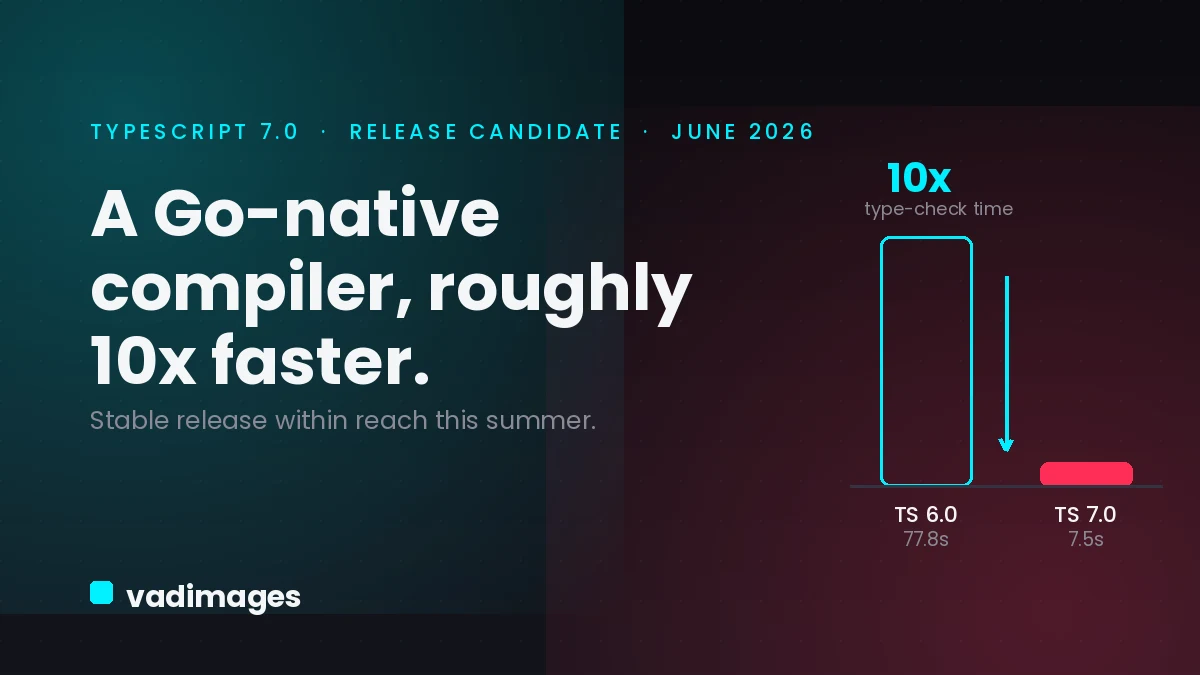
On June 18, 2026, Microsoft published the TypeScript 7.0 Release Candidate. The change underneath is enormous: the compiler and language service have been rebuilt in Go instead of JavaScript, an effort codenamed Project Corsa. Microsoft reports the native compiler is often about ten times faster than TypeScript 6.0 on type-checks. On its own 1.5-million-line VS Code codebase, a full type-check dropped from 77.8 seconds to 7.5 seconds, editor project-load time fell from 9.6 seconds to about 1.2 seconds, and memory use was roughly halved.
The most reassuring detail is what did not change. TypeScript 7 is a port, not a redesign: the team moved the existing type-checker over file by file, deliberately preserving the same algorithms and the same type-checking behavior. Microsoft states that code compiling cleanly under TypeScript 6.0 — with its stableTypeOrdering option on and no ignoreDeprecations flag — should compile identically under 7.0. It was tested for more than a year on production codebases at companies such as Figma, Slack, Notion, Linear, and Vercel before the RC. General availability is expected roughly a month after the RC, which puts a stable release within reach this summer.
What happens if you do nothing
Ignoring the release is not a crisis. Nothing forces you to move today, and your current build keeps working. But “do nothing” carries a slow, compounding cost, and “do it carelessly” carries a sudden one.
The slow cost is time and money. Every commit your team ships waits on the type-checker — in the editor, and again in your CI pipeline. On a large portal codebase that can mean minutes per run, multiplied across every developer and every pull request, plus the CI runner-minutes you pay for. Staying on the old compiler means paying that tax on every release while faster competitors ship features sooner.
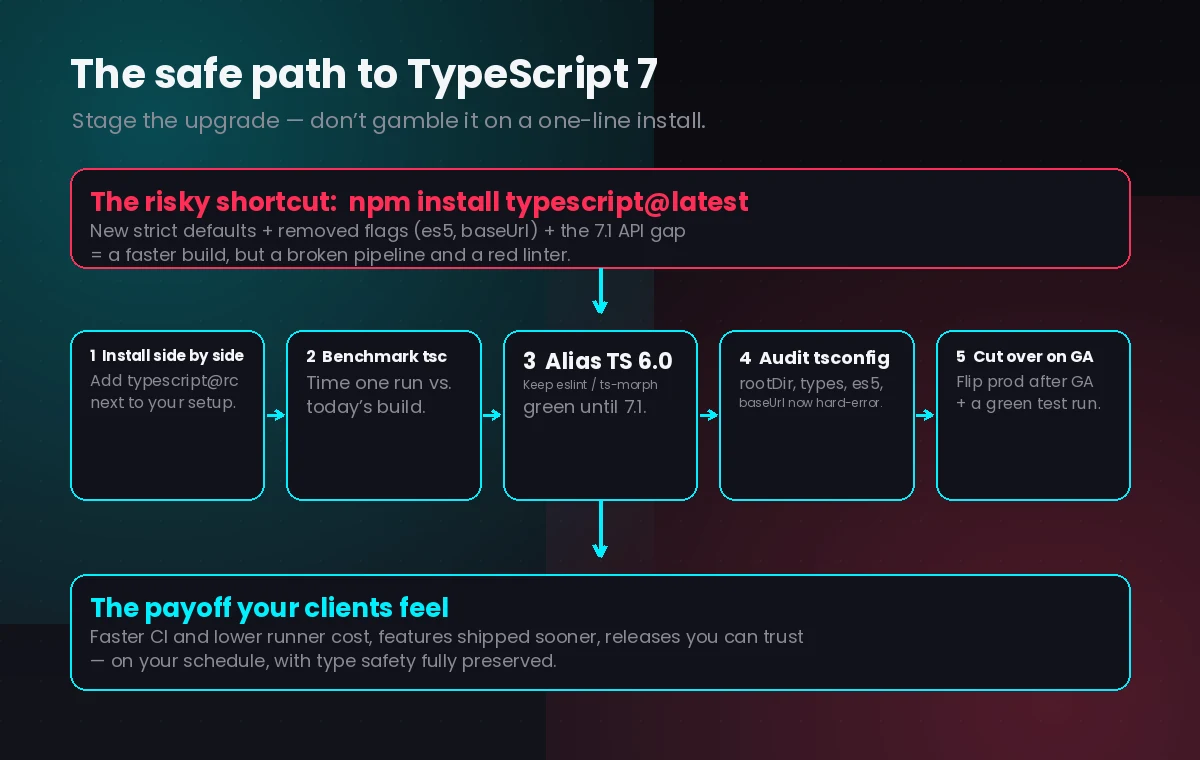
The sudden cost shows up if someone upgrades the wrong way. When GA lands and a developer runs a routine npm install typescript@latest, TypeScript 7 turns TypeScript 6.0’s deprecations into hard errors and adopts stricter defaults. target: es5, moduleResolution: node, and baseUrl are removed; rootDir now defaults to the project root and types defaults to an empty array, so ambient @types/node or @types/jest globals can silently disappear. Worse, the stable programmatic API that tools like typescript-eslint and ts-morph depend on does not arrive until TypeScript 7.1, several months out — so a naive upgrade can leave your builds faster but your linter red and your code generation broken. For a professional-services team, that is a broken pipeline on a day you can least afford it.
What you gain by upgrading
Handled deliberately, the upside is real, and it reaches your clients rather than just your engineers. Faster type-checks mean a tighter feedback loop: fixes and new portal features move from “done” to “deployed” in less time, so a client request can turn around in hours instead of days. Type-check jobs that once dominated a CI run finish in seconds, which lowers runner costs and clears the queue for the whole team. The editor gets noticeably snappier, which is the difference between a developer staying in flow and waiting on a spinning cursor. And because the port preserves the same type safety, none of that speed comes at the expense of the checks that catch bugs before they reach a customer-facing screen. Faster and safer at the same time is a rare combination.
How to upgrade without breaking your build
The right approach is a staged, reversible migration, not a flag flip. Install the RC alongside your current setup with npm install -D typescript@rc and run tsc to benchmark it against your existing build time. Keep TypeScript 6.0 available through the @typescript/typescript6 alias — it provides a tsc6 binary — so your linter and code-generation tools keep working on the stable API until 7.1 lands. Audit your tsconfig.json for the removed options and new defaults before you cut over, tune the new --checkers flag to your CI runner’s core count, and gate the production switch on the GA announcement plus a full pass of your own test suite. Done this way, every step is measurable and every step is reversible.
Your quick-win checklist
You can act on most of this in an afternoon — even before GA — and hand the rest to whoever owns your codebase:
- Find out what you’re on. Ask your team or agency which TypeScript version your portal uses today. If you skipped 6.0, plan for more
tsconfigcleanup. - Benchmark before you believe. Install
typescript@rcin a branch and time onetscrun against your current build — you will know your real speedup within an hour. - Don’t break the linter. Keep TypeScript 6.0 aliased for typescript-eslint and ts-morph until 7.1 ships, and run the fast 7.0 build in parallel.
- Audit the config. Check
rootDir,types, and anytarget: es5,baseUrl, ormoduleResolution: node— these are now hard errors. - Wait for GA to flip production. Treat the RC as a staging exercise; switch the default only after GA and a green test run.
- Write down the numbers. Capture your before-and-after build times — that figure is what justifies the effort to the rest of the business.
How Vadimages helps
Vadimages builds and maintains the TypeScript web applications professional-services firms rely on every day — client portals, project-management and time-tracking dashboards, and the internal tools your team and customers log into. Because we own the codebase and its build pipeline, a toolchain upgrade like TypeScript 7 is something we can benchmark, stage, and roll out for you without stalling feature work: we measure the real speedup on your project, alias TypeScript 6.0 so your linting stays green, audit your tsconfig for the breaking changes, tune your CI type-check jobs, and cut over only once the tests pass. If your current portal is slow to change or expensive to ship, we can also modernize the app itself so the faster compiler has a clean, well-structured codebase to work with. The result is the one your clients actually notice: features that ship sooner and releases you can trust.
Bottom line
TypeScript 7 is the biggest change to the language in a decade, and for once the headline — roughly ten times faster — is backed by real production numbers. It is safe to evaluate today and stable within reach this summer, as long as you treat it as a staged migration rather than a one-line install. Benchmark it now, keep TypeScript 6.0 alongside for your linter, clean up your config, and flip production on your own schedule. Faster, safer builds are worth having — on the day you choose, not the day a broken pipeline chooses for you.