
Almost every business process starts life in a spreadsheet. It is fast, it is free, and everyone already knows how to use one. That is exactly why spreadsheets are so good at getting a new team, product, or process off the ground. But there is a moment when the tool that got you here quietly starts holding you back — when the file that once saved time begins to cost it. The hard part is that the change is gradual, so most teams do not notice until a bad week forces the issue. Here are ten clear signs it is time to replace spreadsheets with software, and what to do once you spot them.
Spreadsheets are a great start — until they are not
Before we get into the warning signs, it is worth being fair to the humble spreadsheet. For quick calculations, one-off analysis, throwaway lists, and figuring out whether an idea even makes sense, nothing beats a blank grid. You should not build a custom application to track the office coffee fund. The problem is not spreadsheets themselves; it is asking them to do a job they were never designed for — running a real, growing, multi-person business process day after day.
When a spreadsheet becomes the system of record for something important — your orders, your inventory, your clients, your projects, your money — it stops being a convenience and starts being a liability. The signs below are the symptoms of that shift. If you recognize three or four of them, you have almost certainly outgrown the grid.
1. Nobody is sure which version is the real one
You have Tracker_final.xlsx, then Tracker_final_v2.xlsx, then Tracker_final_USE_THIS_ONE.xlsx. Someone emails a copy, someone else edits the one on the shared drive, and now two versions of the truth exist. When people have to ask "which sheet is the current one?" before they can trust a number, the spreadsheet has stopped being a single source of truth. Real software solves this by design: there is one database, everyone sees the same live data, and there is no such thing as a stale copy floating around in an inbox.
2. Someone spends hours every week just moving data around
If a person on your team spends a chunk of every week exporting from one place, cleaning it up, and pasting it into another spreadsheet, that is not work — it is friction you are paying a salary for. Copy-paste, re-keying, and reconciling two lists by hand are all jobs a computer should do in the background in milliseconds. When the workaround has quietly become somebody's actual job description, the cost of the spreadsheet is no longer zero; it is measured in the hours of the people babysitting it.
3. One wrong click can break everything
A deleted row, a dragged formula, a number typed into the wrong cell — and the whole model is quietly wrong, often for weeks before anyone catches it. Spreadsheets give everyone full power to change anything, with almost no guardrails. There is no "you cannot enter a delivery date before the order date" or "this field must be a real customer." Purpose-built software enforces the rules for you, so the people using it cannot accidentally corrupt the data in the first place. When a single mistake can bring down the file your business runs on, the fragility itself is the sign.
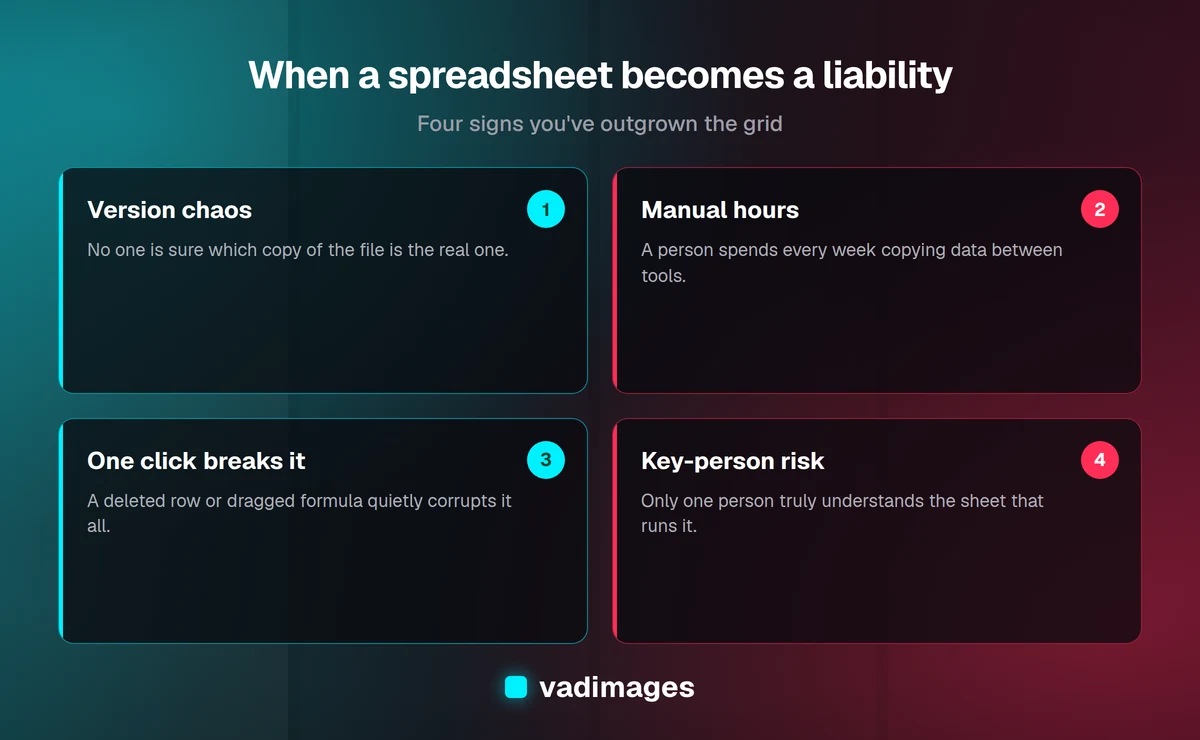
4. Only one person truly understands "the sheet"
Every growing company has one: the elaborate workbook with a dozen tabs, nested formulas, and hidden columns that only its creator can navigate. It works beautifully — until that person is on vacation, out sick, or moves on. Suddenly a core process is a black box nobody can safely touch. This is called key-person risk, and a spreadsheet is one of the most common places it hides. Software built around your process turns that private knowledge into a system the whole team can use and a new hire can learn in a day.
5. You cannot tell who changed what, or when
A number is suddenly different from last week and nobody knows why. Was it a correction, a typo, or someone testing a scenario they forgot to undo? In a shared spreadsheet, you usually cannot answer that. There is no reliable history, no record of who did what, and no way to roll a single change back. For anything involving money, customers, or commitments, that lack of an audit trail is a real risk. Proper software logs every change automatically — who, what, and when — so accountability is built in rather than reconstructed after something goes wrong.
6. Two people cannot work in it at the same time
You need to update the tracker, but a colleague has it open, so you wait — or you both work in separate copies and merge them later, badly. Even cloud spreadsheets that allow simultaneous editing get chaotic fast when several people are changing the same rows. Multi-user work is exactly what business software is designed for: dozens of people can each do their part at once, each sees an up-to-date picture, and the system keeps everyone's changes straight. When your team is constantly waiting its turn or reconciling parallel copies, the spreadsheet is now the bottleneck.
7. You are the one enforcing the rules the software should
Discounts over a certain amount need a manager's approval. A job cannot be marked "shipped" until it has been "packed." Certain customers get certain pricing. In a spreadsheet, those rules live in people's heads and get enforced by memory and vigilance — which means they get broken. When your process has real logic to it, that logic belongs in software that applies it every time, automatically, for everyone. If you find yourself training people to remember rules a computer could simply enforce, you have outgrown the grid. This is often the clearest signal that a business needs a real operational system instead of a file.
8. Every report is rebuilt by hand
The end of the month arrives and someone spends a day pulling numbers, building the same pivot tables, and formatting the same summary they built last month, and the month before that. Any question the boss asks that the sheet was not pre-built to answer becomes another manual project. Software that owns your data can produce live dashboards and reports on demand — this month, this client, this region — without anyone rebuilding anything. When "just pull me a quick report" turns into an afternoon of work, the reporting problem is really a data-structure problem, and the grid is the wrong structure.
9. Sensitive data is sitting in a file with no real security
Customer details, pricing, payroll, contracts — plenty of businesses keep genuinely sensitive information in spreadsheets that anyone with the link can open, copy, download, or email onward. There is no way to say "this person can see orders but not margins," no way to revoke access cleanly when someone leaves, and no real protection if a file walks out the door. As you grow, and especially in regulated or client-sensitive industries, that exposure becomes a serious problem. Software lets you control exactly who can see and do what, and keeps the sensitive parts locked down.
10. It does not talk to any of your other tools
Your spreadsheet is an island. Your accounting lives somewhere else, your customer records somewhere else again, your website and your inventory in yet another place. Because none of it connects, your team becomes the integration — manually carrying the same information from system to system, keeping four places in sync by hand. Custom software can sit in the middle and connect the tools you already use, so data flows automatically instead of being retyped. When your people are the glue holding disconnected systems together, replacing the spreadsheet is really about replacing all that manual copying with something that just works.
What replacing a spreadsheet with software actually looks like
Replacing a spreadsheet does not mean throwing away how you work; it means keeping the logic you have refined and putting it on a foundation that can carry it. In practice that is a small web application built around your process: one shared database instead of scattered files, screens designed for the way your team actually enters and reviews information, the rules of your business enforced automatically, and live reporting on top. Your people still recognize the workflow — it is just faster, safer, and no longer dependent on one fragile file.
The best migrations start by mapping what your current spreadsheet really does, including the unwritten rules everyone follows without thinking. That map becomes the blueprint. You can see the kinds of results this produces in our case studies, where messy, manual processes became clean systems the whole team trusts. The goal is never software for its own sake; it is getting hours back, killing avoidable errors, and letting the business grow without the grid buckling under it.
You do not have to replace everything at once
One of the biggest reasons teams stay stuck on spreadsheets is the fear that fixing it means a giant, risky, expensive project. It does not have to. The smart move is to start with the single worst spreadsheet — the one that causes the most pain, the most errors, or the most manual hours — and replace just that. You get a quick, visible win, your team builds confidence in the new system, and you learn what matters most before expanding. From there you can bring in the next process, and the next. We walk through this step-by-step approach in how we work, and it keeps the risk small and the momentum high.
What does it cost to move off spreadsheets?
This is the question that keeps most businesses on the fence, so here is a straight answer. At Vadimages, focused custom projects start at $5,000, and a first application that replaces one painful spreadsheet-driven process typically lands in that starting range depending on how many screens, rules, and integrations it needs. We price transparently and scope the work up front, so you know what you are getting and what it costs before anything is built — no open-ended hourly surprises. The honest way to think about it is to weigh that one-time investment against what the spreadsheet already costs you every month in wasted hours, avoidable mistakes, and growth you cannot support. You can see the full picture on our pricing page.
The bottom line
Spreadsheets are a brilliant place to start and a dangerous place to stay. If you recognized several of these signs — version confusion, hours of manual data entry, fragile formulas, key-person risk, no audit trail, no security, no integrations — the grid is no longer saving you time; it is quietly taxing your business. The good news is that the fix is smaller and less risky than most owners expect, especially when you start with one process and grow from there. If you are ready to see what replacing your worst spreadsheet would take, get in touch and we will help you figure out whether it is worth it — honestly, and with real numbers.