
No-code, low-code, and custom software are three ways to build the same thing: an application that runs part of your business. No-code means you assemble it in a visual tool without writing code. Low-code means most of it is visual, with real code added where the tricky parts live. Custom means engineers build exactly what you need from the ground up. The right choice is not about which is most modern; it comes down to how unique your process is, how much it has to scale, and who will own it a year from now.
What do no-code, low-code, and custom actually mean?
The labels get thrown around loosely, so it helps to pin them down before comparing them.
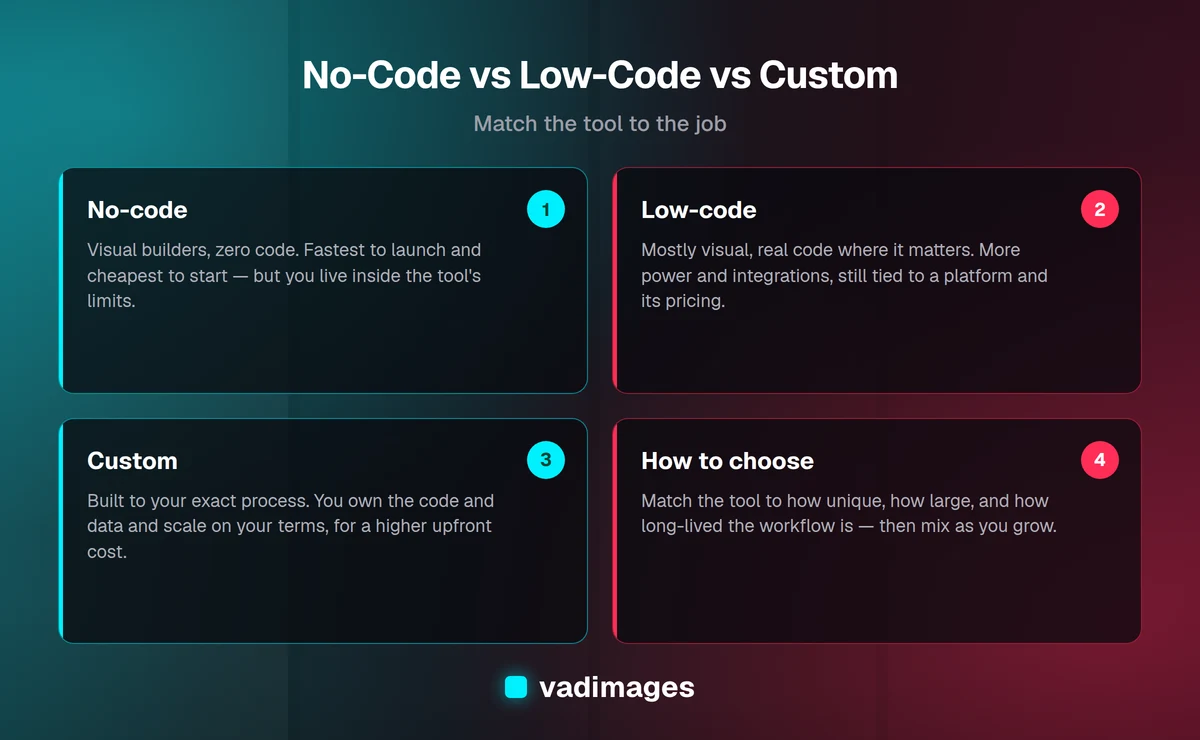
No-code platforms let you build working software by dragging elements onto a screen and clicking through settings. Tools like form builders, website builders, and app builders fall here. You define what happens through menus and rules instead of code. The appeal is obvious: a non-technical person can ship something real in days, and there is no development team to hire. The catch is that you can only do what the tool was designed to allow.
Low-code sits in the middle. You still get a visual builder for the common parts — screens, forms, workflows — but you can drop into actual code when you hit something the visual tools cannot express. That makes low-code far more capable than no-code for real integrations and custom logic, while still moving faster than building everything by hand. The trade is that you are now writing and maintaining some code, so you need at least one person who can read it.
Custom software is built specifically for you. Engineers design the data model, the logic, and the interface around your actual workflow rather than fitting your workflow into someone else's template. Nothing is off the table, you own the code and the data outright, and the application does exactly what your business does. In return it costs more to start and needs a team — your own or a partner like Vadimages — to build and maintain it.
A useful way to picture the spectrum: no-code is renting a furnished apartment, low-code is renting one you can renovate, and custom is building a house on your own lot. Each is the right answer for a different stage and a different need.
When does no-code make sense?
No-code earns its place when speed matters more than fit and the job is common enough that a tool already exists for it. If thousands of other businesses need the same thing you do, someone has almost certainly built a platform for it, and using that platform will beat building your own.
Good candidates for no-code include:
- Marketing sites and landing pages. A website builder gets you online fast and looks professional without a developer.
- Simple internal forms and trackers. Intake forms, sign-up sheets, and small databases that a few people update by hand.
- Early experiments. When you are still testing whether an idea has legs, a no-code prototype answers the question cheaply before you invest in building the real thing.
- Standard back-office jobs. Email marketing, scheduling, e-signatures, and basic invoicing are solved problems with mature tools.
The honest limit is this: no-code works right up until your process stops looking like everyone else's. The first time you say "the tool almost does what we need, but not quite," you have found the edge. Common walls are integrations the platform does not support, reporting it cannot produce, per-record or per-seat pricing that balloons as you grow, and the simple fact that your data lives inside someone else's product. None of that makes no-code a bad choice. It makes it a starting choice.
When is low-code the right call?
Low-code fits when your needs are more specific than a packaged tool allows, but not so specialized that every screen has to be built from scratch. It shines for internal business applications — the operational software that runs a team but that no customer ever sees.
Reach for low-code when you recognize a few of these signs. You need to connect several systems you already use and pass data between them. You have workflows with real rules — approvals, routing, conditional steps — that a pure no-code tool cannot quite handle. You want a custom interface for your staff, but the underlying logic is fairly standard. And you have, or can hire, someone comfortable maintaining a bit of code and configuration over time.
The strength of low-code is leverage: a small team can build a surprising amount quickly because the platform handles the plumbing. The weakness is that you are building on someone else's foundation. If that vendor raises prices, changes direction, or shuts down, your application goes with it. You also inherit the platform's ceiling on performance and design. For many growing businesses that trade is completely worth it, and low-code becomes the workhorse for a decade. Just go in knowing you are a tenant, not an owner.
When do you actually need custom software?
Custom software makes sense when the thing you do is the thing that makes you money — and doing it in a generic tool is holding you back. If your competitive edge is a process, a pricing model, a logistics flow, or a customer experience that no packaged product supports, custom is how you protect and scale that edge.
The clearest signals that you have outgrown no-code and low-code:
- The workarounds have become the job. Your team spends hours moving data between tools, re-keying information, and patching gaps a real system would close.
- Per-seat or per-record pricing punishes your growth. Success on a packaged platform gets more expensive every month, and the math stops working.
- You cannot get at your own data. Reporting, integrations, and automation are blocked because the tool owns the data and only lets you see what it chooses to.
- The process is your advantage. The way you operate is genuinely different from competitors, and a template forces you to work like everyone else.
With custom software you own the code and the data, you design the workflow around your business instead of the reverse, and you can integrate anything, report on everything, and scale without a per-user tax. We cover the deeper case for this in custom software development, and you can see the shape of real projects in our case studies. The cost is real — it takes time, money, and a team to build and maintain — but for the right problem it is the option that pays you back the longest.
What does each option really cost?
Price is where these three diverge the most, and where the sticker number can mislead you. Here is the honest shape of it.
No-code starts cheap — often a monthly subscription in the tens or low hundreds of dollars — and that is genuinely all you pay while your usage stays small. The cost curve bends upward as you add users, records, and premium features, but for a small operation it can stay inexpensive for a long time.
Low-code costs more, usually a heavier platform subscription plus the time of whoever builds and maintains your apps. You are paying for capability. The bill grows with seats and usage, and unlike no-code you also carry some ongoing maintenance, but you get far more in return.
Custom is the largest upfront investment because you are paying people to build something new. At Vadimages custom projects start at $5,000, and where a given project lands depends on scope — how many workflows, how many integrations, and how much has to be designed from scratch. We keep that transparent rather than quoting a vague "it depends"; you can see how we structure it on our pricing page and how we run projects in how we work.
The number that actually matters is total cost of ownership over a few years, not the first invoice. A no-code tool at a low monthly rate can quietly become the most expensive option once per-seat fees, add-ons, and the labor of working around its limits pile up. Custom is the reverse: a bigger start, then a flatter cost as you grow. Compare the three-year picture, including the hours your team loses to a tool that almost fits, and the ranking often flips.
The costs nobody puts in the quote
Three hidden costs decide more of these projects than the subscription price does.
The first is lock-in. When your business runs inside a no-code or low-code platform, that vendor holds your data and your logic. Moving off it later means rebuilding, and the harder you are locked in, the more leverage the vendor has over your pricing. The second is the tax on growth: per-seat and per-record pricing means the more successful you get, the more you pay, and that curve can outrun the value at a certain scale. The third is the cost of "almost." A tool that does ninety percent of what you need sounds great until you count the hours your team spends every week bridging the last ten percent by hand. That labor is real money, it does not show up on any invoice, and it grows with volume.
None of this argues against no-code or low-code. It argues for pricing the whole picture. The cheapest tool to buy is not always the cheapest tool to run.
How do you actually choose?
You do not need a spreadsheet of forty criteria. Three questions settle most decisions.
- How unique is the workflow? If it looks like what every other business does, a packaged no-code tool will beat anything you build. If it is genuinely your own, custom protects it.
- How large will it get? Small and stable favors no-code. Heavy usage, many users, and lots of data favor low-code or custom, where per-seat pricing does not punish scale.
- How long will it live? A short-lived experiment does not deserve a custom build. Software that will run your core operation for years does — you want to own what you depend on.
Put simply: choose no-code when speed matters most and the job is common, low-code when you need real capability without a full build, and custom when the software is central to how you compete. If you are weighing this for a specific system, our team is glad to talk it through your actual numbers on the contact page, and you can browse the kinds of problems we take on across solutions and industries.
Can you use all three together?
Yes — and most successful businesses do. These are not rival religions; they are tools at different stages. A smart path is to prove an idea in no-code, graduate the parts that matter to low-code as they get heavier, and commit to custom only for the workflows that become your competitive core.
In practice a single company might run its marketing site on a no-code website builder, handle internal operations on a low-code platform, and build one custom application around the process that actually differentiates it. Each piece uses the approach that fits it best. The mistake is not mixing them — it is forcing one approach everywhere, whether that means bending a critical process to fit a template or spending custom-build money on a problem a fifty-dollar tool already solved. Match the tool to the job, and revisit the choice as the job changes.
Frequently asked questions
Is no-code always cheaper than custom? Only at the start, and only at small scale. No-code wins on the first invoice. Over a few years — once you add users, hit premium tiers, and count the labor of working around its limits — a custom build can be the cheaper option to run. Compare total cost of ownership, not the monthly price.
Can I start with no-code and move to custom later? Yes, and it is often the smartest sequence. Use no-code to validate the idea and learn what you actually need, then build custom once the requirements are clear. The knowledge you gain from the no-code version makes the custom build faster and lower-risk.
What is the real difference between low-code and custom? Ownership and ceiling. Low-code builds on a vendor's platform, so you are faster to start but bounded by what that platform allows and dependent on its pricing and future. Custom is built on foundations you own, with no ceiling and no landlord — at a higher upfront cost.
Do I need a developer for low-code? Usually at least one person who is comfortable with code and configuration. Low-code removes most of the heavy lifting, but the "low" is not "no" — the parts that make it powerful are the parts that need someone technical to build and maintain.
How do I know I have outgrown my current tool? When the workarounds have become the job, when growth keeps raising your bill faster than your value, or when you cannot get at your own data. Any one of those is a signal to price out a custom option.
The bottom line
There is no universally best answer, only the best fit for a specific job at a specific stage. No-code is the fastest, cheapest way to ship something common. Low-code gives a small team real capability without a full build. Custom software is how you protect and scale the processes that make your business yours. Most companies end up using all three, and the skill is matching each tool to the work in front of it — then adjusting as the work grows.
If your team is spending its days working around a tool that almost fits, that is usually the moment custom pays for itself. We build custom software for growing businesses with plain-English scoping and transparent pricing from $5,000. Start the conversation at /contact.