
Most software projects do not go over budget because someone made a math error. They go over budget because the budget was set before anyone understood what was being built, and then reality arrived one change request at a time. A good software project budget is less about guessing the right number and more about building a plan that holds up when you learn new things — which you always will.
This guide is for business owners and operations leaders who are about to fund custom software for the first time, or who got burned last time and want to do it differently. We will walk through what actually drives cost, how to set a range before you talk to vendors, how fixed-scope and retainer models change the picture, what belongs in a contingency, and the costs that live after launch. No magic formulas — just a practical way to plan the money so the project delivers what you need.
Start with the outcome, not the feature list
The most common budgeting mistake is starting with a list of features and asking what it costs to build all of them. Feature lists grow without limit, and every item on them feels essential when you write it down. A better starting point is the business outcome: what changes, for whom, and what is that change worth?
Try to answer three questions in plain language before any estimate exists:
- What problem are we solving? "Our team spends a full day each week reconciling orders between two systems" is a budgetable problem. "We need a better platform" is not.
- What is it costing us now? Staff hours, errors, lost sales, slow customer response, a subscription you are outgrowing. Rough numbers are fine; the point is to know the size of the prize.
- What does "done" look like for the first release? The smallest version that removes most of the pain, used by real people in real work.
Once you know the value of the outcome, the budget stops being an abstract number and becomes an investment decision. If eliminating a problem saves the equivalent of a part-time salary every year, you have a sensible frame for what a solution is worth — and for what it is not.
The four things that actually drive cost
Software cost is mostly people's time, and time is driven by a handful of factors. Understanding them lets you make trade-offs deliberately instead of discovering them on an invoice.
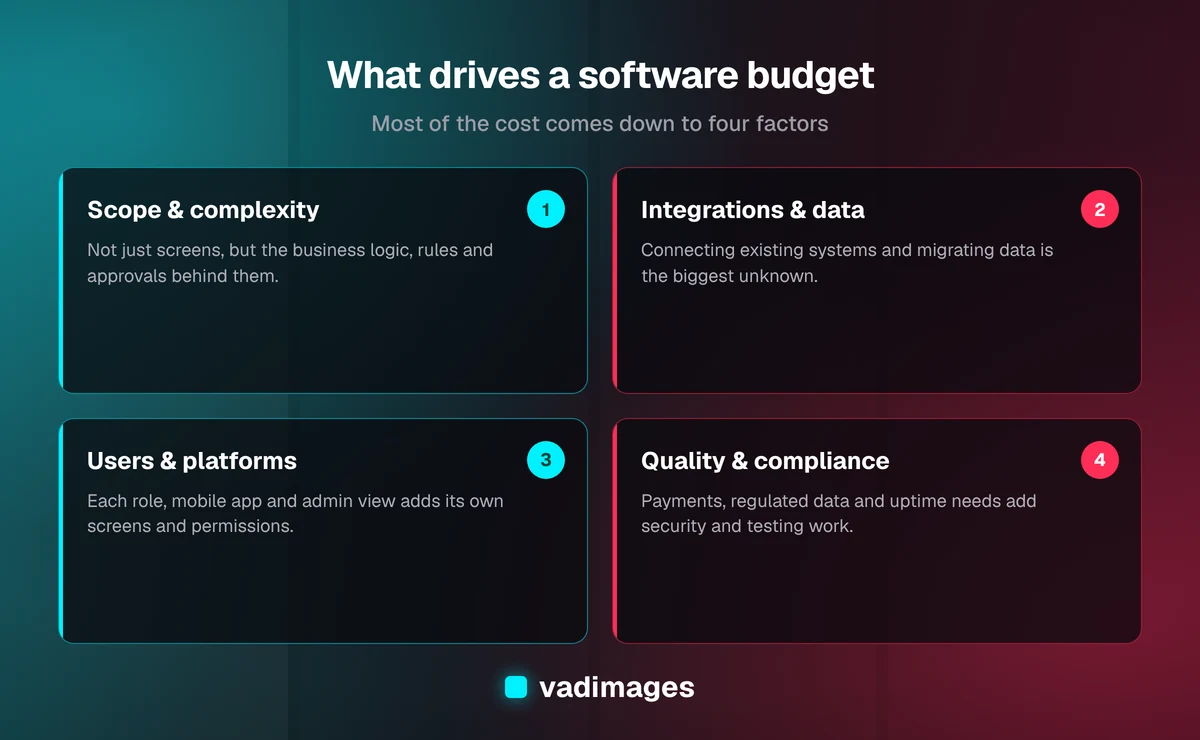
- Scope and complexity. Not just how many screens, but how much logic sits behind them. A form that saves data is simple. A form that calculates pricing across customer tiers, exceptions, and approvals is not, even if it looks identical.
- Integrations and data. Connecting to accounting, CRM, payment, shipping, or industry systems is often the largest single source of uncertainty. Well-documented APIs are predictable; older systems and messy data migrations are not.
- Users and platforms. One internal web app for a single team is far cheaper than a customer-facing product with several user roles, a mobile app, and an admin back office. Each audience needs its own views, permissions, and polish.
- Quality and compliance needs. Software that handles payments, health information, or regulated data needs more security work, testing, and documentation. So does anything that must stay up around the clock.
When a quote seems high, it is almost always because of one of these four. When it seems suspiciously low, it is usually because one of them was not discussed.
Setting a realistic range before you talk to vendors
You do not need a precise number to start, but you do need a range — and you should be honest with yourself about where it comes from. A useful way to think about it is in tiers. A focused internal tool or automation that replaces a spreadsheet workflow sits at the lower end. A customer-facing web application with accounts, payments, and a couple of integrations sits in the middle. A multi-role platform with mobile apps, complex business rules, and several integrations is a larger, multi-phase investment.
At Vadimages, projects start at $5,000 and scale with scope; our pricing page describes the ranges in more detail. Whatever studio you work with, share your range early. Hiding the budget rarely gets you a better price — it gets you proposals designed for a project you cannot afford, or scope trimmed in ways you did not choose. A vendor who knows your range can tell you what fits inside it and what should wait for a second phase.
Be wary of any estimate produced in a single phone call for a project with integrations or complex rules. Honest teams will give you a ballpark quickly and a firm number only after some discovery.
Pay for discovery first
The single best way to protect a software project budget is to fund a short, separate discovery phase before committing to the full build. Discovery is where the unknowns get turned into knowns: the workflows are mapped, the integrations are checked, the data is examined, and the first release is scoped tightly enough to price with confidence.
It can feel like paying for something you cannot use. In practice it is the cheapest insurance you will buy. Discovering that a key system has no usable API costs very little during discovery and a great deal halfway through development. A good discovery phase ends with a written scope, a milestone plan, and a price you can hold the team to. It also gives you a natural exit: if the numbers do not make sense, you have spent a small amount to learn that rather than a large amount. This is the first step in how we work for exactly that reason.
Fixed scope, time and materials, or retainer
How you contract the work shapes how the budget behaves. Each model has a place:
- Fixed scope. A defined set of deliverables for an agreed price, usually paid by milestone. It gives you cost certainty and works best when the scope is clear — ideally after discovery. Changes are handled through explicit change requests, which keeps everyone honest about trade-offs.
- Time and materials. You pay for hours worked. It offers the most flexibility for exploratory work but puts more budget risk on you, so it needs close oversight and regular check-ins against a cap.
- Retainer. A set monthly amount buys a steady block of capacity. It suits ongoing improvement, products that evolve with the business, and support after launch. Budgeting becomes predictable month to month, and priorities can shift without renegotiating a contract.
Many healthy projects combine them: a fixed-scope first release, followed by a retainer for improvements and support. That gives you certainty where you need it and flexibility where you will want it.
Build contingency into your software project budget
Every software project uncovers something nobody predicted: an edge case in the business rules, a data quality issue, a new requirement from a key customer. Pretending this will not happen does not prevent it; it just means there is no money set aside when it does.
Treat contingency as a deliberate line in your software project budget, separate from the quoted build. The right amount depends on how much uncertainty remains after discovery — less for a well-understood internal tool, more for a project with tricky integrations or a data migration. Just as important as the size of the reserve is the rule for spending it: decide in advance who can approve its use and for what. Contingency spent on genuine surprises is good management; contingency spent on new nice-to-have features is scope creep wearing a disguise.
Don't forget the costs after launch
Launch is not the finish line, and budgets that end there cause trouble later. Software lives in a changing environment: operating systems update, third-party APIs change, security patches arrive, and your business keeps evolving. Plan for these ongoing costs from the start:
- Hosting and infrastructure. Cloud hosting, databases, file storage, and monitoring — typically modest for small business applications, but recurring.
- Third-party services. Email and text messaging, mapping, payment processing, and other services usually charge by usage or subscription.
- Maintenance and support. Updates, bug fixes, dependency upgrades, and small adjustments. A support retainer or a set annual allowance keeps the system healthy.
- Ongoing improvement. Once people use the software, they will have good ideas. Budgeting for a second phase lets you act on them instead of shelving them.
A useful habit is to estimate the total cost of ownership over three years rather than just the initial build. That is also the fairest way to compare custom software with a subscription product, whose costs recur forever and often rise as you grow.
Ways to stretch the budget without cutting corners
If the honest estimate is above what you want to spend, there are smart ways to bring it down that do not compromise the result:
- Phase the work. Launch the smallest release that removes most of the pain, then fund the next phase from the time or money it saves.
- Buy the commodity parts. Use proven services for payments, authentication, email, and maps. Spend custom development only on what is unique to your business.
- Start internal. An internal tool can be plainer than a customer-facing product. Polish where customers see it; keep the back office practical.
- Make decisions quickly. Slow feedback and shifting priorities are hidden costs. A single decision-maker on your side who joins weekly demos keeps the project moving.
What you should not cut is testing, security, or the discovery work that keeps the rest of the budget honest. Those savings tend to come back as larger bills later.
Keeping the budget on track during the build
A budget is only useful if you can see how the project is tracking against it. Insist on visibility: a milestone plan with clear deliverables, working software shown regularly, and a running view of what has been spent and what remains. Weekly demos are the best early-warning system available, because they reveal misunderstandings while they are still cheap to fix, long before they become rework.
When new ideas come up mid-project — and they will — run them through a simple test: does this need to be in the first release, or can it go on the list for phase two? Keeping a visible backlog of "later" items lets people feel heard without letting the scope quietly expand.
Plan the money, then build with confidence
Budgeting for custom software comes down to a few disciplined habits: anchor the budget to a business outcome, understand what drives cost, fund discovery before the full build, choose a contract model that fits your certainty, set aside contingency with clear rules, and plan for life after launch. Do those things and the number on the proposal becomes something you can trust rather than a hopeful guess.
Vadimages is a custom software studio in Vancouver, Washington, serving the Portland and SW Washington area and businesses across the US. We build custom software with transparent pricing that starts at $5,000, on fixed-scope milestones or an ongoing retainer, and you can see examples of the kind of work we do in our case studies. If you have a project in mind and want an honest conversation about what it should cost and how to phase it, get in touch.