
Working with developers as a non-technical person is a skill of describing outcomes, not code: you explain the business problem, the people involved and what "done" looks like, and the developers decide how to build it. You do not need to learn a programming language. You need a clear written brief, one person on your side who can make decisions, short feedback loops where you see working software every week or two, and a habit of asking plain-English questions until the answer makes sense. In our experience at Vadimages, those four habits matter more to the outcome than any technical knowledge on the client side.
This guide is for US small and mid-sized business owners and operations leads who are about to hire a developer or agency for a website, an internal tool, an integration or a customer-facing app. It covers what your job actually is, how to write a brief, how to run the project week to week, the questions that expose problems early, what it costs as of 2026, and the warning signs that a project is drifting. It is written by the Vadimages team, based on the custom software and website projects we deliver for US small businesses.
What your job is (and what it isn't)
The most common mistake non-technical clients make is assuming they have to manage the technical side. They don't. A good development team owns the technical decisions: languages, frameworks, hosting, database design. Your job is to own the business decisions, and those are the ones developers cannot make for you.
You are the expert on:
- The problem. What is slow, expensive, error-prone or impossible today, and who feels it.
- The people. Who will use the software, how comfortable they are with technology, and what devices they use on the job.
- The rules. Pricing logic, approval steps, exceptions, compliance requirements, the "we always do it this way because…" knowledge that lives in your team's heads.
- The priorities. When time or budget runs short, which features matter and which can wait.
- The definition of done. What has to be true on launch day for the project to count as a success.
If you hold up your side of that split, you can work productively with any competent developer. If you skip it, even an excellent team will build the wrong thing very efficiently.
Five steps to working well with developers
The five steps below cover the whole project, from the first conversation to launch. None of them requires technical knowledge.
Step 1: Write a brief in plain English
A brief is a one-to-three page document that describes what you want to achieve. It is not a technical specification, and it should not be written in jargon. Developers would much rather read "our dispatcher re-types every work order from email into QuickBooks and it takes her two hours a day" than "we need an ERP integration layer."
A useful brief answers six questions:
- What is the problem today? Describe the current process step by step, including the spreadsheets, emails and workarounds.
- Who is affected? List the roles (office staff, field techs, customers, managers) and roughly how many people in each.
- What should be different afterwards? Describe the outcome, not the screens: "a customer can book and pay without calling us," "a manager can see every open job on one page."
- What systems are already involved? Name the tools you use: QuickBooks, Shopify, HubSpot, Google Workspace, a legacy database. Developers need to know what they will connect to.
- What are the constraints? Budget range, deadline and the reason for it, and any compliance or data rules.
- How will you judge success? Pick two or three things you can actually observe, such as hours of re-keying removed or the number of steps in a booking.
Attach examples. Screenshots of your current spreadsheet, a photo of the paper form, a link to a competitor's site you like, a sample of the email you want to stop sending. Examples remove more ambiguity than any amount of description.
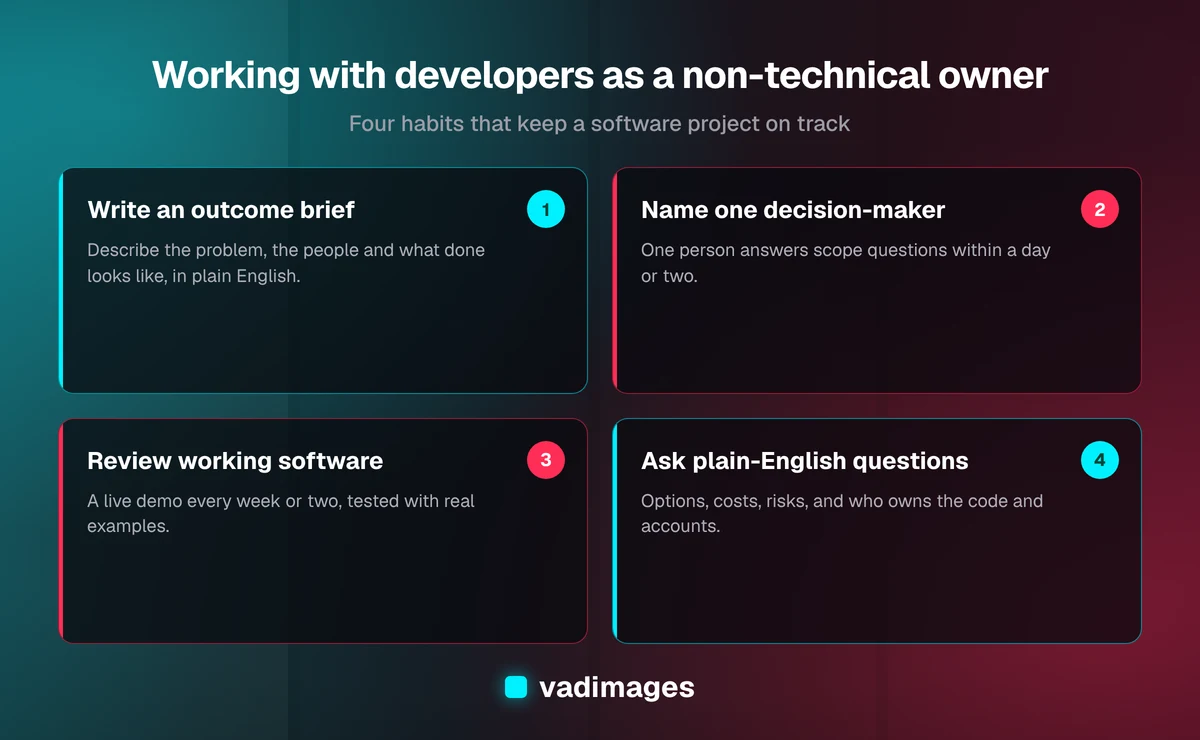
Step 2: Name one decision-maker
Projects slow down most when nobody on the client side can say yes or no. Developers ask "should a manager be able to edit an invoice after it's sent?" and the question bounces between three people for a week. Meanwhile the work either stops or proceeds on a guess.
Pick one person, often the owner or an operations lead, who has the authority to answer scope questions within a day or two. That person does not need technical knowledge. They need to understand the business process and be trusted by the rest of the team. Other staff can (and should) give input, but the decision-maker collects it and gives the developers one answer.
Also decide in advance who signs off on the finished work. If the person who approves launch has never seen the project until launch week, expect late surprises.
Step 3: Insist on seeing working software often
You cannot judge progress from a status report full of technical terms. You can judge it by clicking through a working version of the software. That is why the single most protective habit for a non-technical client is a regular demo: a live walkthrough, every week or two, of what has been built since the last one.
In a demo, you are not reviewing code. You are checking whether the software matches how your business actually works. Useful things to do during a demo:
- Try it with a real example. Use last Tuesday's actual order, a real customer name, a real edge case.
- Ask "what happens if…" the customer cancels, the payment fails, two people edit the same record, the internet drops in the field.
- Bring an end user. The person who will use the tool every day spots problems the owner never sees.
- Write feedback down. Send it in one list after the demo rather than a stream of separate messages.
At Vadimages we run weekly live demos with async updates in between, because short loops catch misunderstandings while they are still cheap to fix. You can read how that works on our how we work page.
Step 4: Ask plain-English questions (and expect plain-English answers)
A good developer can explain any decision in terms of cost, risk, time or what the user experiences. If an explanation stays fogged in jargon after you ask for a simpler version, treat that as information about the working relationship.
Questions that work well for non-technical clients:
- "What would this look like for the person using it?"
- "What are the two or three options here, and what does each cost in time and money?"
- "What could go wrong with this approach, and how would we know?"
- "If we cut this feature, what do we lose and what do we save?"
- "What do you need from us this week to stay on schedule?"
- "Who owns the code, the hosting account and the domain when this is finished?"
Ownership of code and accounts deserves special attention. Before work starts, confirm in writing that your business will own the source code, the accounts for hosting and third-party services, and the domain. Ask for credentials to be held in accounts registered to your company, not to the developer.
Step 5: Manage scope deliberately
Scope creep rarely comes from one big request. It comes from a dozen reasonable "while you're in there, could you also…" messages. Each one feels small; together they add weeks.
A simple rule keeps scope under control: every new idea goes on a list, not straight into the work. At a regular checkpoint, you and the developer look at the list together, estimate each item, and decide whether it goes into the current phase, a later phase or nowhere. That turns scope from a running argument into a series of explicit trade-offs. If the project is large, starting with a smaller first release often gets you to useful software sooner; our custom software page explains how we phase builds.
What it costs to hire developers as of 2026
Price depends far more on scope than on whether you are technical. As a reference point, Vadimages' project ranges as of 2026 are:
- Websites: WordPress or Shopify sites from $4,000; custom Next.js sites typically $8,000–$35,000.
- API integrations between systems you already use: $15,000–$60,000, depending on the number of systems and data volume.
- Internal tools and admin panels: $30,000–$75,000, more for multiple roles and complex workflows.
- Custom business systems that replace a patchwork of spreadsheets and apps: $50,000–$150,000.
Being non-technical does not have to raise the price of a project. What does raise it is unclear requirements, slow decisions and late changes, all of which the steps above address. Our pricing page lists current ranges for each service, and our solutions pages describe what each engagement includes.
Warning signs a project is drifting
You do not need to read code to notice when something is wrong. Watch for these patterns:
- No demo for several weeks. "It's almost ready to show" repeated over a month usually means problems are being hidden or the work is further behind than reported.
- Answers you still can't follow after asking twice. Either the developer can't explain the work, or they don't want to.
- Surprise invoices. Costs that rise without a prior conversation about the change that caused them.
- Single-person dependency. Only one developer knows how anything works and nothing is written down.
- Accounts you can't access. Hosting, code repository or domain registered only in the developer's name.
If you see two or more of these at once, ask for a meeting to reset expectations: current status in working software, a written list of what remains, and a revised estimate.
Choosing a team that works well with non-technical clients
When you are comparing developers or agencies, the technical skills matter, but for a non-technical buyer the working style matters just as much. In early conversations, notice whether the team asks about your business before proposing technology, whether they can describe their process in a few sentences, and whether their estimate explains what is included and what isn't. Ask to see examples of past projects similar to yours; our case studies and industries pages show the kinds of businesses we build for.
Vadimages is a software development studio based in Vancouver, Washington, working with small and mid-sized US businesses. We work with non-technical owners and founders often, and our process is designed around that: a plain-English discovery phase, a written scope with transparent pricing, weekly demos and full ownership of the code at handoff.
Frequently asked questions
Do I need to learn to code to manage a software project?
No. You need to understand your business process, make decisions promptly and review working software. Developers handle the technical choices. Learning a few common terms, such as front end, back end, API and staging site, helps conversations move faster, but it is not required.
How much of my time will a development project take?
Expect the heaviest involvement at the start and lighter, steady involvement after that. Discovery and scoping need focused input from you and your team. After that, expect a regular demo, prompt answers to questions, and some time for testing before launch. Ask your developer for their estimate of your time commitment up front.
Should I hire a freelancer or an agency if I'm non-technical?
Either can work. A freelancer can be a good fit for a small, well-defined job. An agency typically adds project management, design, testing and continuity if one person leaves, which reduces the coordination load on a non-technical owner. Whichever you choose, insist on demos, written scope and ownership of the code and accounts.
How do I know if a developer's estimate is reasonable?
Compare estimates that are based on the same written brief, and look for ones that list what is included, what is excluded and what assumptions they rest on. A much lower number usually means a smaller scope, not a cheaper way to deliver the same thing. Asking each bidder to explain their two biggest risks is a quick way to see who understood the project.
Have a project in mind but not sure how to describe it? Tell us about it in plain English and we'll help you turn it into a clear scope, timeline and price.


