
Real estate software development is the work of designing and building software around how a brokerage, team, property manager, or developer actually wins and closes business: capturing leads, matching buyers to listings, coordinating showings and offers, and moving a transaction from accepted offer to closing without dropped tasks. The tools that close deals in 2026 are rarely one big platform. They are a fast listing website fed by your MLS, a CRM that routes and follows up on every lead within minutes, a transaction workspace that keeps agents, clients, lenders, and title on the same checklist, and the integrations that connect those pieces so nobody retypes data. The Vadimages engineering team's view: buy the commodity parts, and build custom software only where your process is the thing that makes you different.
This guide is written for owners and operations leads at US brokerages, real estate teams, property management firms, and small developers. It explains which tools move deals forward, when off-the-shelf software is enough, where custom software pays off, what it costs as of 2026, and how to scope a first project without betting the business on it.
What "tools that close deals" actually means
A tool closes deals when it shortens the time between a person showing interest and that person signing, or when it stops a signed deal from falling apart before closing. Everything else is reporting. In practice, a real estate deal passes through five stages, and each stage has a typical place where it leaks:
- Lead capture. Inquiries arrive from your website, portals, social ads, open houses, sign calls, and referrals. Leads leak when they land in different inboxes and nobody owns the first reply.
- Qualification and matching. The agent learns budget, timeline, financing, and must-haves, then sends listings that fit. Deals leak when listing alerts are generic or the agent is working from a spreadsheet.
- Showings and offers. Scheduling, feedback, comparable sales, and offer drafting. Deals leak in back-and-forth messages and slow paperwork.
- Under contract. Inspections, appraisal, financing contingencies, disclosures, and deadlines. Deals leak when a date is missed or a document is unsigned.
- Closing and after. Final walkthrough, commission, reviews, and the follow-up that brings the next referral. Value leaks when past clients never hear from you again.
Good real estate software is mapped to these stages. Before you buy or build anything, write down where your own deals leak most often. That list, not a feature comparison chart, should decide the project.
The four tool categories that matter most
Most of the value in real estate technology for a small or mid-sized firm sits in four categories. You probably already own some version of each; the question is whether they talk to each other.
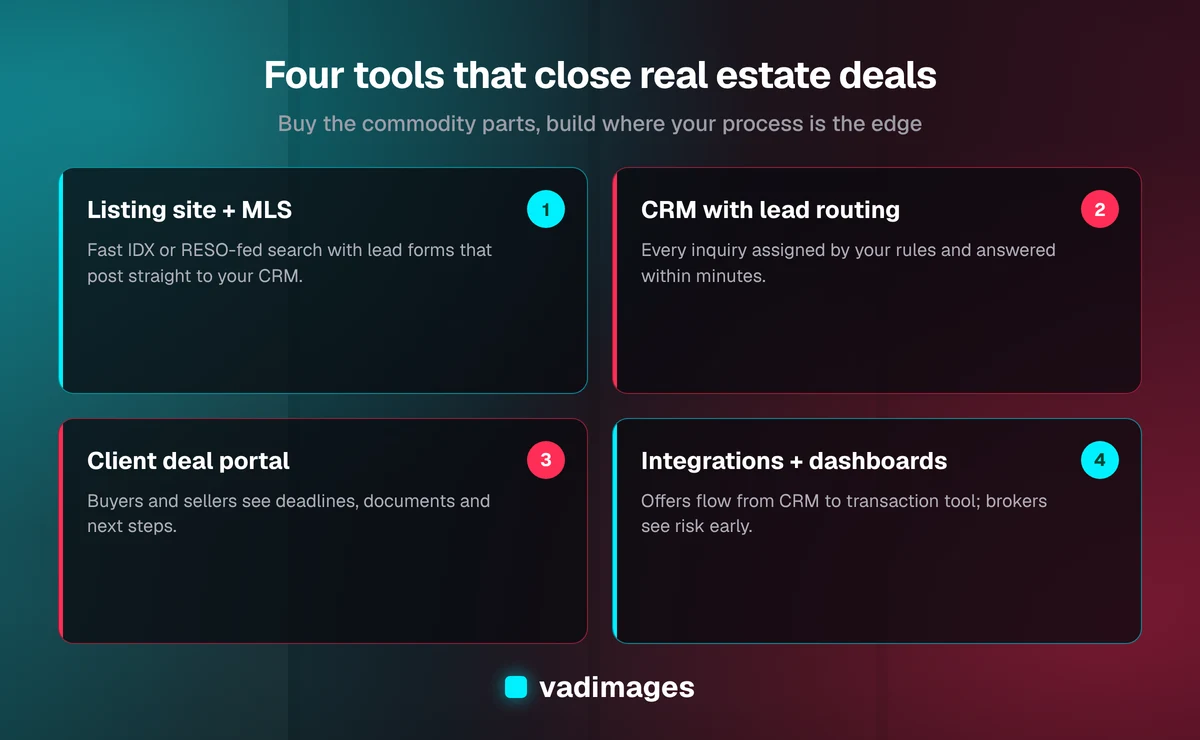
1. A listing website wired to your MLS
A brokerage website earns leads when buyers can search current listings quickly on a phone and save searches without friction. Listing data comes from your MLS, either through an IDX feed or, increasingly, through the RESO Web API, the data standard published by the Real Estate Standards Organization. Each MLS sets its own display rules for IDX data, such as required attribution, disclaimers, and refresh frequency, so a custom listing site must be built to the specific MLS agreement you sign. The payoff of a custom build over a template is speed, local SEO for neighborhood and property-type pages, and lead forms that send structured data straight into your CRM instead of an email inbox.
2. A CRM with real lead routing
A real estate CRM stores every contact, conversation, and preference, and assigns each new lead to an agent by rules you define: source, area, price range, language, or a round-robin. As of 2026, established products such as Follow Up Boss, Lofty, and kvCORE cover this well for most teams, and buying one is usually the right first step. Custom work becomes worthwhile when your routing rules are unusual, when you need to combine leads from systems the CRM does not support, or when you want reporting the CRM cannot produce.
3. A transaction workspace and client deal portal
A transaction management tool holds the contract, the deadlines, the document checklist, and the e-signatures for each deal. As of 2026, products such as SkySlope, dotloop, and DocuSign's real estate offerings are common choices. Where firms outgrow them is the client-facing side: a branded portal where buyers and sellers see what is done, what is next, and what they need to sign, without phoning their agent for every update.
4. Integrations and internal dashboards
The glue is often where the money is. An integration that moves an accepted offer from your CRM into the transaction tool, opens the checklist, notifies the lender and title contact, and posts the deal to your commission report removes hours of retyping per deal and the errors that come with it. An internal dashboard that shows every pending deal by deadline lets a broker or transaction coordinator see risk before it becomes a missed contingency.
Buy, configure, or build: how to decide
The honest answer for most brokerages is to buy the core systems and build around them. Off-the-shelf real estate software is mature, and rebuilding a CRM or an e-signature tool from scratch rarely makes financial sense for a firm with fewer than a few hundred agents. Use this rule of thumb:
- Buy when the process is the same at every brokerage: e-signature, MLS access, accounting, basic CRM, and showing services.
- Configure when the product fits but your rules are specific: lead routing, drip campaigns, checklists, and templates. Many firms get most of their gains here at little cost.
- Build when your process is a competitive advantage or no product supports it: a branded client portal, a property management workflow, a new-construction sales tool, a commission model your accounting software cannot handle, or a data connection between systems that were never meant to meet.
A useful test: if a competitor could buy the same tool tomorrow and match you, do not build it. If the tool encodes how your team works best and would be hard to copy, it is a candidate for custom development.
Custom tools that tend to pay off in real estate
These are the custom projects we see make sense most often for small and mid-sized real estate businesses. None of them replaces your CRM or MLS; each sits on top of the systems you already pay for.
Client deal portal
A secure portal where each buyer or seller logs in to see a timeline of their transaction, upcoming deadlines, documents to sign, and the contacts for their lender, inspector, and title company. The portal pulls status from your transaction tool through its API, so agents do not update two places. The outcome is fewer "where are we?" calls and a client experience that is easy to point to in a listing presentation.
Speed-to-lead automation
An automation that receives every new inquiry from every source, enriches it with listing details, assigns it by your rules, sends an immediate acknowledgment, and escalates to a team lead if no agent responds within a set number of minutes. Any automated texting must follow the Telephone Consumer Protection Act (TCPA) consent rules, so consent capture has to be part of the design from day one. See our business automation and integration solutions for how we approach this kind of work.
Neighborhood and property-type landing pages
Pages generated from MLS data for each neighborhood, school area, or property type you specialize in, with live listings, recent activity, and your agents' local knowledge. These pages target the searches buyers actually type and give AI answer tools clear, factual content to quote. They must comply with the Fair Housing Act, which means describing properties and amenities, not the people who live in an area.
Property management workflows
For property managers, the deal is often the lease. Custom tools here include rental application intake with screening-provider integration, maintenance request routing with photo uploads and vendor dispatch, and owner reporting that combines data from the accounting system and the maintenance queue into one monthly statement.
New-construction and pre-sale tools
Small developers and builders often need an interactive site plan showing lot availability, an option and upgrade selector with pricing rules, and a reservation workflow that hands off to the sales team. Off-the-shelf tools for this exist but are often rigid; a focused custom build can match exactly how your sales office works.
What real estate software development costs in 2026
Cost depends on scope, the number of systems involved, and how much of the data flow is automated. As of 2026, Vadimages website projects start at $4,000, and these are the typical ranges for the kinds of work described above:
- Brokerage or property website: WordPress sites from $4,000; custom Next.js sites typically $8,000 to $35,000. MLS listing search and neighborhood pages push a build toward the upper end. MLS and IDX vendor fees are separate.
- Integrations between your CRM, transaction tool, and accounting: typically $15,000 to $60,000, depending on the number of systems, data volume, and transformation logic.
- Internal tools and dashboards such as a pending-deals board or commission tracker: typically $30,000 to $75,000, more with multiple roles and complex workflows.
- Process automation such as speed-to-lead routing or maintenance dispatch: typically $25,000 to $100,000, depending on the number of processes and integrations.
- Custom platforms such as a full client portal or a property management system: typically $50,000 to $150,000.
Ongoing costs matter as much as the build. Plan for hosting, monitoring, updates when a vendor changes its API, and small improvements; our maintenance plans run $500 to $2,000 per month as of 2026. The full breakdown is on our custom software pricing guide.
How to scope your first real estate software project
The safest first project is narrow, tied to one leak in your deal flow, and measurable with numbers you already have. Here is the sequence we follow, and the one we recommend whoever you hire:
- Pick one leak. Choose the stage where deals most often stall or the task your team complains about most, such as slow lead response or missed contract deadlines.
- Measure the baseline. Pull what you can from your CRM and transaction tool: average first-response time, deals per coordinator, or the number of deadline extensions last quarter.
- List the systems involved. Note every product the data passes through and confirm each has an API or export your team is allowed to use under its contract.
- Define done. Write the outcome in one sentence, for example "every new lead gets an acknowledgment and an assigned agent within five minutes, day or night."
- Ship a first version in 2–8 weeks. A working integration or portal for one office or one deal type proves the value before you roll it out.
- Compare against the baseline and decide what to extend next.
You can read more about how this works in practice on our how we work page, and see examples of comparable projects in our case studies.
Compliance and data points to settle early
Real estate software touches regulated activity and personal financial data, so a few questions should be answered before any code is written:
- MLS and IDX rules. Your MLS agreement controls which listing fields you can display, how often data must refresh, and what attribution is required.
- Fair housing. Search filters, landing page copy, and ad targeting must not steer people by protected characteristics under the Fair Housing Act.
- Consent for calls and texts. Automated outreach needs documented consent under the TCPA and must honor opt-outs.
- Document security. Contracts, pre-approval letters, and IDs need access controls, encryption, and an audit trail, and the portal should tell clients to confirm any wire instructions by phone with a known contact, because wire fraud aimed at closings is a known risk.
- Data ownership. Confirm that you own your lead and client data and can export it if you change vendors.
MLS, fair housing, TCPA, and document-security requirements are standard for real estate software, and they are cheaper to design in than to retrofit. Our industry software pages cover how we handle similar requirements in other regulated sectors such as fintech and healthcare.
Frequently asked questions
Should a small brokerage build its own CRM?
A small brokerage should not build its own CRM in most cases. Established real estate CRMs cover lead storage, routing, and drip campaigns well for a monthly fee. Custom development pays off around the CRM instead: integrations, a client portal, or automation for rules the CRM cannot express.
Can a custom website show MLS listings?
A custom website can show MLS listings once your brokerage has an IDX or RESO Web API data agreement with your MLS. The site must follow that MLS's display rules for attribution, disclaimers, and data refresh, and the data license fees are paid to the MLS or data vendor separately from the build.
How long does a real estate software project take?
A focused real estate software project, such as a CRM-to-transaction integration or a lead-routing automation, typically takes 2–6 weeks for a single integration or 4–8 weeks for a focused automation, as of 2026. A full client portal or property management platform typically takes 10–16 weeks, and we usually ship it in phases so the first part is in use early.
How much does real estate software development cost?
As of 2026, Vadimages brokerage websites typically run $4,000 to $35,000, integrations $15,000 to $60,000, process automation $25,000 to $100,000, internal tools $30,000 to $75,000, and custom platforms such as client portals $50,000 to $150,000, depending on scope and the number of systems involved.
Know where your deals leak but not which tool should fix it? Tell us how leads, showings, and transactions move through your office today, and our Vancouver, WA team will recommend what to buy, what to configure, and what is worth building, with a written estimate. Contact Vadimages to start the conversation.


